Help Me Understand the Import Process

In C1 (15.1.2.1 Mac) when I chick the Import button I navigate to a folder on my hard drive where my RAW files are stored. At this point C1 also asks where do I want to impost those files to, I select a destination. When doing so this means that C1 will make a copy of every file in that 'Import from Folder' and place them into a destination 'Import to Folder'. This means that I have two copies taking up twice the space. Is there a way to simply tell C1 to Load the files that I want to work with into a session without importing them into another folder and making a copy of every file? I don't need a copy of everything, I simply want to load the photos into a C1 session so that I can begin my edits.
-
In the library tool, just navigate to your image folder and that's it. Note though, C1 will create a sidecar folder with additional files in your image folder.
1 -

Mark,
In addition to BeO's good guidance ...
The "Import" option is a useful opportunity for enhancing file naming should you wish to do so. Once imported and name-changed the original files can be removed from the system.
That will also create a "Favourite" reference to the resulting folder(s) as part of the import. That means the Session will remember which folder you worked with.
To make the same "Favourite" association without importing make sure you set the "Favorite" association flag yourself. It tends to be more convenient that way.
0 -
Guys,
I really appreciate your efforts to help but something is not adding up. Either we are not communicating not eh are level or I totally do not understand the whole C1 file/session/catalog management system. I hate to say this but I find LR so much easier to navigate.
BeO said:
I recommend to separate your sessions.1Ensure that in each folder in your file system, there is only one session ( .cosessiondb file). In other words, have every session in its own folder, each session having it own subfolders Capture, Selects, Output, Trash.This is what I do. I only create Sessions no catalogs and every project has a .cosessiondb file and corresponding; Capture, Selects, Output, Trash folders.2You check every collection in all of your sessions by right-clicking on the collection and say "Show in library". Remove all collections under Session Favorites which point to folders from another session.I do not understand, 'in every collection'. What is a collection, where do I find them? I do not see any 'collections'. So I do not knowingly use them. May be I am using 'collections' and I just do not know it.3Use each session separately. Or, as I replied in your other thread, use one master session using the System Folders in the library tool. Maybe you can add each Capture folder as a favorite there, and work with the collection "All Images".I don't believe that I want to do that. I want one session and one .cosessiondb file for every job or project.0 -
Let me see if I can better explain my issue. I am probably using C1 incorectly.
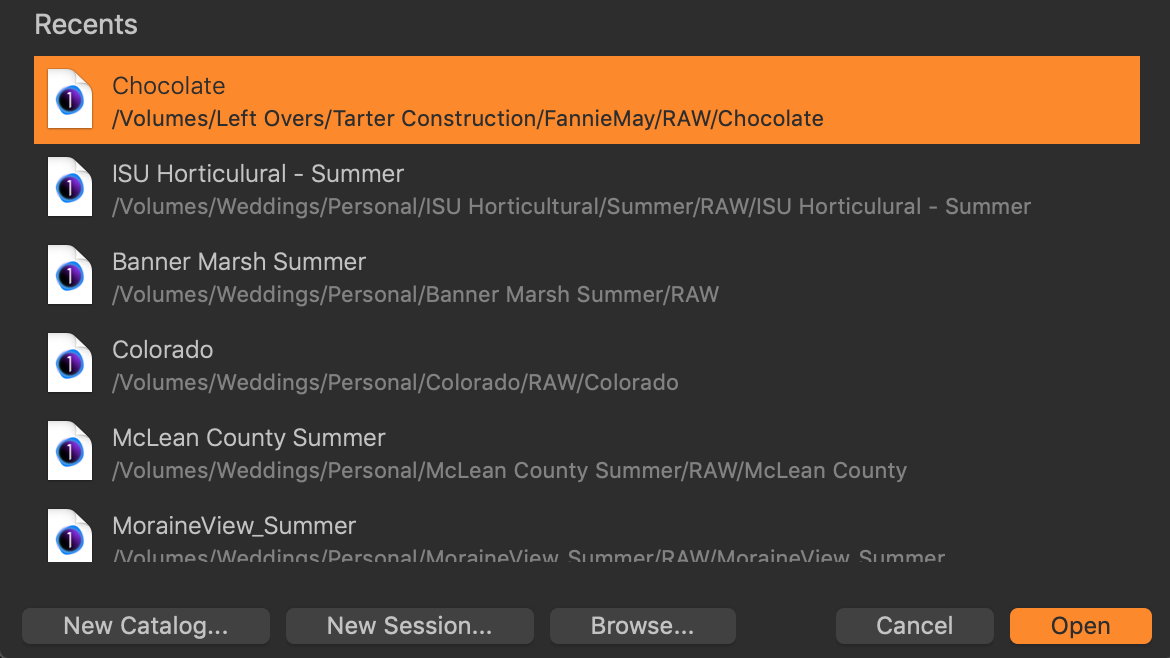
Every job/project that I have starts as a New Session in C1. My workspace is set up as Dual Monitor - Large Browser. So when I first open C1 it opens to the last Session that I was working in. If I want to continue working on that Session everything is fine. But let's say that I am done with that Session and I want to switch to another Session. So I close the Image Browser window. When I do that then the C1 open dialog window pops up (see screen grab below). I then select a different .cosessiondb file and click open. Then that session opens but when it is done loading the images for that session it then begins loading all the images from the session that I just closed.
 0
0

Post is closed for comments.
Comments
4 comments