Sessions and catalogs -- where

I generally work with catalogs and usually don't have problems. I think in the past I opened some sessions by mistake.
I have in a directory something called Capture One with 2 directories under it called Cache and Settings141. These seem to be the session files as I can see all my file names with various dot names.
I don't see how to open the session. They were created in older versions of C1, though I assume that doesn't matter.
Any help would be appreciated. Thanks
-
The default structure of a session and its subfolders is like this. So here I have a session called 2021M October; it's in a folder called 2021M October, and the session file is called 2021M October.cosessiondb. There are folders for Capture, Output, Selects and Trash, and as you rightly say, subfolders for each of these called Cache and Settings. Cache has previews and thumbnails in it; Settings141 has adjustments and masks.
If you can find the .cosessoindb file you should be able to open it in Capture One. Go to File>Open and navigate to the file.
Ian
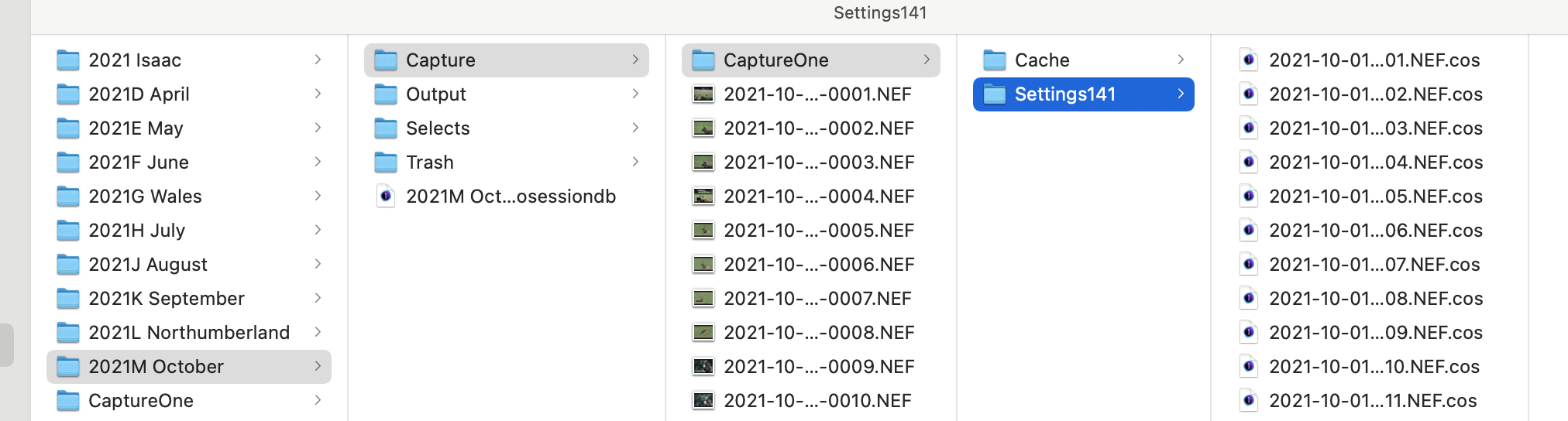 0
0 -
Thanks Ian.
No I don't have a cosessiondb file.
If I am using a catalog I have a cocatalog file, which I assume serves the same purpose for a catalog.
So from where do I get the CaptureOne file?
Also What do directories Output, Selects and Trash contain (the later I assume os files deleted in C1)?
Additionally, separately, I managed to locate individual files per the instructions in https://www.youtube.com/watch?v=lZ3gL893TaM but not an entire directory as described in that clip.
Thanks
0 -
If you don't have a session file, do you have the image files in folders like Capture, Selects, etc?
- If you do have image files, then you could create a new session, navigate to those folders, and move the images from them into the new session. Capture One would pick up the adjustments too.
- If you don't have such image files, then you could just delete the Capture One folder with its Cache and Settings141 subfolders. It is possible that when you had your accidental session, you looked at what was in the folder in question and Capture One have created the Capture One subfolder, and its sub-subfolders. (Sessions do that.) But if you don't have the image files, you can delete the subfolders and not worry about it.
The .cocatalog file performs a slightly different function. In catalogs, the adjustments are stored inside the catalog, so it doesn't need to create those Capture One folders with their Cache and Settings1412 subfolders.
Ian
0 -
Thanks Ian. I thought that may be the case. They seem in appear in directories in which I, at least don't remember, setting up a session but I guess I must have. None of those have a .cosession file.
Yes I understand that in catalog the directory structure is hidden inside the .cocatalog file.
0 -
They seem in appear in directories in which I, at least don't remember, setting up a session but I guess I must have.
No - they could appear without you setting up a session in that folder. If I am in a session and navigate to some other folder - for instance the desktop - to look at images there, Capture One will create a Capture One folder there and the subfolders we discussed. Annoying on the desktop, but they do no real harm anywhere else.
Ian
0 -
OK. Interesting. Thanks
Is another possibility after the program crashes?
0 -
Unlikely.
Ian
0 -
The program just crashed. It's been crashing quite a bit lately.
It crashed as I was attempting to export 2002201021-7964XEDrumSticksXXX.eip to a TIF.
Below of a screenshot of what I ended up with after the crash. I only created this .eip file earlier today. The dates make no sense. The crash occurred at 15:31. It is possible a previous crash was at 13:14. But when I started working I don't believe a CaptureOne directory existed.
Strange.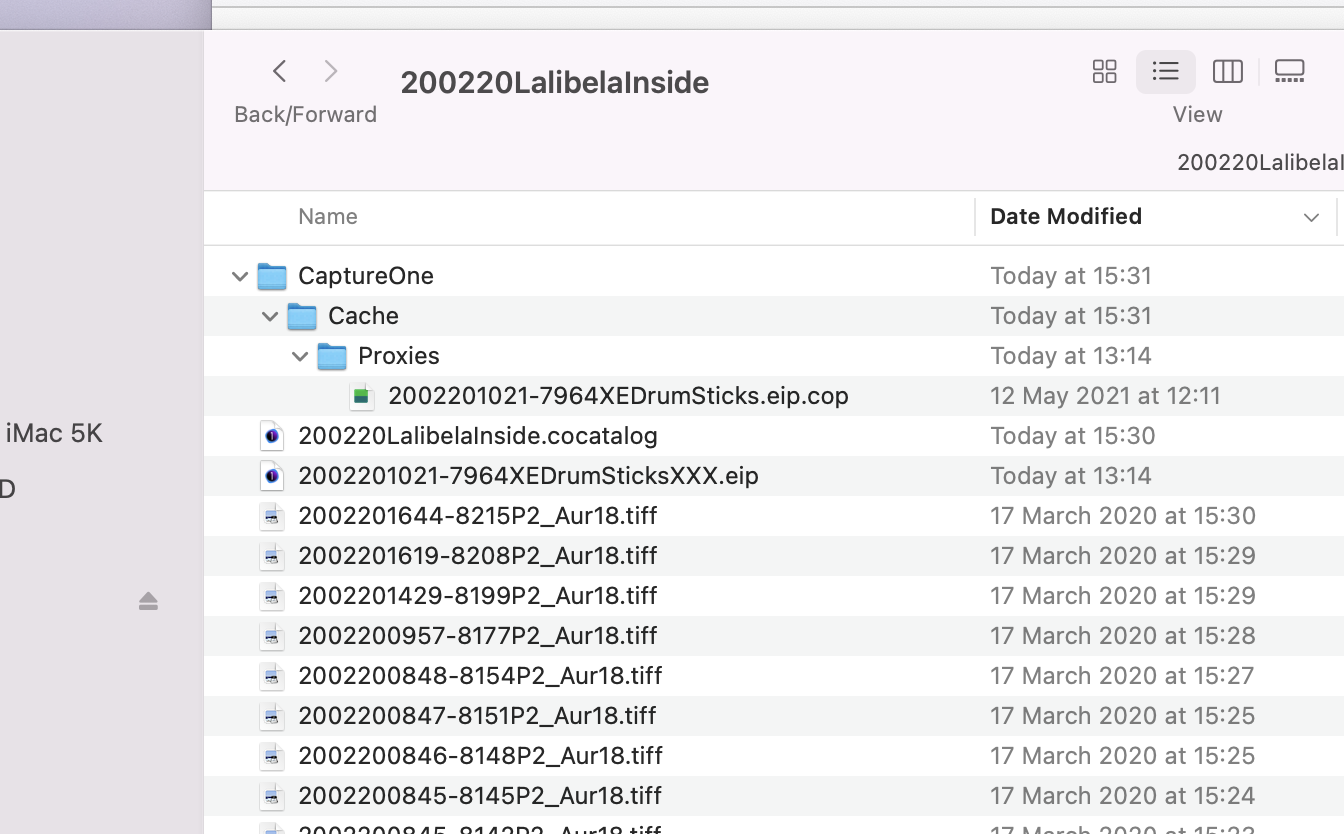 0
0

Post is closed for comments.
Comments
8 comments