No Subfolders?

I am running some trial imports as I reorganise my archive.
I am setting up the catalog so that in the Originals foldere there will be a subfolder with the Event (eg Budapest 2019) and then subfolders for each day of the event (eg 2019-07-19). I set the Import To dialogue like this
But the folder hierarchy is missing when I look at the file structure in capture one?
What am I missing?
Is there also a way I can avoid the recursion in the first part of the path (eg Fencing\Fencing\ (rest of path)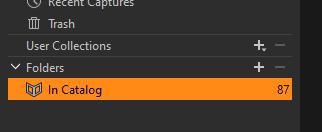
-
My test import does create the correct sub folders in the Originals folder.
So it's not like it's not doing its job.
Thse folders are on a shared folder on a NAS (although I am unsure why that would matter)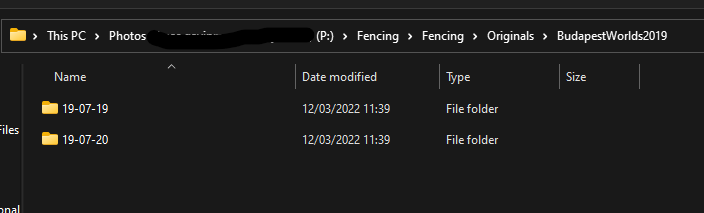 0
0 -
I think I've figured it out but I don't understand the reason.
If you build your folder structure inside the "Originals" folder wherever the catalog resides it doesn't show folder strucutre. But if you build that structure elsewhere it does. I think that's strange but okay it's not the end of the world.
So the final process;
One set of folders will contain the catalogs.
P:\Cataglogs\[sport]\[sport].catalogdb
Meanwhile the images will live elsewhere:
P:\[Sport]\[Event][EventDate]\[Date]
As a structre that's logical and should make the rebuilding of my archive a snip.0 -
Hoping my comment will help others with similar issues.
0
Post is closed for comments.
Comments
3 comments