Is this a bug ?

Good morning all,
I recently updated to version (15.1.2) of capture one.
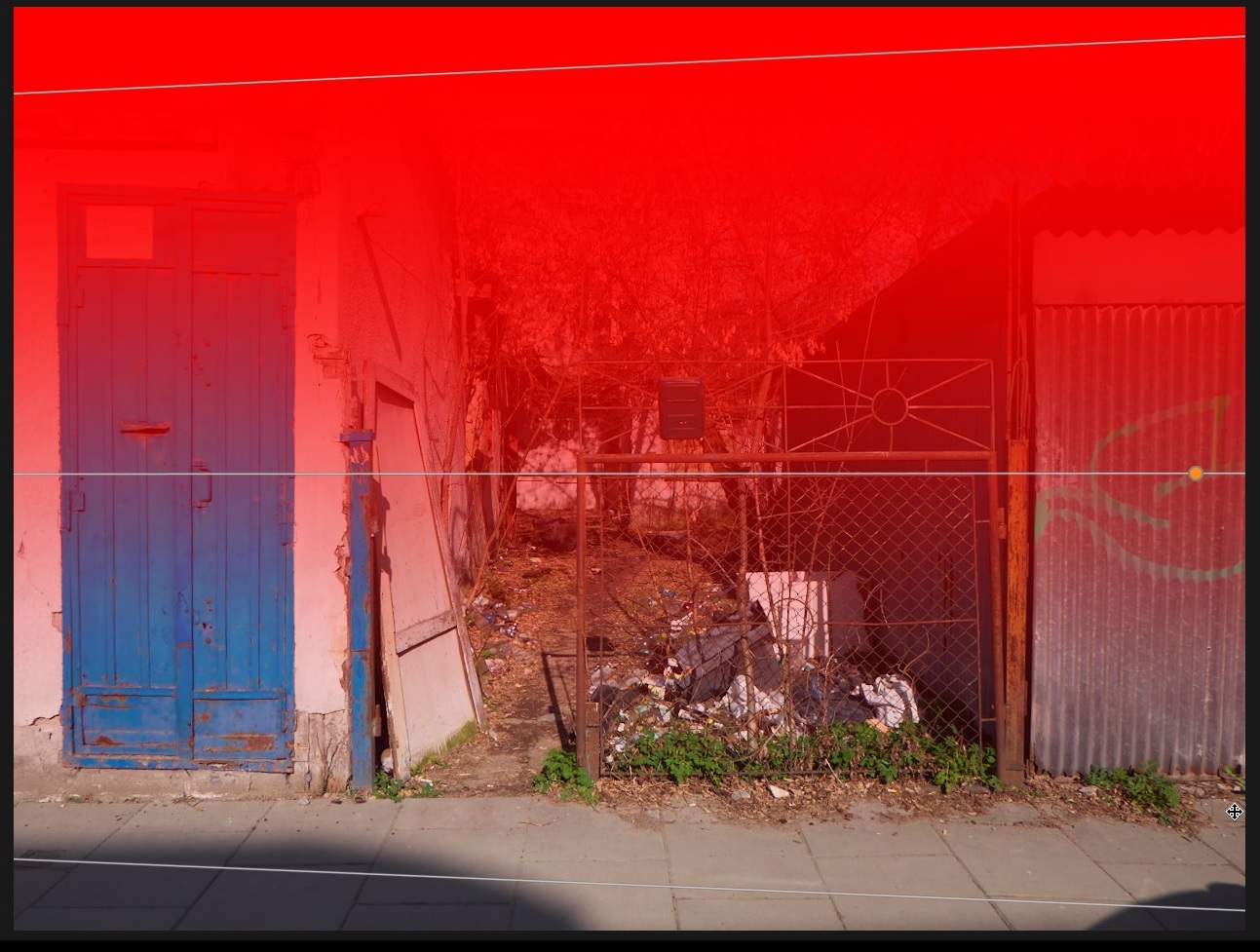
Besides now having stability issues, I also have what looks like weird behavior from the gradient filter tool but I can't guarantee that this behavior is from this version or earlier.
Here's what happens:
When I draw my gradient the lines are not parallel and the more I start to create my mask by moving away from the center of the image. Here is an example image.
Thank you for your attention.
-
This is probably because of lens corrections - the mask is following the geometry of the original (uncorrected) image. As you have noted, it gets worse as you move away from the centre of the image. One solution is to draw the mask at the centre, not nearer to the edges.
Ian
0 -
Thank you Ian. I did not know that the mask followed the geometry of the image and I had never noticed such a lack of parallelism.
I have just tested on other images and indeed, the more the lens used is a poor quality wide angle, the more it is marked.
So this is not a bug but normal behavior.Thank you again for your explanation which seems to me to be the right one.
0 -

While this explains why it happens, I do not think this intuitive photo editing behaviour.
When you draw a gradient you want to apply it to the current result on screen. What you see/draw is not what you get here.0

Post is closed for comments.
Comments
3 comments