removing dock of the display

Hello,
Long time windows user, I just bought a macbook pro and I'm trying to use capture one.
So far it has been very good but I don't understand how to make the dock disapear, see screenshot attached.
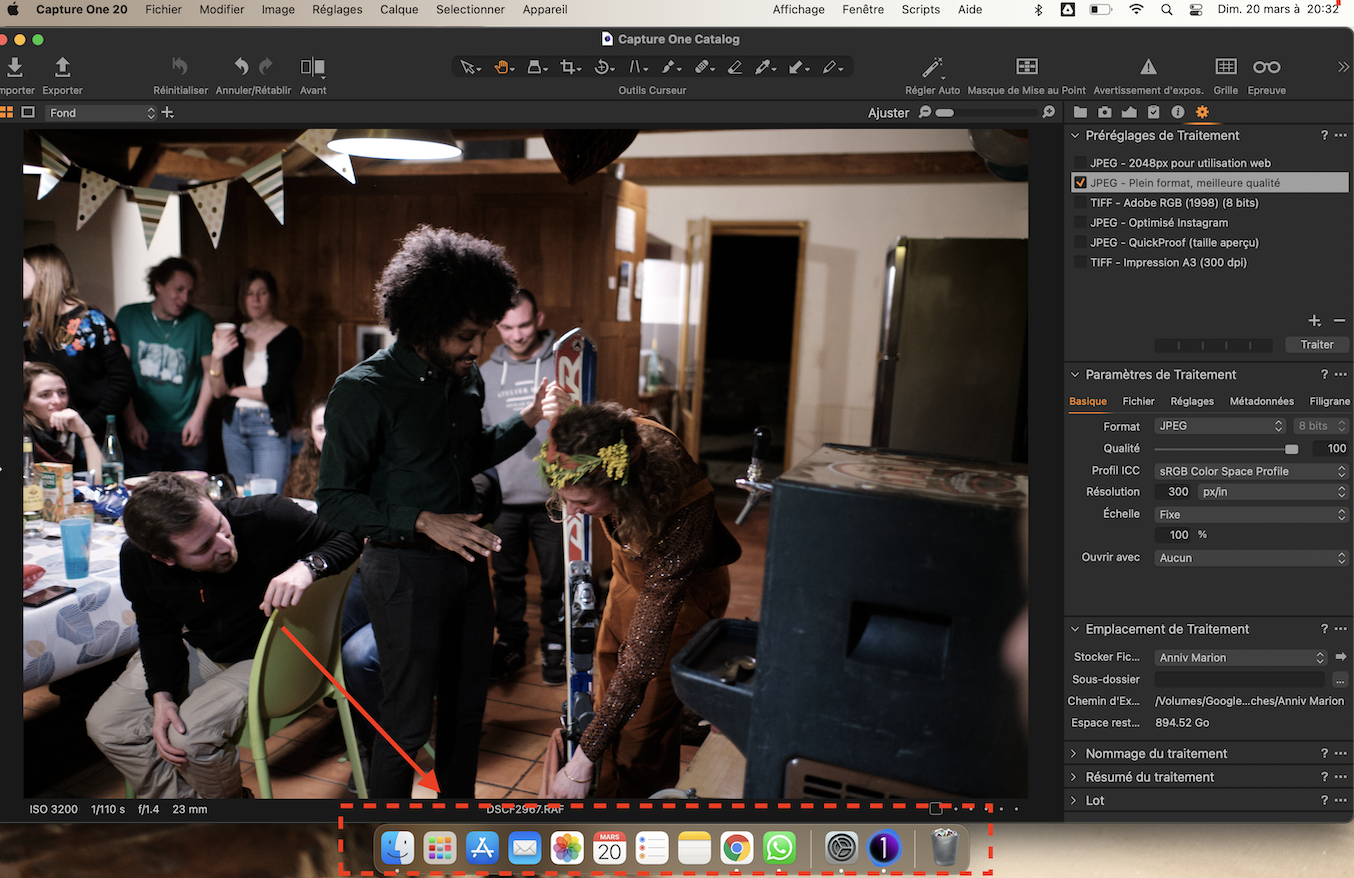
Can someone help me :) ?
Thanks a lot !
Théo
0
-
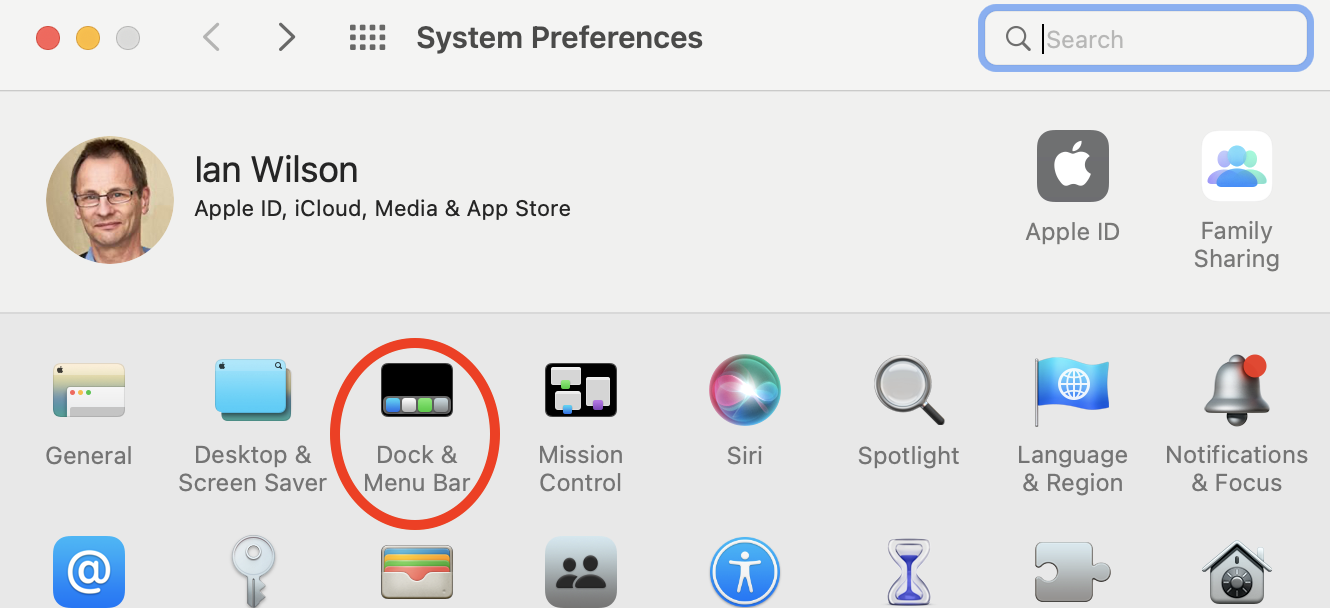
There's a mode for the dock where it hides itself and appears when you hover the mouse pointer at the bottom of the screen. In System Preferences (accessed through the cogwheel next to your Capture One icon in the screenshot) choose the dock and menu bar option...
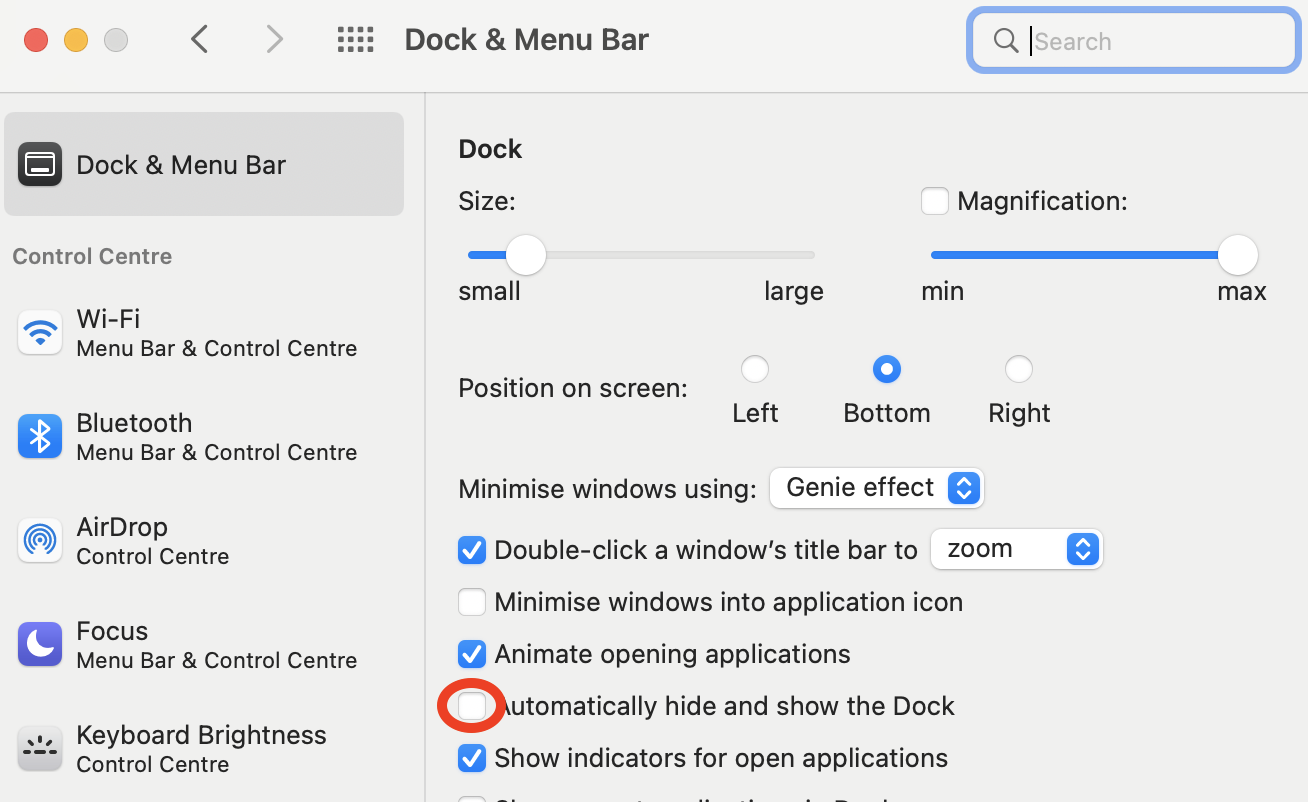
then check the box to automatically hide and show the dock.
 0
0

Post is closed for comments.
Comments
1 comment