Histograms problem

Hi friends! I am new in Capture One. I open a raw file that has not undergone any adjustments. Why do the histograms on "Histogram tool" and "curves tool" differ, both in terms of overall ligthness and per channel? As you can see in the "histogram tool", does it have ligthness and all channels are shifted to the right?And why as you can see, the measurement of lightness at a certain point is different? As I understand it initially, they should be absolutely identical.Or am I wrong? As you can see the scale of the histograms is also identical . Thanks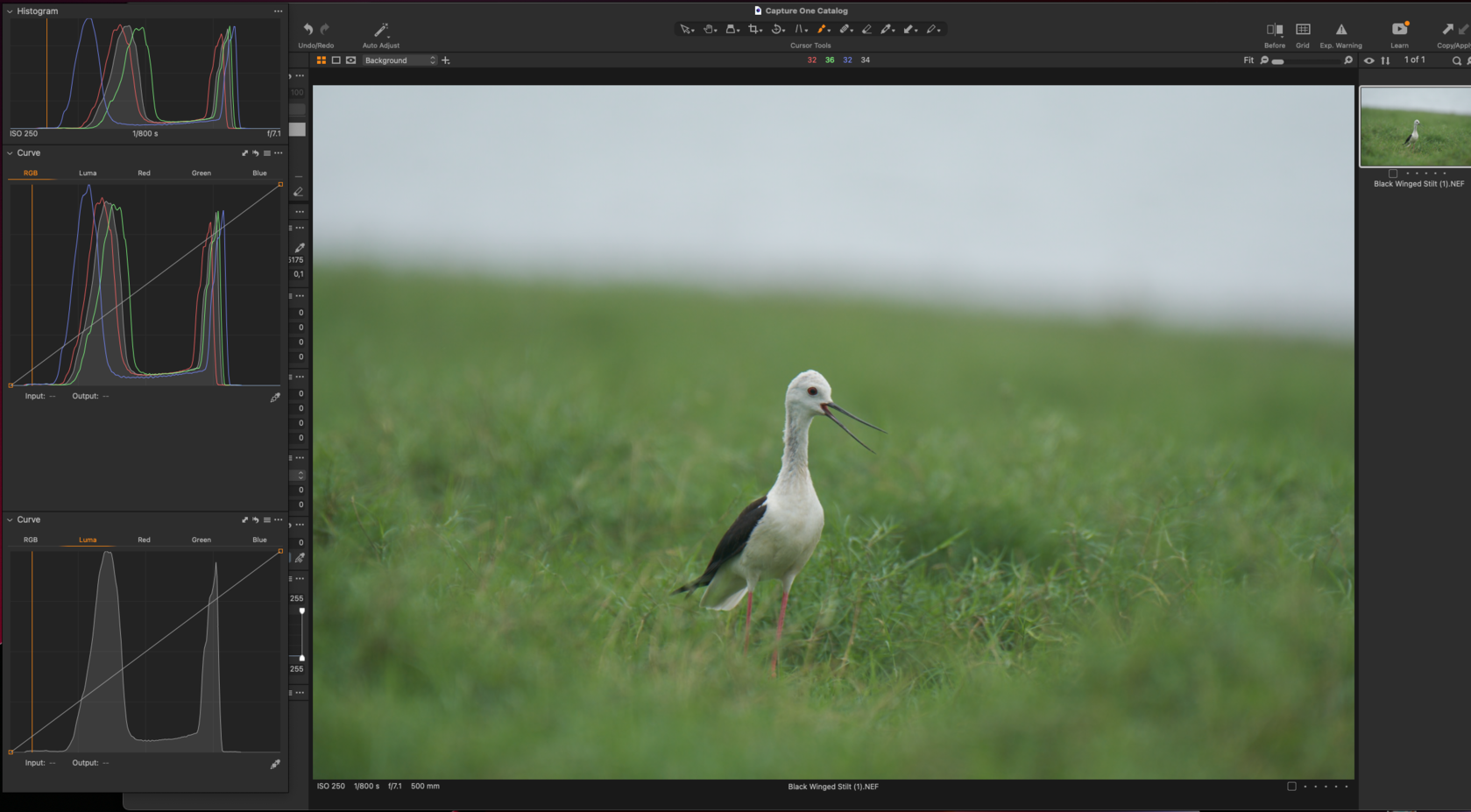
-

Have you already read the Help article as a background to understanding?
About histograms – Capture One
Do you have any automatic adjustments or lens corrections in use?
It may be worth observing whether there are any differences in the histograms if you view at, for example, 100%
0 -
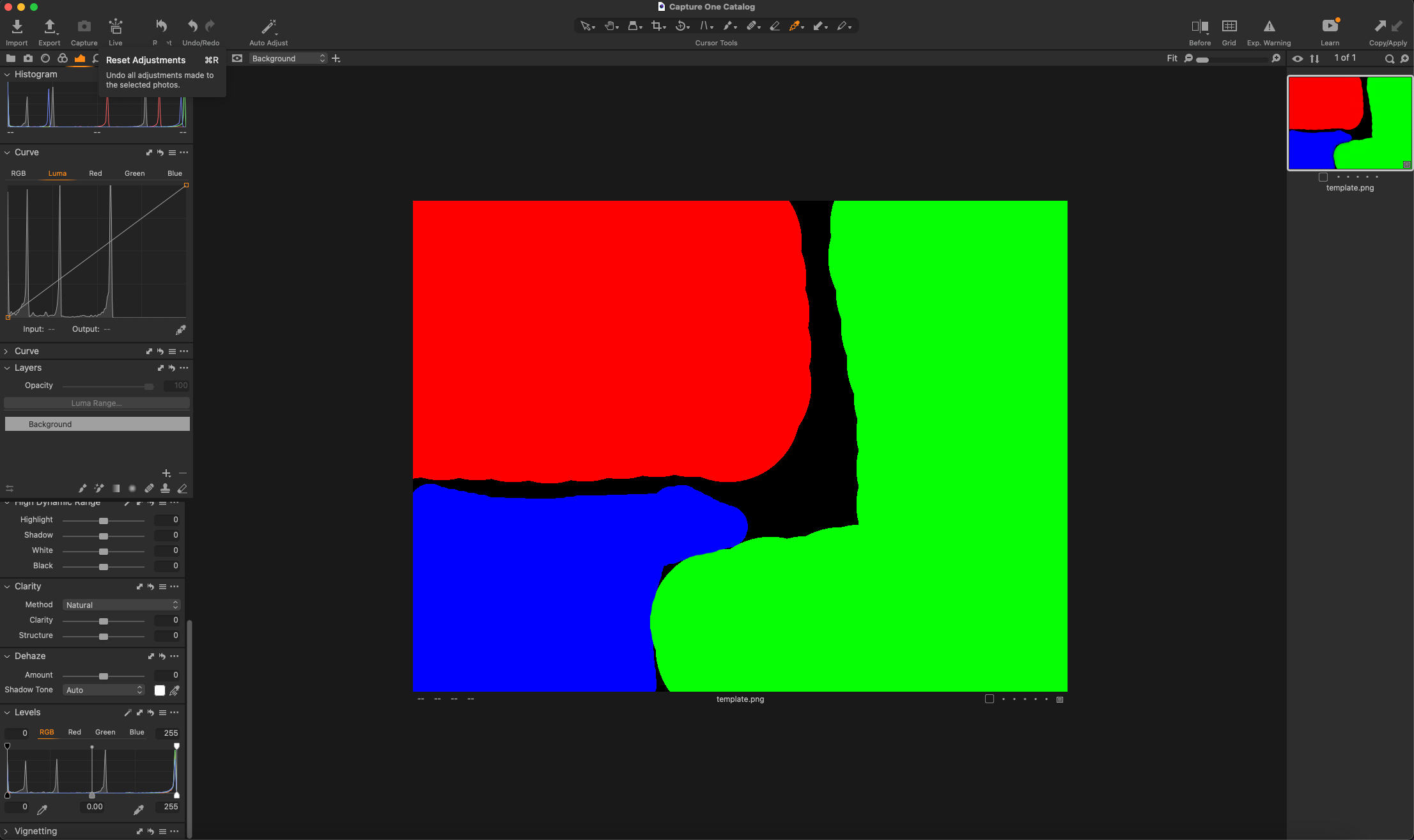
Тhanks for the answer! This is a raw file downloaded from the Internet, without automatic correction, and lens correction. In this new image, I created a picture in Potoshop where I colored it in pure red, green, blue. In the photo, I pointed to the green area, and again we see different indicators on histograms , and the channel histogram again differ in the graph both in lightness and per channel (for example, a red flash in the middle tones on the "histogram" tool). Yes, I've read the manual, but haven't found an answer yet. I don't understand what's the matter
 0
0
Post is closed for comments.
Comments
2 comments