Problem with shortcuts

Hello,
the keyboard shortcuts do not register. when I make a change, once I have made my choice, the command disappears.
Do you have a solution to this problem?
thank you in advance.
-
Sorry, I don't quite understand what you mean by "the command disappears". Could you explain a bit more what you are doing, perhaps with an example?
Ian
0 -
Did you save your custom shortcuts to a custom shortcut set? If not, they won't be there after you close the Shortcut menu.
0 -
When I change a shortcut, it disappears after validation. Everything worked perfectly before.
I don't understand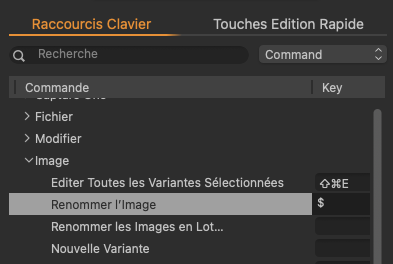
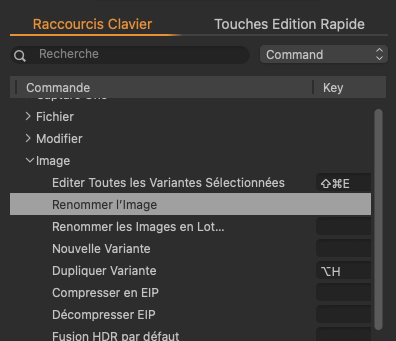 0
0 -
that's one of the too many bugs... :-/ i had the same experience a couple of days ago...
it is registered... but not shown...
try this... enter the new command... even if you don't see it in the field... save everything... quit C1... open C1... then it should be shown in the list with the new command...
that's how it worked for me...
0 -
@Matthias
Thank you very much for your answer, but unfortunately it doesn't work for me.
I hope that this bug will be fixed soon because it handicaps me a lot in my workflow.0 -
Generally it works to edit keyboard shortcuts. I just checked and it still works for me (also on a Mac, and on the latest version of Capture One). So the problem must be something to do with your specific set-up. A few things to try...
- remember that you can't edit the default set of keyboard shortcuts - you have to create a new set, and then you can modify them. Perhaps worth checking that. In the Edit Keyboard shortcuts panel, what set is shown at the top?
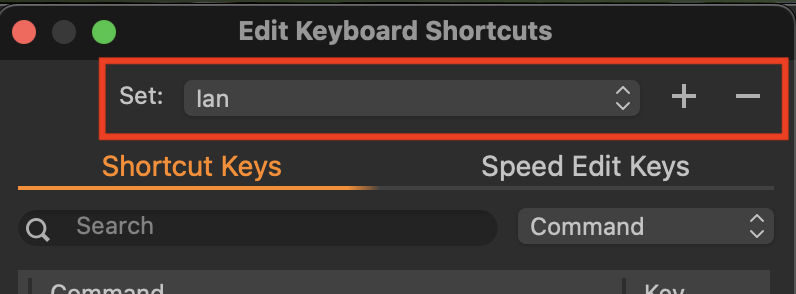
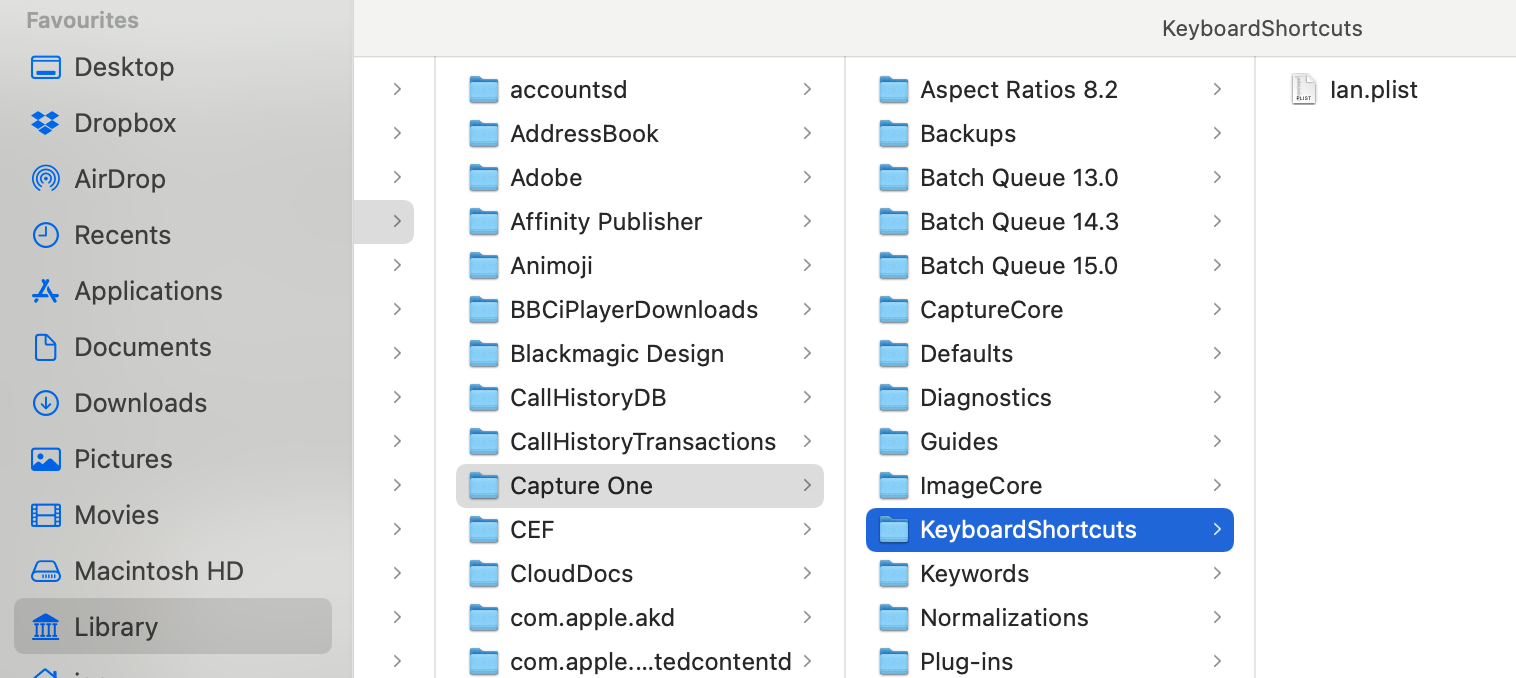
- Also have you checked that Capture One has all the necessary permissions to access files and folders on your Mac, so that it can actually save your edited shortcuts. Have you checked that there is a .plist file saved in the location I have shown here? And if there is, what is the date stamp on it?
- ... and have you checked that Capture One has the necessary permissions, in the Security and Privacy section of System Preferences (and check the Full Disk Access part as well, just above the one I have highlighted).
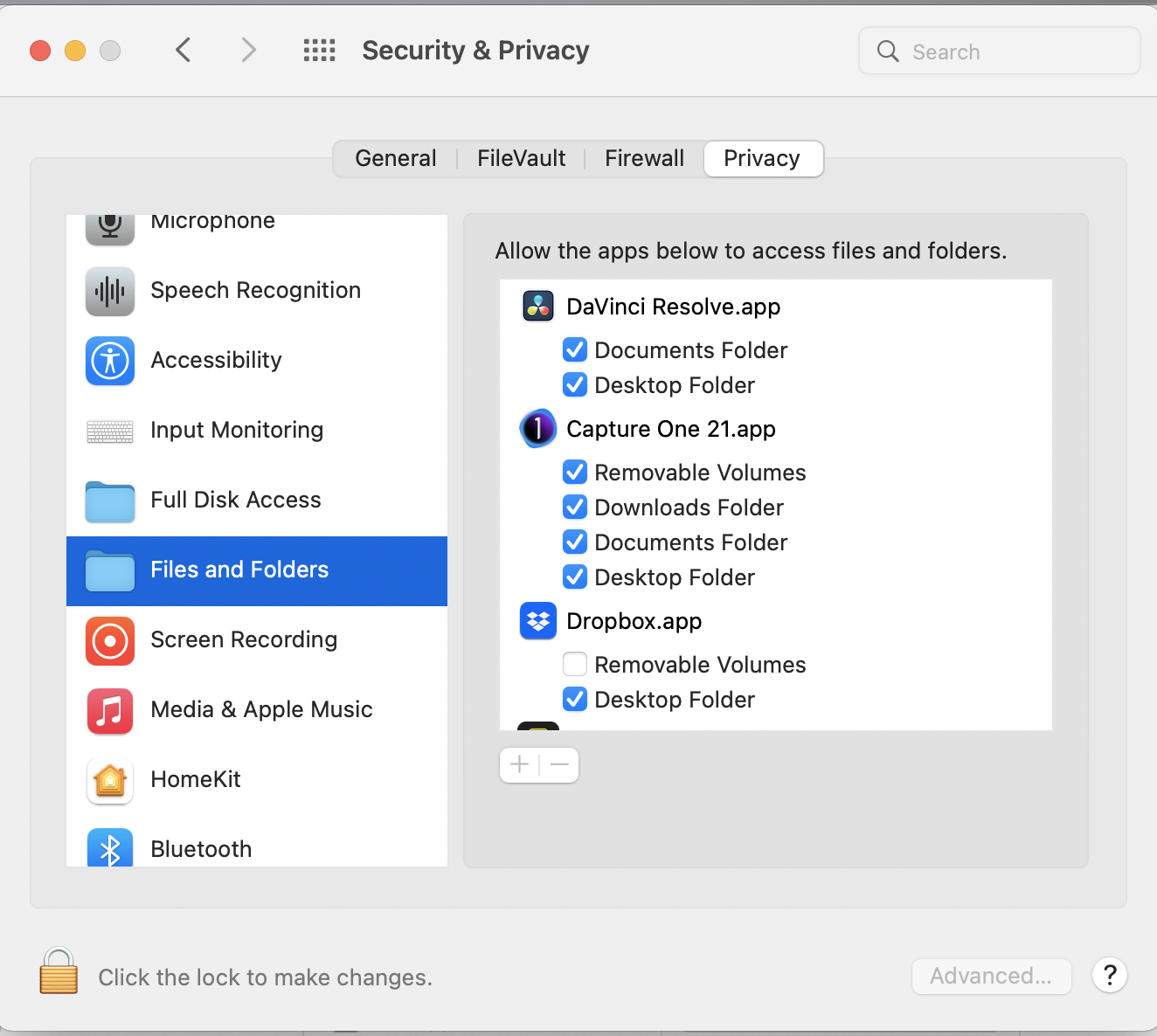
Ian
0 -
Thanks @Ian
Create new set ✅
Access ✅
I found KeyboardShortcuts folder,
but not my configuration. Strange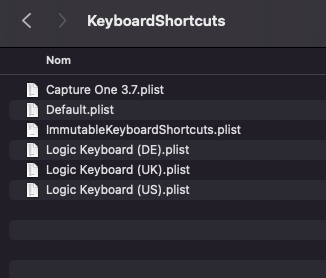
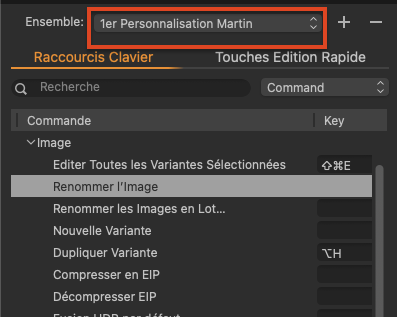 0
0

Post is closed for comments.
Comments
7 comments