All .heic photos are blurry

Hi C1 (-community),
I imported a lot .heic files from my iPhone 8 and all the photos are blurry. The originals in the folders are still in original quality when opened outside C1. Is there a easy fix? I would rather not import again as the original .heic pictures are sorted by month together with my .raf pictures from my X-S10. I have to handpick almost 2000 pictures in 12 folders to import them again (or delete almost 2000 photos in C1 and click import (without duplicates)).
Thanks for your help!
-

Check View/Proof Profile
If you have a recipe selected then make sure that the recipe is not significantly larger output size than the HEIC file.
0 -
Thank you for your reply!
It was on Adobe RGB and I selected no profile or JPEG highest quality. But it made no difference. Any other ideas? Thanks in advance!
0 -
Recipe proofing was off btw
0 -
I deleted all the .heic files in C1 21 manually from its catalogue (emptied the trash) and re-imported them. Same issue. To check I searched the original files and opened them in Preview on my MacBook Air M1: sharp! So the issue must be in Capture One, not in the files or in MacOS I guess...
0 -
 Permanently deleted user
So the issue must be in Capture One, not in the files or in MacOS I guess...
If you'd searched the forum before posting, you wouldn't need to guess - you're not the first to raise HEIC issues:
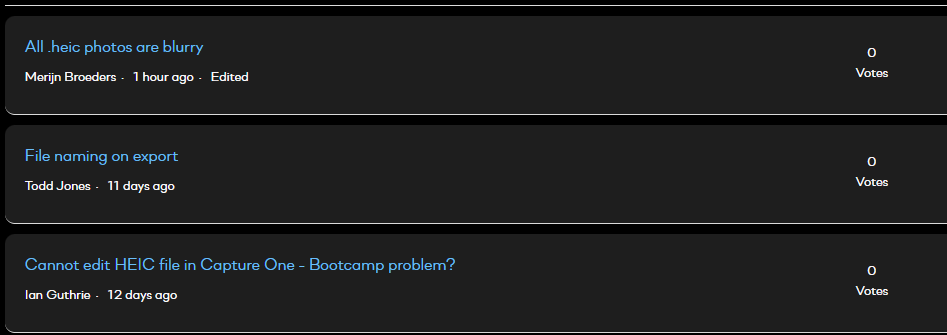
Just two posts below yours...
-1 -
I did read that post, but not thoroughly because the OP was running C1 on Bootcamp/Windows, which is not the case in my situation. And the OP was experiencing lack of adjustment, but said nothing of the blurry look. But I will let you know if this resolved my issue. I thought I was running the latest version of C1 21. I am sorry for your inconvenience. Thanks.
0 -
The last number of the version is not visible in C1, that's why I thought it was the latest version. Updated the program and the issue is finally resolved. Thank you all!
0
Post is closed for comments.
Comments
7 comments