After Monterey update, WD external hard drive not mounted

Hi there-
I can see my external drive on my Mac and the images as well but Capture One 21 isn't able to open my session. I have recently (unfortunately it seems) updated to Monterey 12.3.1. I am receiving an error message: "This image is in an unsupported file format" and then "unrecoverable error: unable to open database file".
Any advice? Thanks so much in advance!
-

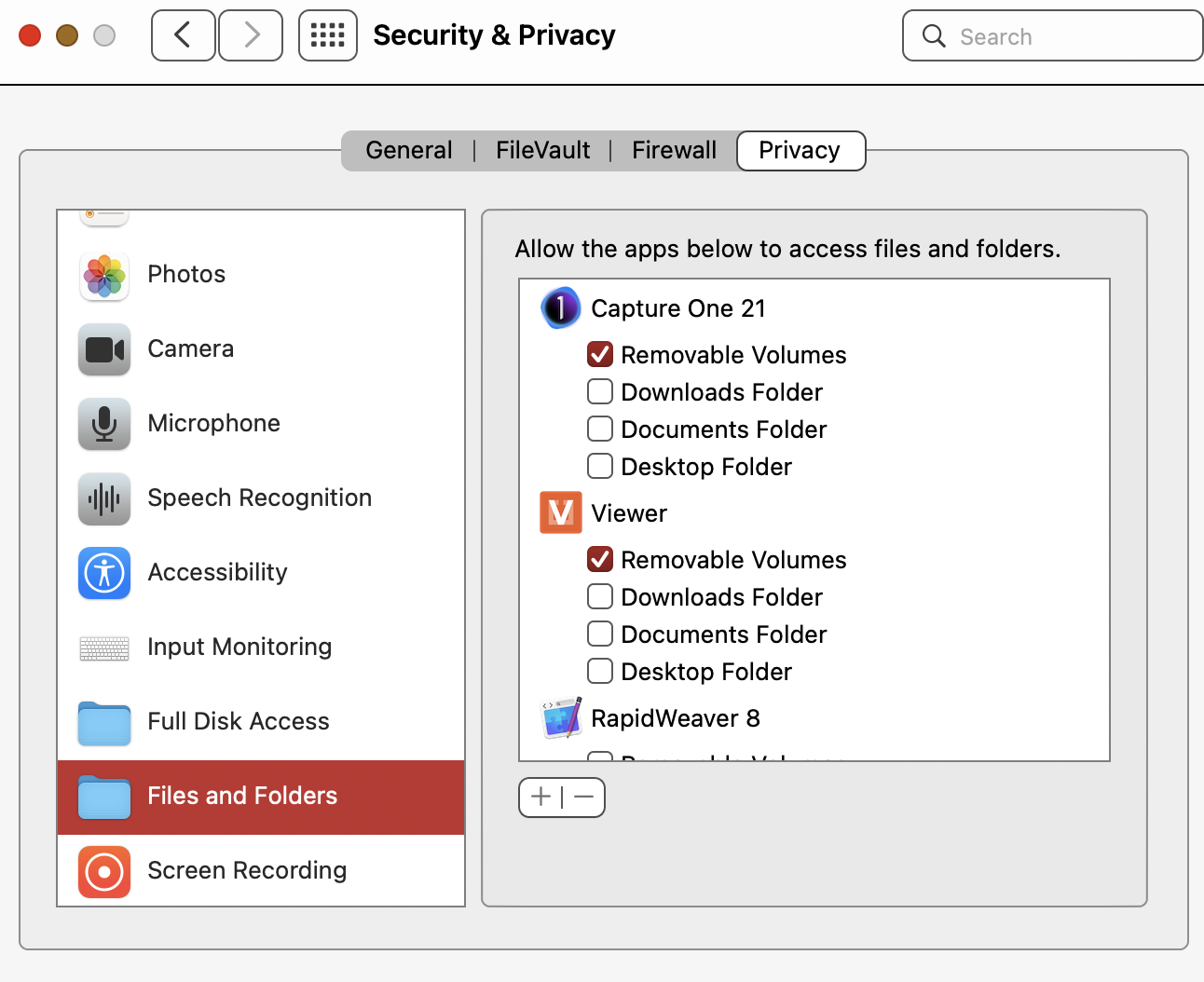
Check your Security & Privacy settings and make sure that CaptureOne has the access you want it to have either in Files and Folders or Full Disk Access.
 0
0 -
Hi there-
Yes I checked that and it all was checked. Thanks though!
0 -
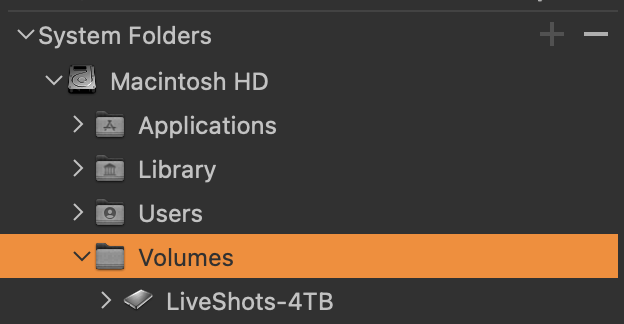
Do you see the External Volumes in the Library tab in CaptureOne (mine is called LiveShots 4TB)
If you can see it, does it let you select it so that you can the Catalog/Sessions inside it ?
 0
0 -
So sorry - I never received an alert that someone responded! I don't have "volumes" showing. I shld also add that before all of this started I upgraded to Monterey (which I am regretting). And advice on why it isn't showing or how to get it to? Thank you!
0 -
Try File/Verify Catalog or Session
This should pull up a finder window so you can point to your session/catalog and see if C1 will recognize it from that point onwards.
0 -

Hello @everyone
Did you get your issue resolve after upgrading to macOS Monterey 12.3.1 and out of curiosity what verions of Capture One 21.x were you running at the time?
LVS Out of curiosity I've seen your comments pop up here and there which provide sound advice/suggestions; therefor I want to know: Have you had Capture One 21.x running smoothly on any of the later versions of macOS Montery i.e. 12.3.x all the way to up to the latest 12.6.3?
Knowing this would greatly help me out since I'm still currently running Capture One 21 (14.4.1.16) and am considring upgrading to one of the later versions of macOS Monterey at present. You feedback would be appreciated.0 -
I don't recall ever having issues with V21 running in Monterey. I think V23 has issues with Ventura on M1 and M2 macs.
If you are running on Intel you should be fine with V21 and Monterey
1 -
LVS thanks for responding and sharing your view, much appreciated.
Currently I have a Macbook And Mini, both running on Intel processors so hopefully I’ll be fine 🤞🏼🤞🏼
Thanks again for your feedback 😊
0
Post is closed for comments.
Comments
8 comments