Export problems with photos stored on a private cloud

I am using a Macbook Pro with an M1 Pro processor and I have stored my photos in a private cloud at home (Western Digital MyCloud). The MyCloud is visible as a drive in the Finder (see attached screenshot 1) and all data on this drive can be accessed from there. The drive has still 1.5 TB left.
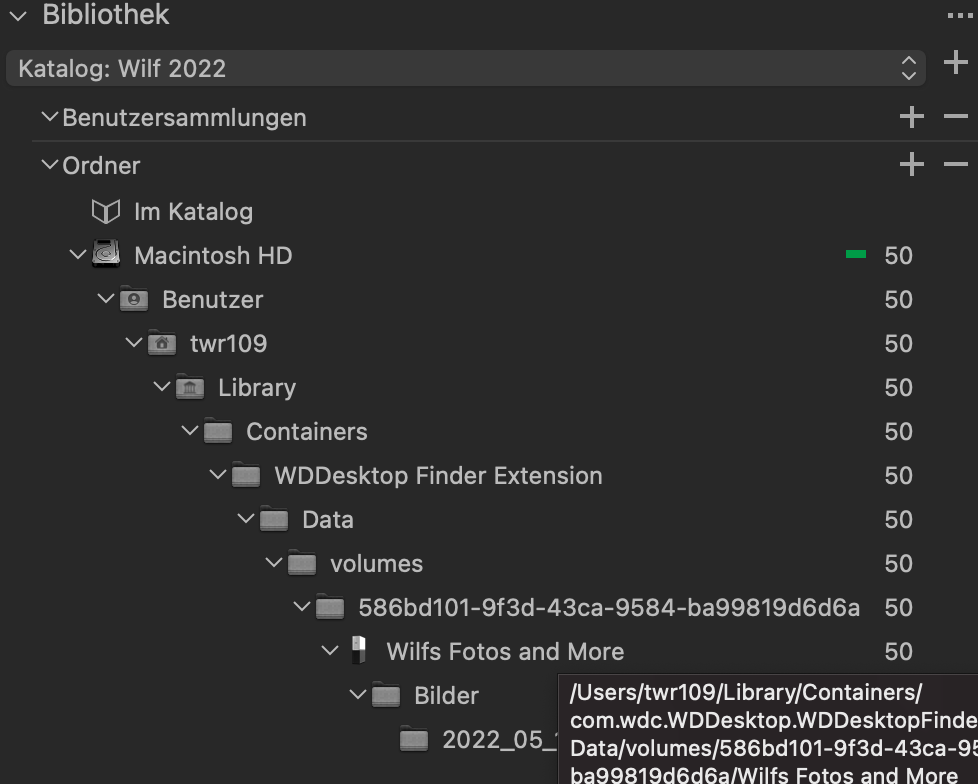
When I am importing photos from that drive into a catalog, then first of all the MyCloud does not appear as a separate drive, but as a sub-folder in my users directory. This folder structure looks quite strange to me (see screenshot 2).
Photos are visibible in CaptureOne and can be edited with all tools.
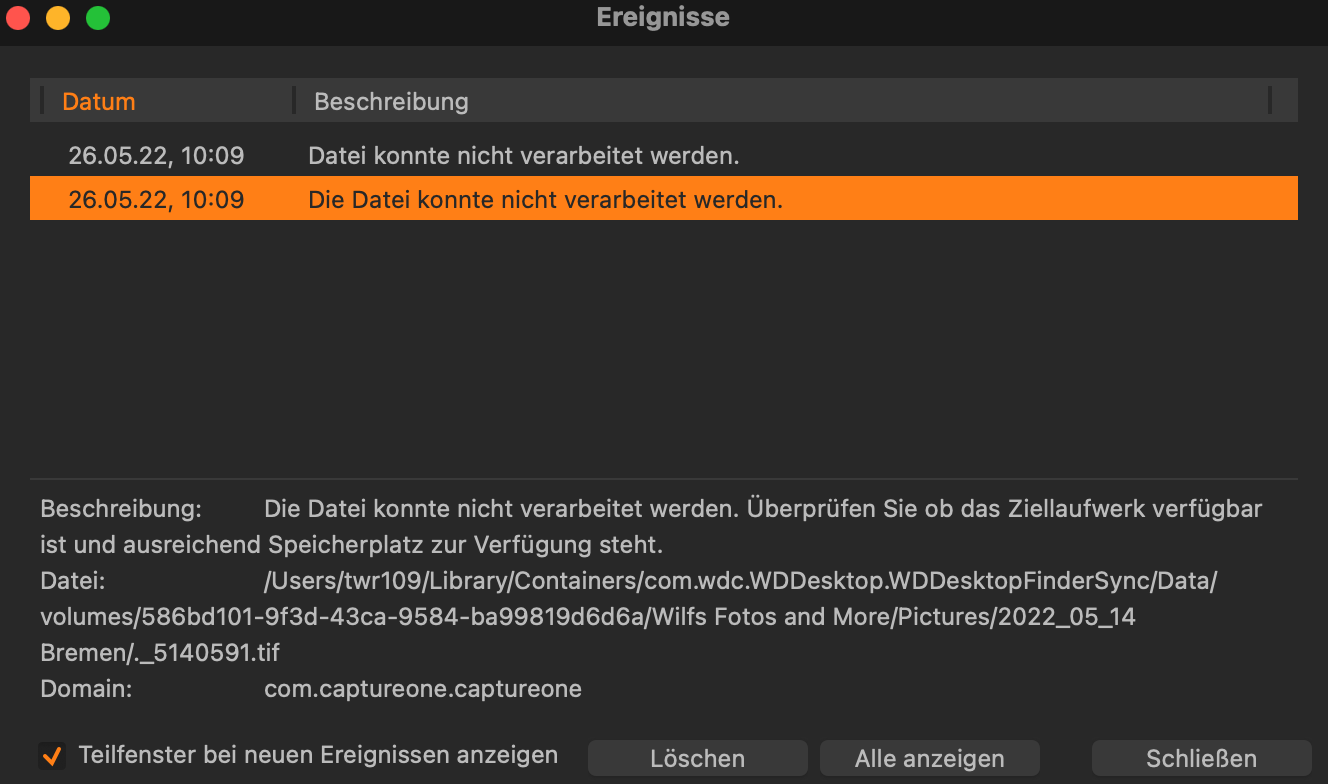
However, when I choose edit with e.g. Photoshop, then an error message appears: "The file could not be processed. Check if the destination drive is available and if there is enough disk space." (see screenshot 3).
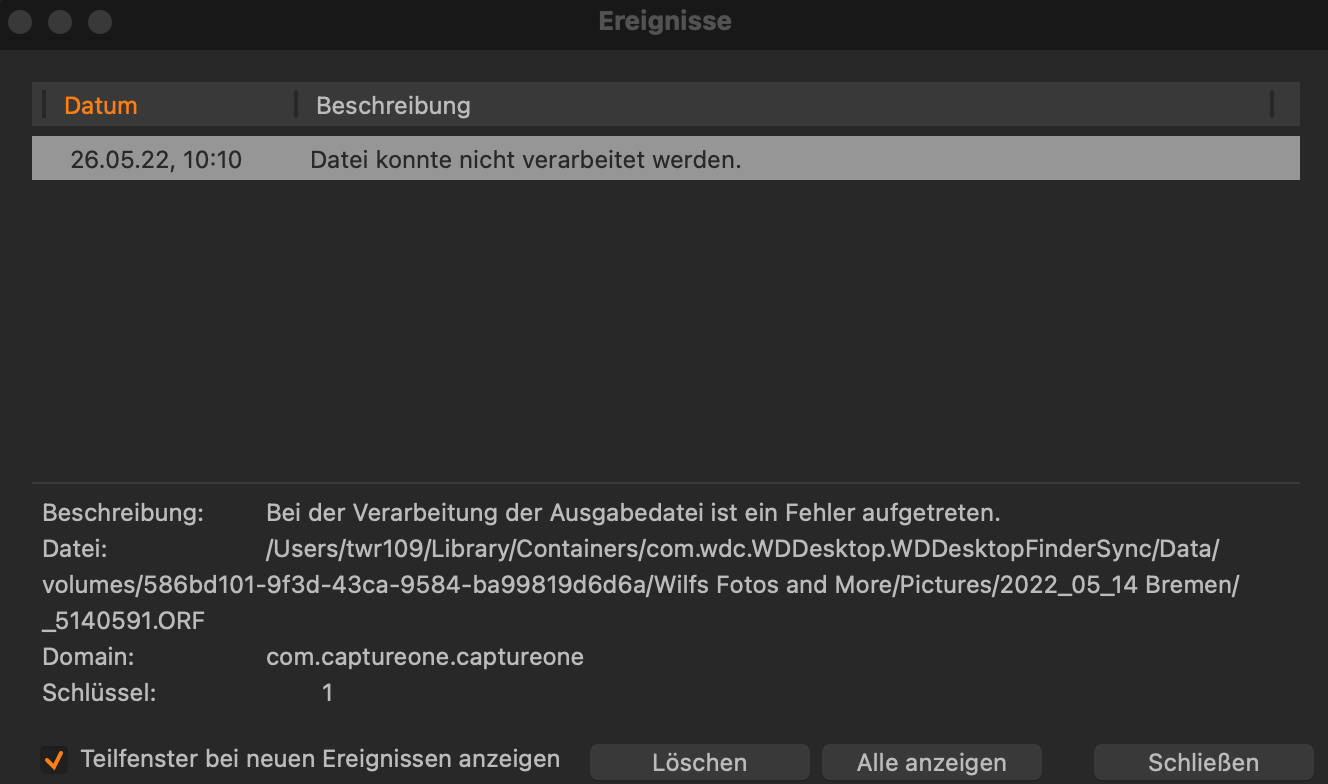
If I want to export a photo as e.g. JPEG, then I'm getting the error message: "An error occurred while processing the output file." (see screenshot 4).
How can I solve this problem? Do I have to configure something if I want to work with a private cloud?
Thanks in advance and kind regards
Wilfried
1 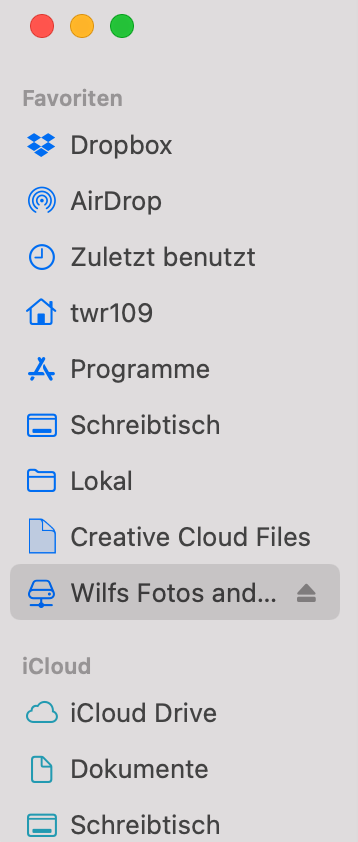
2
3
4
-
If I look at the name of the path to the files, it looks like the files are being synced to the Mac using a WD utility.
I do not know the WD devices, but if you can access the device using SMB file sharing you should have no issues. By the looks of it, the WD software (the name ‘Users/twr109/Library/Containers’ is the giveaway) synchronises to or makes proxy files for the files available in a location in its own sandbox, which can cause all kinds of access problems for other applications.
Have a look at the topic linked to below, it seems related due to sandboxing :
https://support.captureone.com/hc/en-us/community/posts/5064051324573-Can-t-open-with-external-editor-anymore-Keeps-saying-write-access-was-not-granted-I use Synology NAS devices for my private cloud and I access the various ‘shares’ I created on them using SMB file sharing and have no issues working with my Capture One Pro sessions stored on them. Also no issues when importing files into local sessions and exporting them.
I read on the WD forums that the My Cloud Home devices only supports SMB sharing for the public share/folder that seems to accepts any user/password, depending on the firmware for other My Cloud devices you cannot use SMB sharing with macOS 10.11 or higher without some command line setting changes :
https://support-en.wd.com/app/answers/detail/a_id/13143/kw/SMB/related/1/session/L2F2LzEvdGltZS8xNjUzNzYwNjU3L2dlbi8xNjUzNzYwNjU3L3NpZC9mVXFPU29EdmpmQ3hxb3dTbVExcXI1OEJBRFIzUXdtYjlXdGRsUlRJekpfV3lQV05PUTJTVGZLaFlrM0JOdlhWcmd4TGQzdDlpNGJiTWhIJTdFbmxfSVBhMTI2dFpmaXFESGdaR3JmdkdzczlpQnlYSzlzWGZiNDRnQSUyMSUyMQ==Using AFP sharing, if supported might also work, but do not be surprised if Apple stops supporting that protocol in a future macOS version as they shaged to SMB as their default sharing protocol some macOS version ago.
0 -
Dear Ron,
Thanks a lot for your answer. Unfortunately, I still cannot solve my problem. I do not have this problem with Lightroom, DXO Photolab or any other program. Only with C1.
Thanks and regards
Wilfried
0
Post is closed for comments.
Comments
2 comments