Capture One 22 processing of DNG HDR files taken with Lightroom Mobile (for iOS)

Hi there,
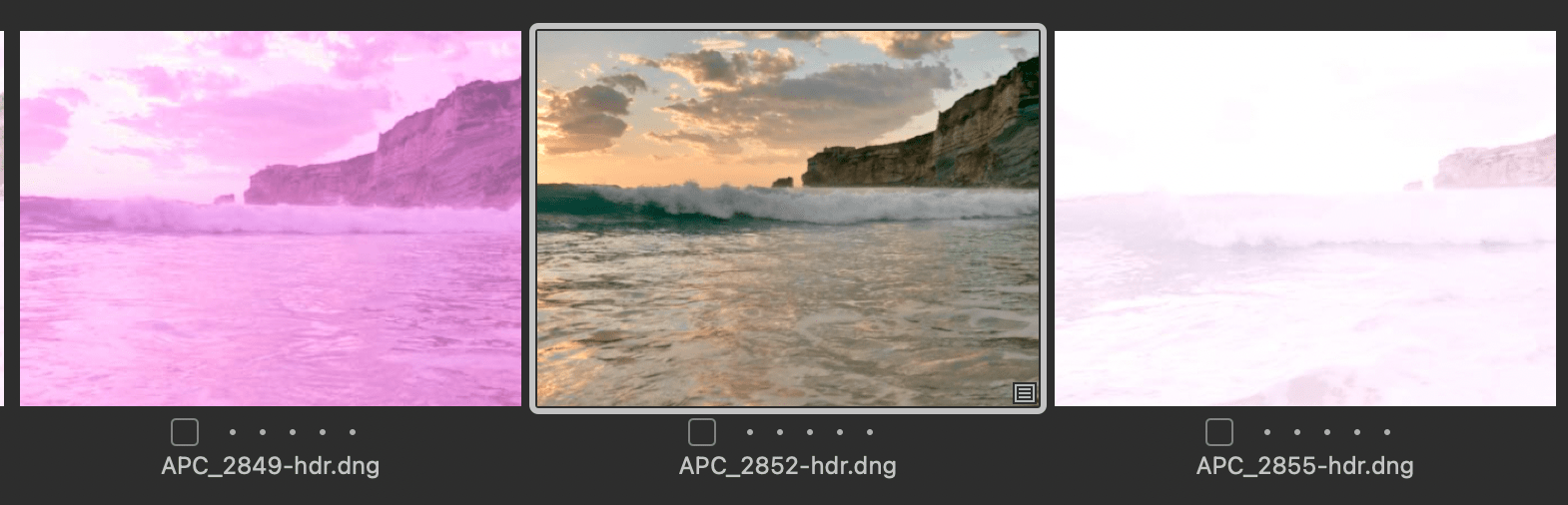
The way C1 processes DNG files taken with iOS Lightroom Mobile app is working out all wrong. The files look fine before the import process begins - like the middle image. Then C1 does the importing, generates the previews and creates these white-magenta "art pieces".
With WB, Exposure, HDR and Level corrections, the images can be returned to their normal form (as I did for the middle image). However this way EACH IMAGE must be adjusted manually, since C1 cannot automatically select the correct white balance.
For context: images taken with Lightroom for Mobile app with HDR mode and saved as a DNG. DNG is then transferred to a local drive and files imported into C1.
What would be the correct way of sorting this matter out so that the previews get generated properly?
Many thanks!
0
Post is closed for comments.
Comments
0 comments