How enable tethering to computer + card (Canon)?

Capture One had this release note about a new v22 feature, but don't say how to enable it!!
Anyone know? Also, is the R5C supported for this feature? Thx
-----
As of Capture One 22 (15.3.0) it is possible to dual-write captured images [to the computer and card] with supported Canon cameras.
This provides a convenient backup method, as well as enabling you to see and review the images on the camera display. This functionality is also available when using wireless tethering.
N.B. Enabling this feature will affect the waiting time when connecting the camera, as your operating system will index the content of the card. The more images that are on the card, the longer this can take.
-

Im in same situation…. How to enable it??????
0 -

I ran into the same issue. On the tethering page, scroll down to "camera settings", then look for "shoot" >> save to and change the settings from "Capture One" to "SD + Capture One" or "SD" (whatever you prefer).
Hope this helped :)
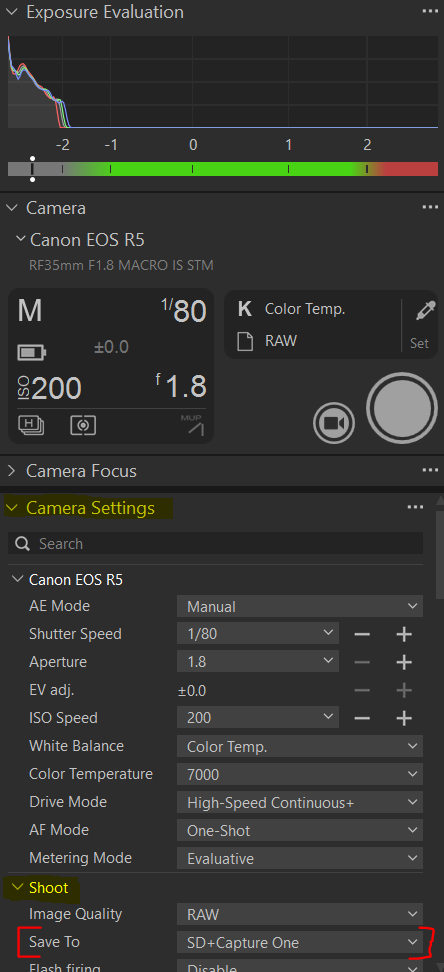 0
0
Post is closed for comments.
Comments
2 comments