Capture One for Ipad - Allow filters on import

I usually shoot with JPEG+RAW, saved by the camera in the same folder. Upon import would be nice if I was able to filter the view so it shows only RAW files.
In general having more filter possibilities in the import dialog would be great, i.e. only show images shot in the past x days or something, but that's a feature not available on the desktop version either.
-

You can, unless I-pad is different from Windows?
At top-right of Import dialog, click " ... "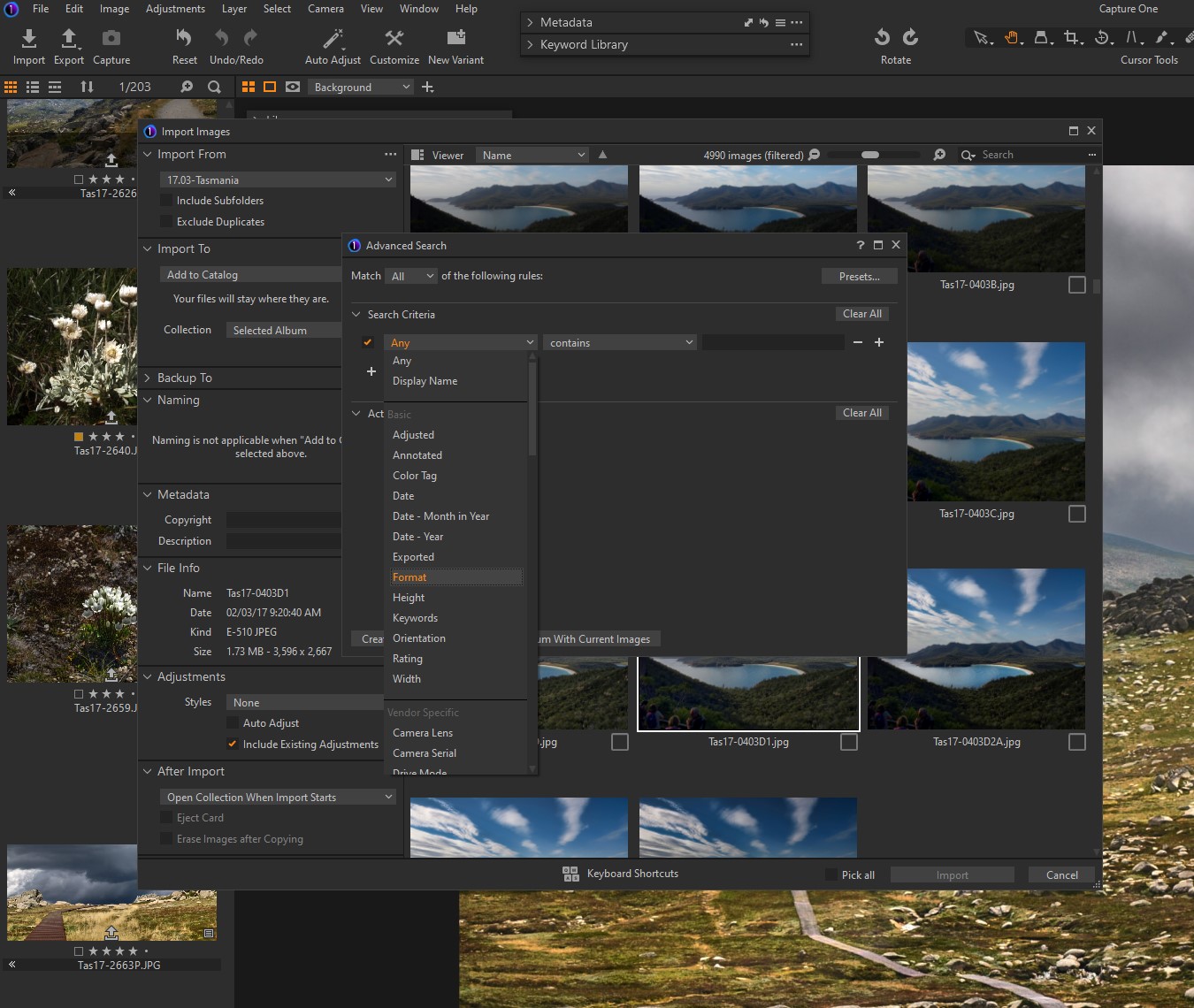 0
0 -
Thank you, that's actually good to know for the desktop version, I was only aware of the global filters (which work great to only show RAWs during import)
However, this menu does not seem to exist on Capture One for Ipad, so there the original feature request is still valid I guess.0 -
Hmm, that seems strange that such a feature is not on the Ipad version. You mention menu, so are you looking at the 3 dots to the right of "Import to", or right over in the top-right corner next to "Search" (under the X to close the window) ?
0
Post is closed for comments.
Comments
3 comments