global cropping gone and crop window masking issues 15.3 Windows

As I go through a folders of school photos, I usually begin by setting the crop ratio to 3x4 in order to prepare/extract proofs at that ratio. Since 15.3 the tool is reverting to 'original ratio' as I move from one image to the next. I can work around by selecting the ratio for one image and then pasting to all, but that's nowhere near as convenient. Can it be made an option to retain ratio between images please?
I notice also that now when I select tool to draw a layer mask, the image zooms in to cropped area, meaning that if I change crop later, the mask has to be re-drawn. With commercial and portraits, it's not unusual to crop finished images to different ratios, having done a quick first pass for client proofing. If I have to do masking before cropping it's a major workflow change.
Both of these issues are a big slow down for me if not fixable.
....and it would be nice to see what I'm exporting when cropping and changing perspective as it will appear, rather than the preview being like this: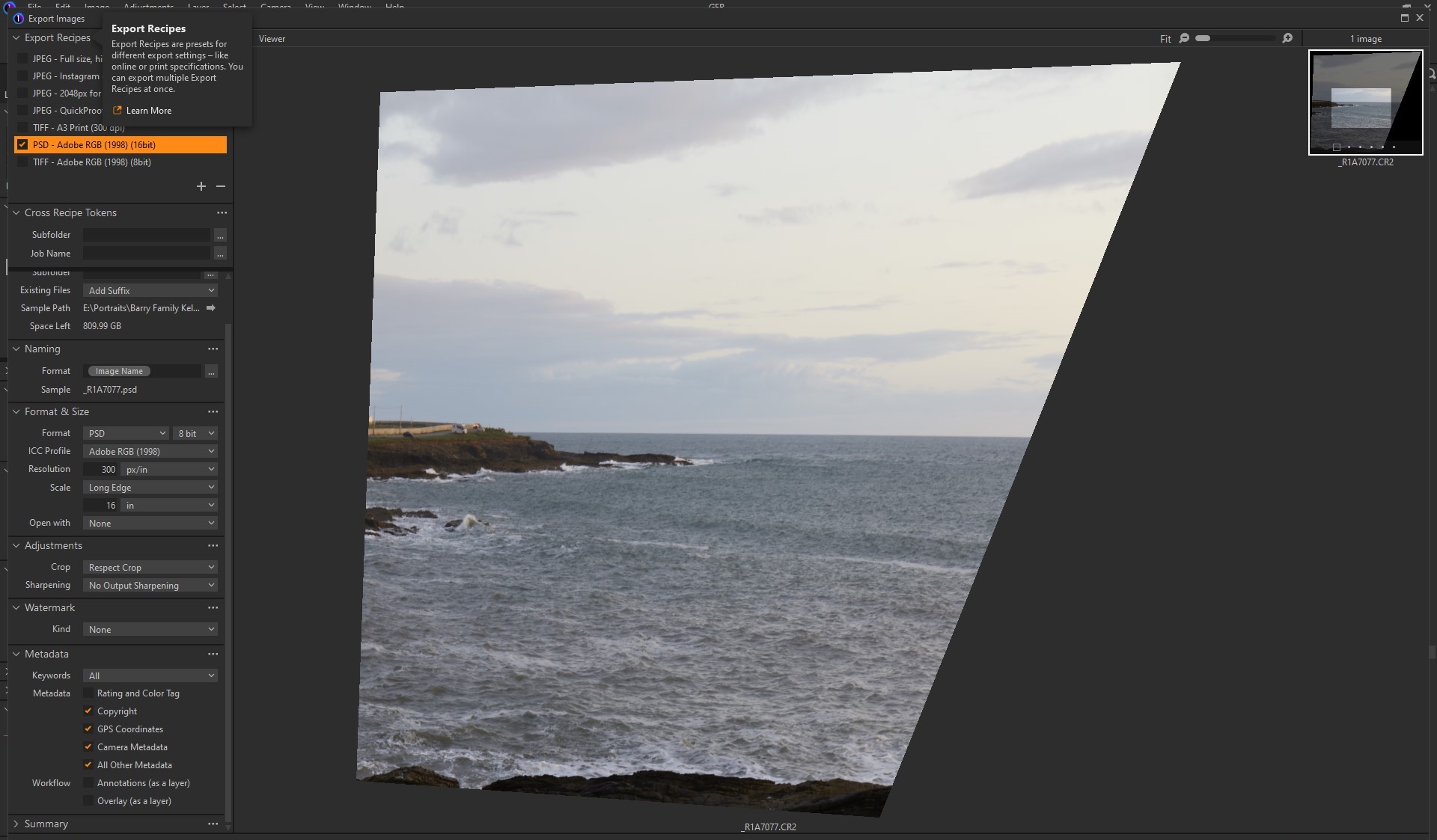 if its a rotated or perspective corrected crop......
-
Just found this:
Capture One 22 (15.3.1) is a service pack containing new camera and lens support, bug fixes, and quality of life improvements.
• 15.3.0 introduced a new variant-based crop behavior and it is now possible (15.3.1) to revert to the original global crop setting under Preferences > Crop > Behavior
0
Post is closed for comments.
Comments
1 comment