How to remove complete subject in the photo

Hello everybody,
Just starting with CO i have question.
I have made some beautiful pictures of a kingfisher but there are some objects |Iw ant to remove from that same picture. The object has different colors.
How to handle thuis?
Kind regards, Willem.
-
It depends on the object. For simple cases, you can use the heal tool. If you can't get a decent result that way, it may be a job more suited to a pixel editor such as Affinity Photo or Photoshop.
This was done just with the heal tool in Capture One.
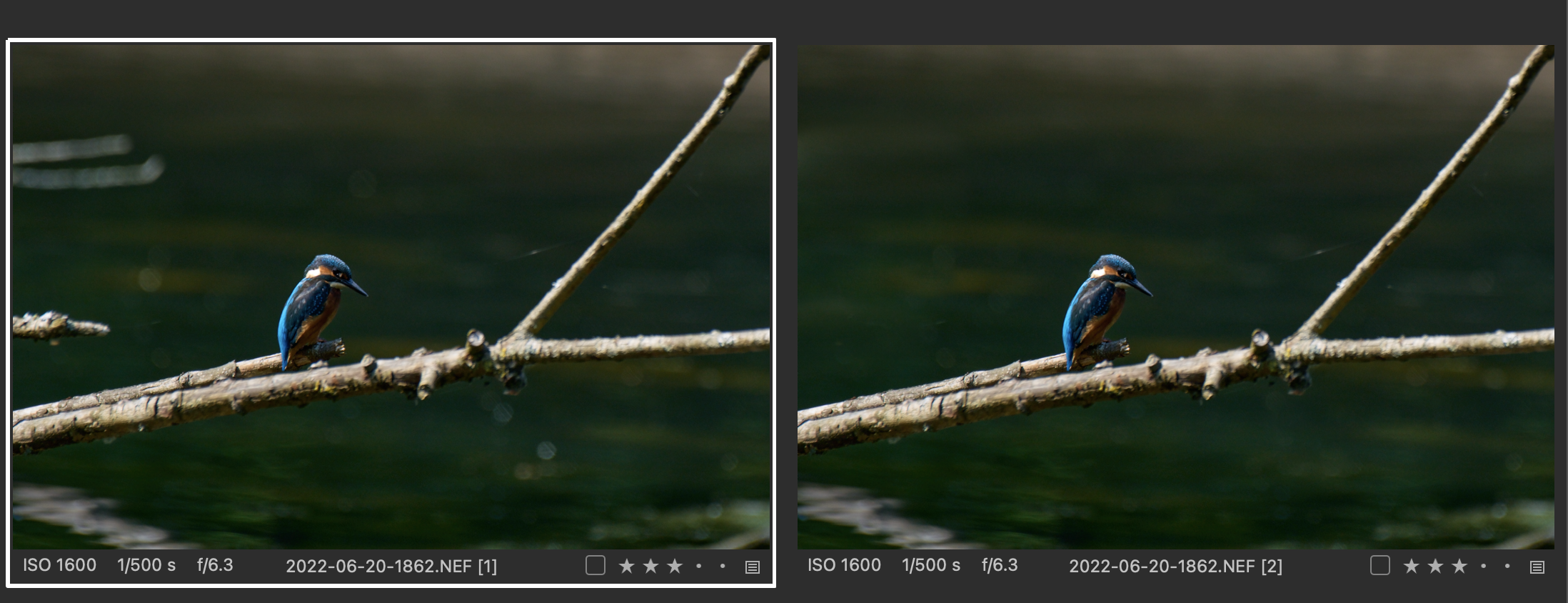
Ian
0 -
 Permanently deleted user
Capture One is about the last place I'd look for acceptable object removal results - as Ian suggests, a pixel editor with dedicated tools is a much better option.
I actually use the "repair" tools in ACDSee's Gemstone Photo Editor for pretty much all such work - it's an excellent, and much more feature-deep than the price might suggest, option (I was a Day One adopter of Affinity Photo, but much prefer ACDSee's offering, not least because it isn't a PhotoShop clone, but it is PS plugin-compatible):
https://www.acdsee.com/en/products/gemstone-photo-editor/features/
Frankly, it's worth the price of entry just for its "Light EQ" tool.
0

Post is closed for comments.
Comments
2 comments