C1 ruins my job

With each update it's the same story...
Here is an example of exporting an image processed 2 versions backwards.
I'm talking about a file of more than 700 images, an order made over 1 year of work.
In another topic, a user talked about a change in his Styles, these images had become very dense.
Also for me....
If I have to check that C1 does not ruin my work with each update it is not possible!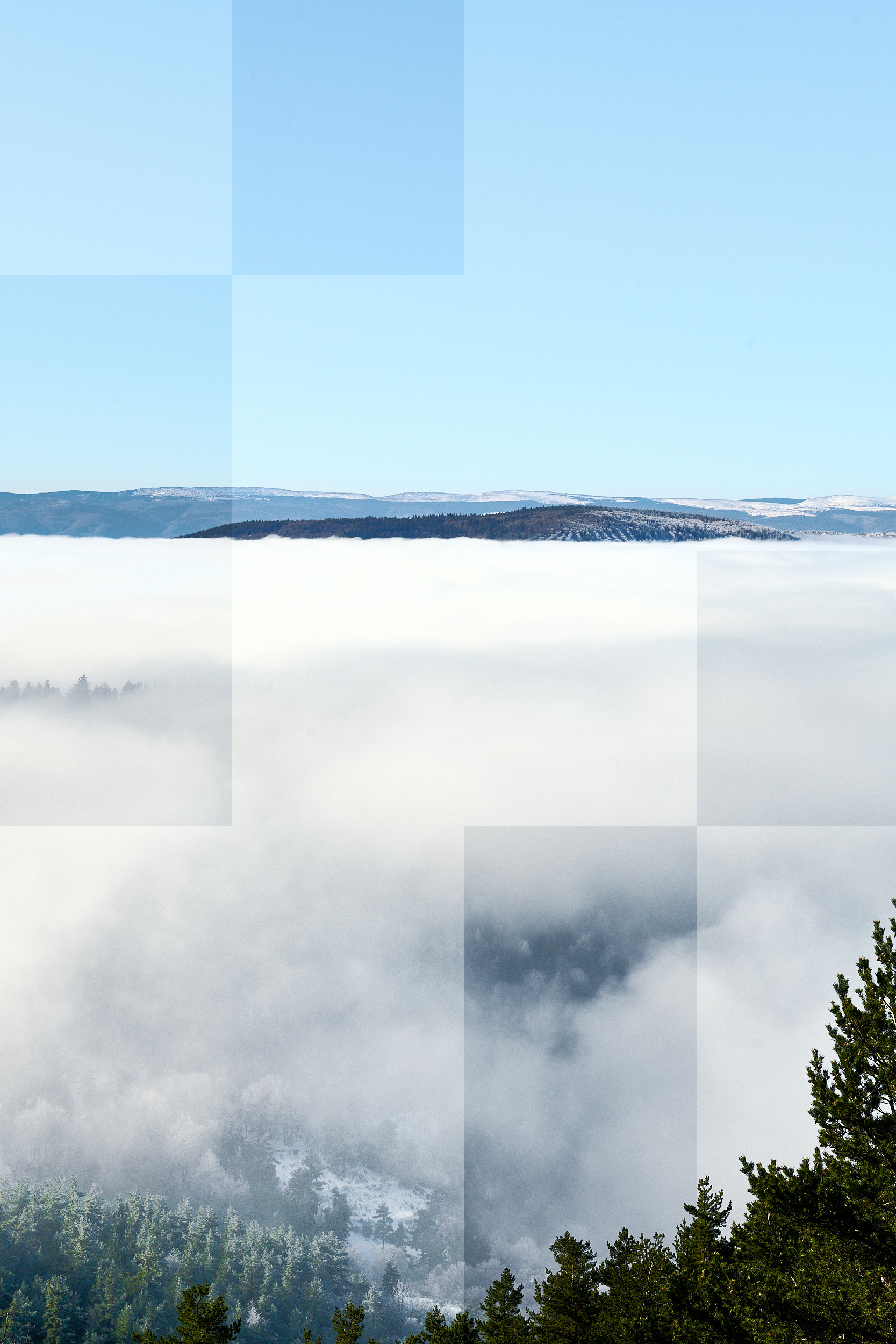
-
I'm not sure what you mean by "processed 2 versions backwards".
Have you updated to the latest release of Capture One - if not what version of Capture One are you on? What version of MacOS are you on? Have you tried this with hardware acceleration turned off?
Ian
0 -
Thanks Ian for message :
My C1 is 15.3.1.15 on a MacOs 12.4.
2 versions earlier. I already edit this image on January.These squares deseapers when I desactivate Correction diffraction
Hardware acceleration is : AUTO for view and export
0 -
Try turning hardware acceleration off and see whether the problem is still there.
Ian
1

Post is closed for comments.
Comments
3 comments