Why the images lower quality when imported in Capture One folder?

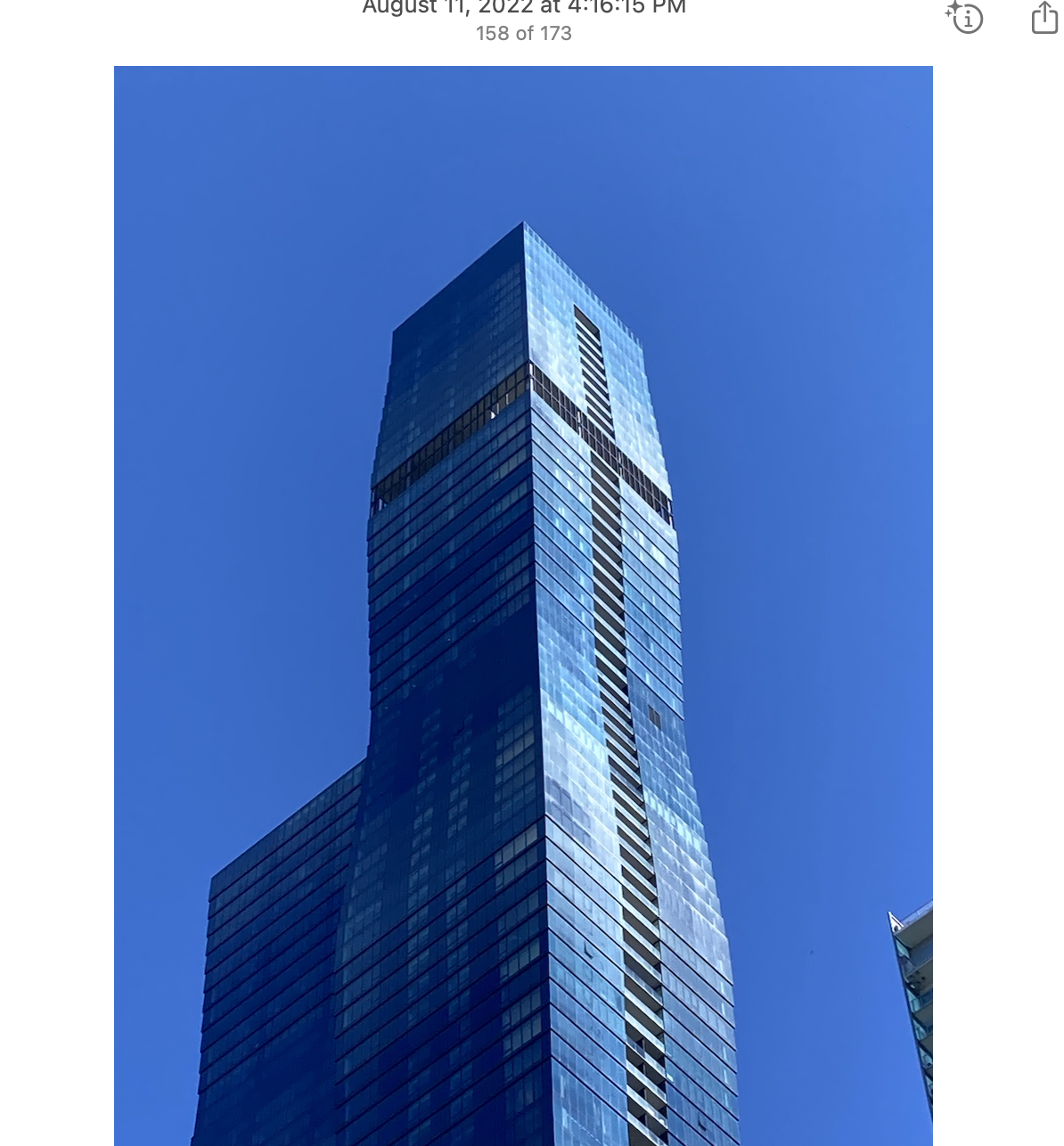
I've been having issues for few days with the importing feature. First it was the external drive ejecting in middle of import. Now is images lowered in quality significantly (looking awful to be direct) when imported from the Photos app (iMac). In the Photos app the images look good. In Capture One once imported something is happening. This is the first time in 2 yrs I have these issues. Is there something going with the software that I should know about?
I am unable to work on those images until this is resolved.
Thanks
Brenda
-

It is possible the iCloud settings for Apple Photos app may have changed, The settings can allow upload to the iCloud of all photos imported into Photos leaving a token or thumb nail quality in your library, albums etc. Worth a check?
1 -

I just submitted a tkt. I have the same issue importing from memory card. Images show fine in thumb nail, until completely imported. Exposure is 2-3 stop lower and image is grainy, white balance is crap. It varies per image on what is off from image as shot in camera.
1 -
@John My usual workflow is:
1. to import originals from camera card to external drive folder via Capture One
2. or from iphone to computer via Image Capture or AirDrop and then to external drive folder via Capture One. The time decided to use Photos app as a workaround because Image Capture also stopped working out for importing.
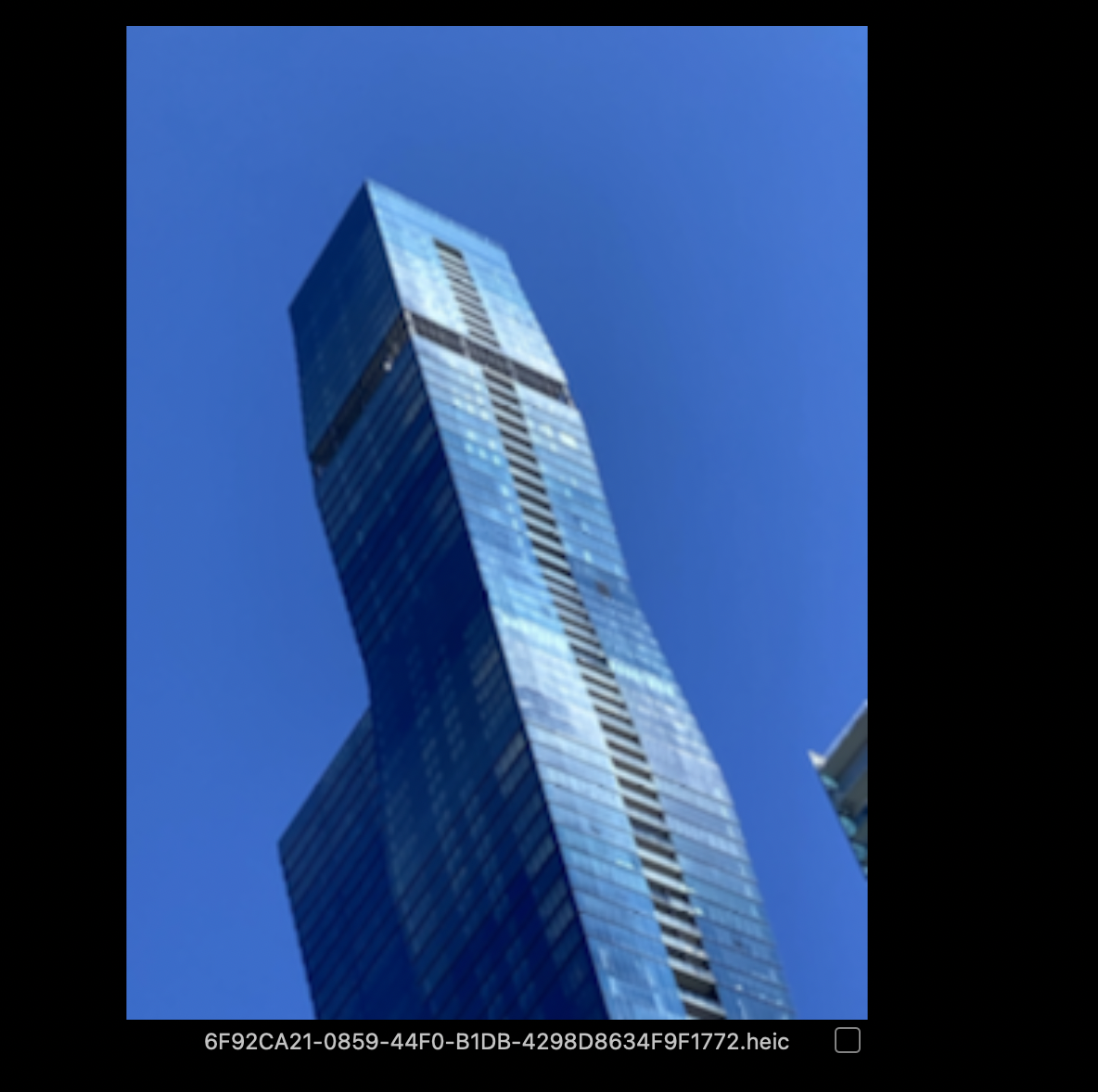
The images in Photos app look great. They degrade a lot once imported to Capture One. Here is an example:
 0
0 -

> Brenda Hernandez: They degrade a lot once imported to Capture One
It may have something to do with the .heic file type and the file type's dependency on your operating system. You will find the passage "The support is provided for Apple HEIC and other photos converted to 8-bit HEIF to the extent that those are supported by the underlying operating system" here: https://support.captureone.com/hc/en-us/articles/360016552258-HEIF-HEIC-file-format
0 -
Update: my husband suggested to change the USB cable of external drive connecting to iMac thunderbolt to test if it is related to the cable connection. Since yesterday I have noticed no issues, increased speed for bulk import and high quality resolution of all images. All images from both camera and iPhone.
Also, for those images imported from iPhone, instead of using Image Capture, I started to drag from iCloud photo library to iMac folder before importing to Capture One. No issues at all.
Ill keep the ticket open just in case, but wanted to share here first just in case other people are struggling with same issue and equally frustrated as I was.
0 -
Another update after 5 months for the benefit of those facing same situation. I started to face same issue again with photos imported into Capture One from the iphone.
First, I copied and pasted the images from icloud library to a mac folder and then import to Capture One. Result: low quality image (attached for reference).
Second attempt, I exported the image from icloud to a mac folder and then to Capture One. Result same issue.
Third attempt, I exported the image as "jpeg" from icloud to mac folder and then Capture One. Result: great.
In conclusion, it seems this is an issue related to the Heic/Heif format that Capture One is not handling well. At least Capture One should advice users on this issue and how to manage it (the link provided above in previous post is not addressing the problem neither providing a solution).
I hope this helps other people facing the same, because is very sad to assume that Capture one imported everything fine, delete photos from phone and then realize that the ones kept in Capture One/external disk are low quality garbage.

 1
1
Post is closed for comments.
Comments
6 comments