Capture One 22 file export

We have recently upgraded from Capture 21 to 22 and have found that images we are exporting have a green fringing effect showing up, particularly around neutral edges.
We do a lot of art reproduction. The image looks fine and clean in Capture but then the exported tiff, PSD or jgeg exhibits this edge effect.
I still have Capture 21 running and shooting and exporting the same image does not produce the same result
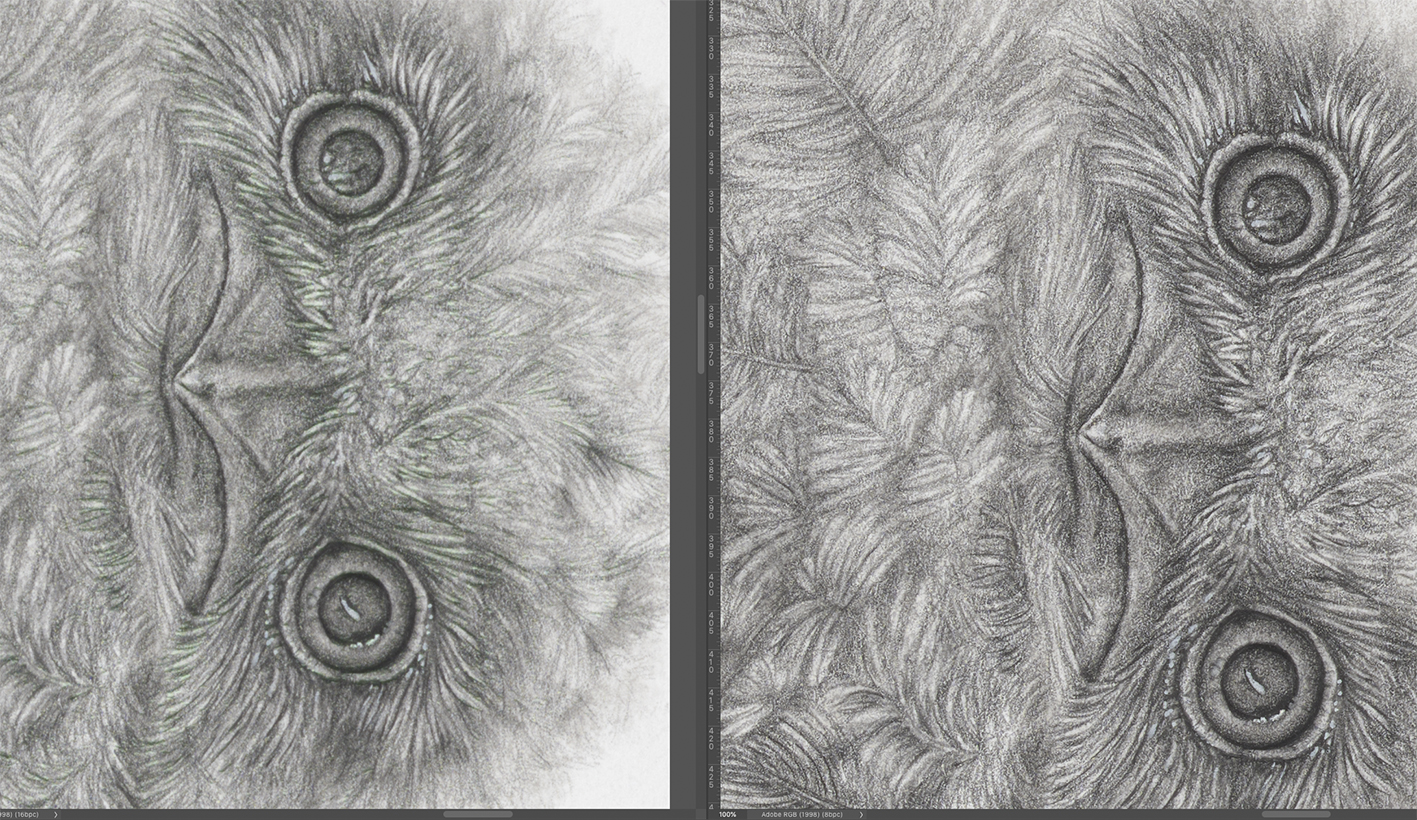
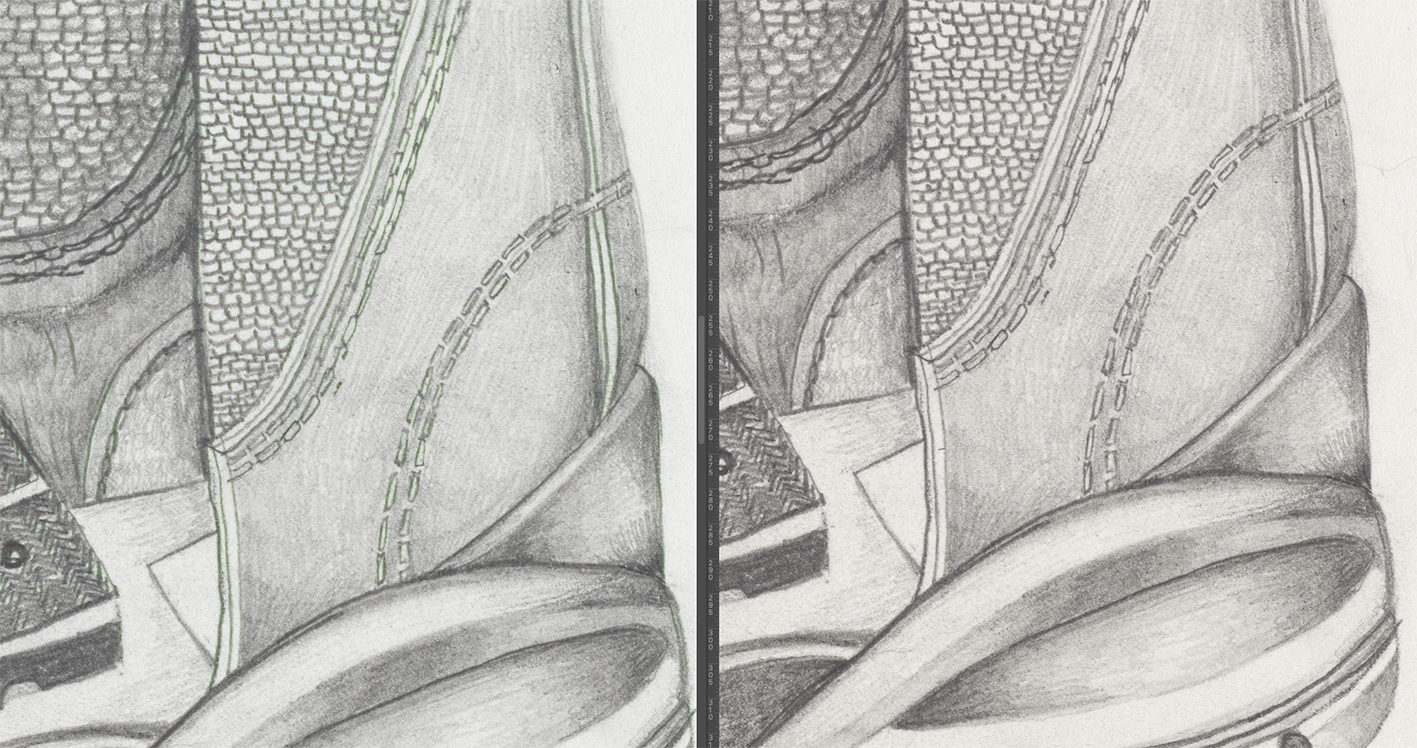
This is happening on 2 different cameras.
A Fuji GFX100S (top images)
A Nikon D850 (bottom images)
We are exporting to 16bit uncompressed tiff files, Adobe RGB. I have also tried PSD, jpeg and to different colour spaces such as L*
We have reverted to Capture 21 until we can find a solution.
This is running on a Macbook Pro, i7, OS 10.14.6
Capture 22 version is 15.3.2.11
Any help welcome.
Simon
-
Forgot to mention in the sample images, Capture 22 on the left, Capture 21 on the right
0 -
Opening and editing in Photoshop, 2021
Thanks
0 -
Sorry, did't see the second part of the message. I'll try
0 -
Just tried importing a tiff file back into Capture 22 and it comes back in with the same green fringing effect as the image appears in Photoshop
0 -
It also looks like a structural difference as the images are not as sharp as usual. I don't use any output sharpening in my workflow but a small amount of presharpening. I am using the exact same workflow in V21 and 22 and image seems fine in Capture but not after export.
Finishing work for the day now, back tomoorrow
0 -

Hi Simon,
have you tried to disable Hardware Acceleration? (Preferences - General -Hardware Acceleration Processing Never)
Kassur
1 -
Hi Kassur
Thanks, I turned off Hardware acceleration and it fixed it straight away. Files exported correctly from both the D850 and the GFX100S.
Up and running again.
Simon
0 -
That's great!
Kassur
0
Post is closed for comments.
Comments
8 comments