Capture One 15.3.2 won't start on Windows 10 (Home 21H2)

After upgrading to latest version (15.3.2) Capture One does not start at all. No error messages are displayed. There is also no process Capture One visible in the task manager. I have Lenovo Ideacentre with Windows 10 Home 21H2.
After re-installing the older version (15.2) Capture One works fine, but I cannot open my catalogue anymore :-)
Any clues, what is missing?
-

It is possible that C1 does not start because the required components MS Visual C++ Redistributable and MS Edge Webview2 Runtime are missing. These get normally installed along by the C1 installer but there have been posts here where something similar was described and these components were missing for some unknown reason. You should check under Programs and Features if they're installed. It is at least worth a try and can't hurt to download and install the actual versions directly because other applications also require them.
0 -
Unfortunately it is not the case. I have checked and both Visual C++ Runtime and MS Edge Webview2 Runtime are installed.
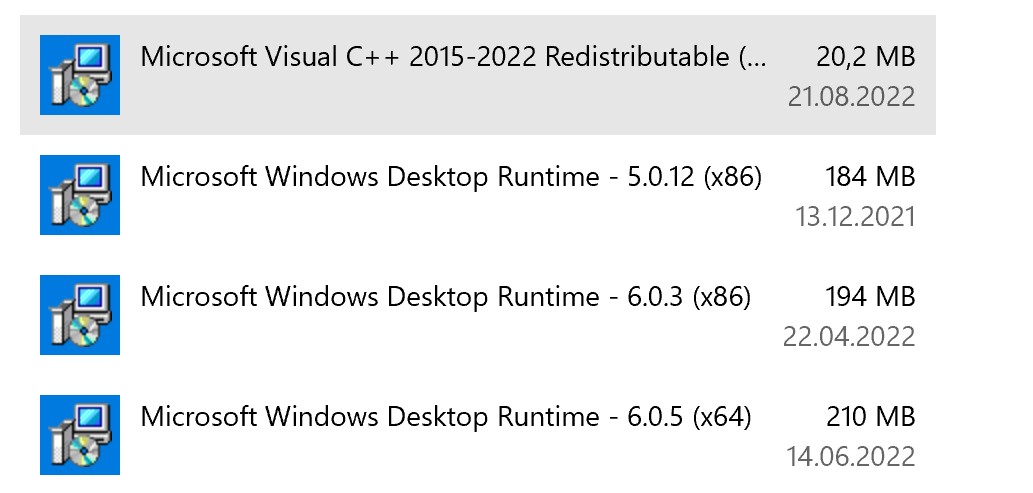 0
0 -

Had the same problem. After I used a regcleaner (wise registry cleaner) everything was ok. 15.3.2 works!!
0
Post is closed for comments.
Comments
3 comments