Cropping

In Photoshop Cropping outside the image area is possible to fill automatically the are based on the content.
Can it also be done in CaptureOne?
Thanks
-

No. Capture One is mainly a processing software based upon the development of RAW files. It can heal and clone some small parts in a picture, but when needed to go further, youi have to choose a raster graphics editor.
0 -
In Capture One, you can crop outside the image, but you can't fill the area of the crop that is outside the image directly.
But you could
(1) take the cropped image to Photoshop, Affinity Photo, or similar as a TIFF or JPG, to do that part of the job, or
(2) you could output it as a TIFF or JPG and then fill in the area outside the crop using Capture One. (I hadn't tried this before, to be honest, but here is proof that it works.)
This is the image - rotated and cropped outside the image.
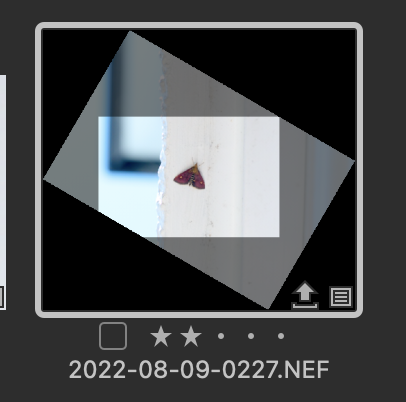
I exported it as a TIFF, and then used the clone tool to fill in the bottom left corner. Original raw on the right, and the TIFF with filled in area on the left.

It seems to work!
Ian
0 -
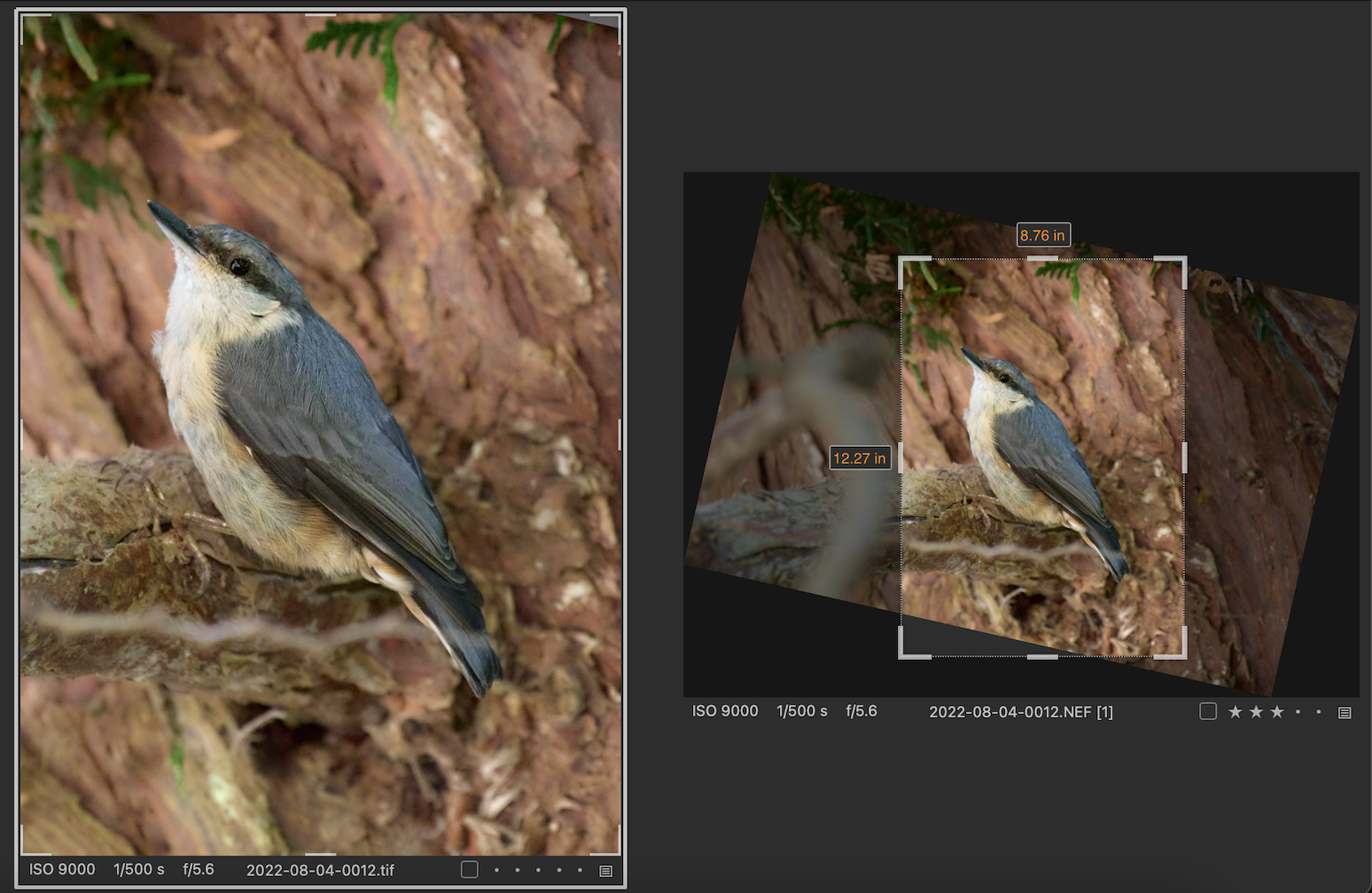
... and you've got me trying out more, now. This is using a heal layer on a TIFF. (The image had been rotated a lot because of pointing almost straight up the tree at the bird, and not getting the best angle.)
Ian
 0
0

Post is closed for comments.
Comments
3 comments