Feature request for support of Ricoh GR IIIx Raw Files

Hi CO team,
please add support for the raw files of Ricoh GR IIIx to CO.
kind regards
Andy
-

I don't have any issue with GRIIIx files.... what are you missing?
-4 -
Hi David, if you look at the default settings for white balance, you see some mismatch for example.
3 -
Permanently deleted user
I don't have any issue with GRIIIx files.... what are you missing?
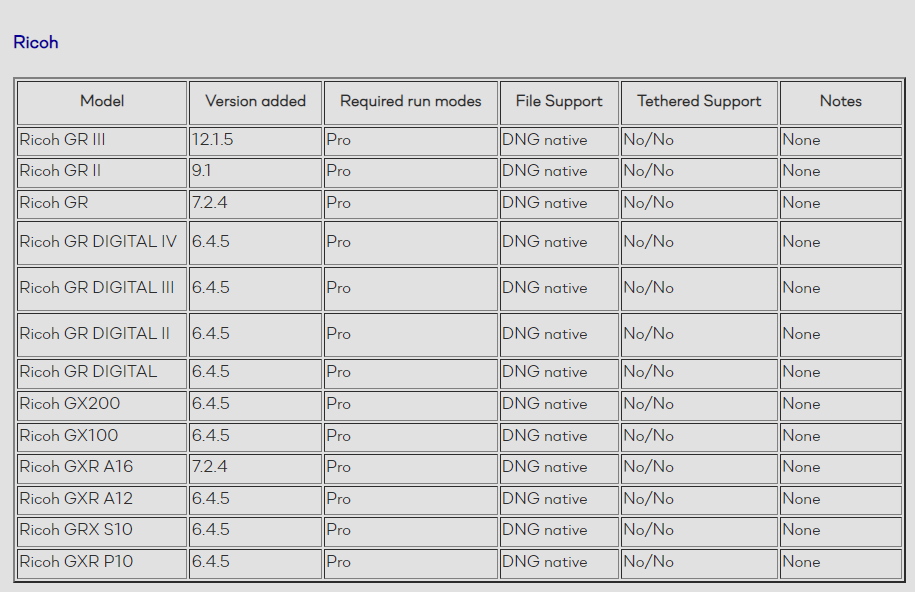
Aside from it not being supported, you mean?
 1
1 -
Do you own a GRIIIx, Keith R? I do.
I don't know what "not supported" means, when I and do can open GRIIIx files in CO and get perfectly good results using the Ricoh DNG Generic or (identical as far as I can see) Pentax Ricoh GRIII Generic profiles. Yes, there isn't a dedicated lens correction profile, and it seems preset WBs don't match (I never noticed because if I correct WB I always use Custom). "Not supported" is the result I get from my Hasselblad X1DII....
I'm actually perfectly happy with the results CO gives me for the GRIIIx, but I certainly would not object to a specific profile.
-4 -
Nope. Not happy here at all. The C1 RAW conversion for the GR IIIx delivers dark, muddy images, loosing a lot of detail. Whereas the same file in LR delivers crisp sharp images with the great color science Ricoh is known for. Definitely recommend using LR for the Ricoh GR IIIx - delivers noticeably better image quality.
5 -

Followed.
It's been a year since the camera released, I'm not sure why CaptureOne still haven't added support to this camera. The results are absolutely terrible for dark, underexposed images.
Please fix this.
4 -
Agree with Markus Bush and James Song. Would also like proper GRIIIx support in capture one.
2 -
Bumping this since the GRIIIx is still not supported.
1 -

This is the only thing stopping me from converting to Capture One. The generic DNG is just bad. The difference between importing as a GR IIIx image versus importing with GR III model metadata is night and day. Changing the ICC profile does not have the same result so there's clearly more tuning happening during import.
2 -
It is the reason I am about to leave C1.
3 -
Dont blame you. I've not upgraded due to this. Alternative processors are working well.
1 -

Yes please, proper support would be good. The support for the great image control settings would be very nice. These presents are available for other brands and models as well. And the ones from the GRs are quite nice.
0 -

I wrote to the C1 Instagram account and got this answer:
Hi Bernhard,
Thank you for reaching out. Unfortunately, the process is not as quick, as we have to have each camera in-house to develop RAW file support. Whilst the Ricoh GRIII is supported, this doesn't mean we can also support Ricoh GRIIIx at the same time. It would really help if you could create a camera support request on our website https://captureone.co/featurerequest, so we can see how requested this is, Thank you!
0 -

Hello,
it is a great pity that there is no native support from Capture One for the DNG files of the Ricoh GR3X.
I help myself by converting the RAW files with the free Adobe DNG converter and then importing them into Capture One.
This is cumbersome, but it works for me.
However, this circumstance stops me from buying an upgrade or subscribing at the moment .Michael
1 -
Please everybody, if you haven't sent a request yet, do it now. The more users do it, the more it becomes likely C1 Team will handle it.
https://captureone.co/featurerequest > other > Camera and Lens Requests
0 -
Request sent.
0 -

I understand your situation, same here.
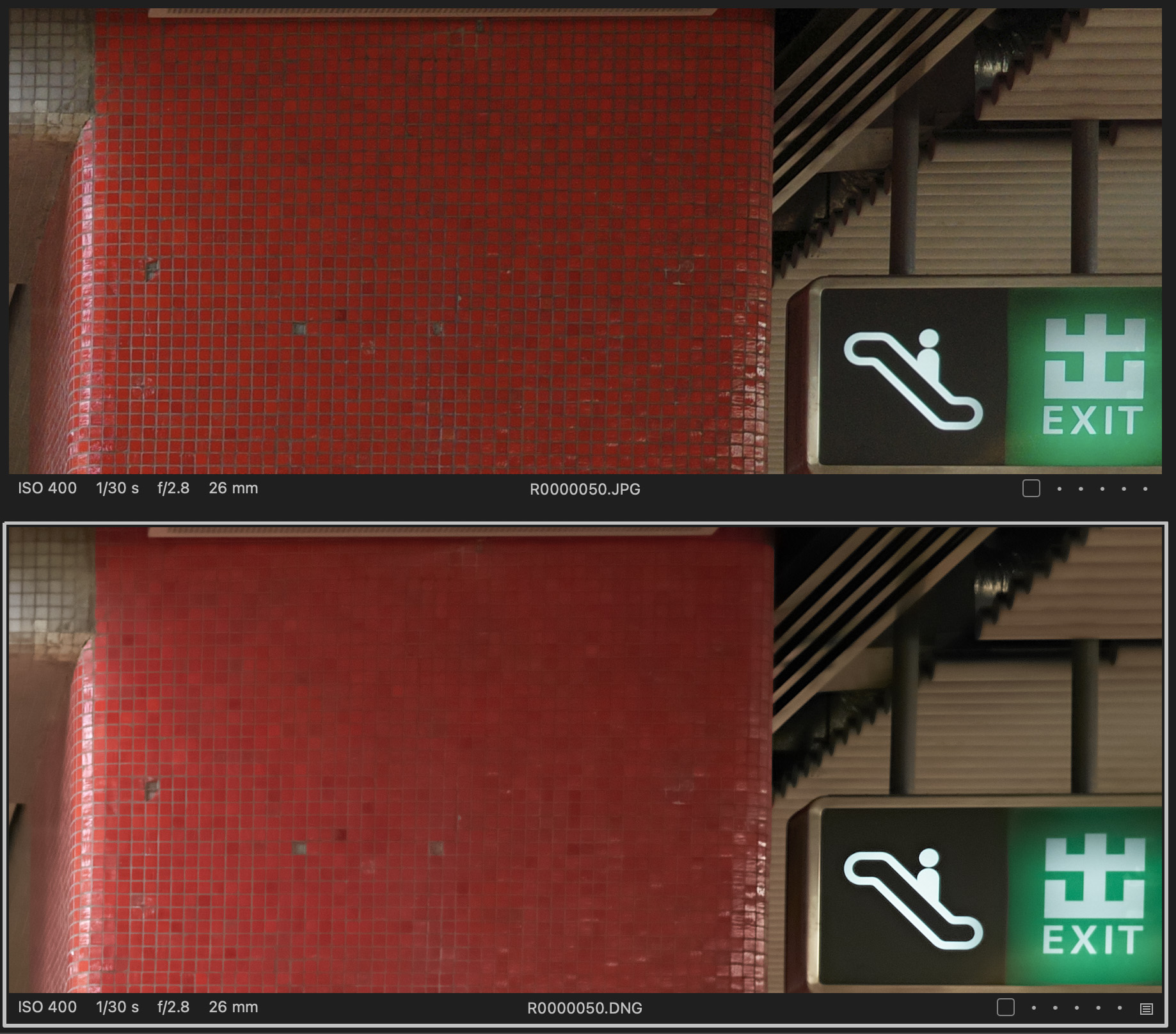
No problem when using Adobe but CO is not good. unsharp, bad shadow recovery and color shift in some color
 2
2 -

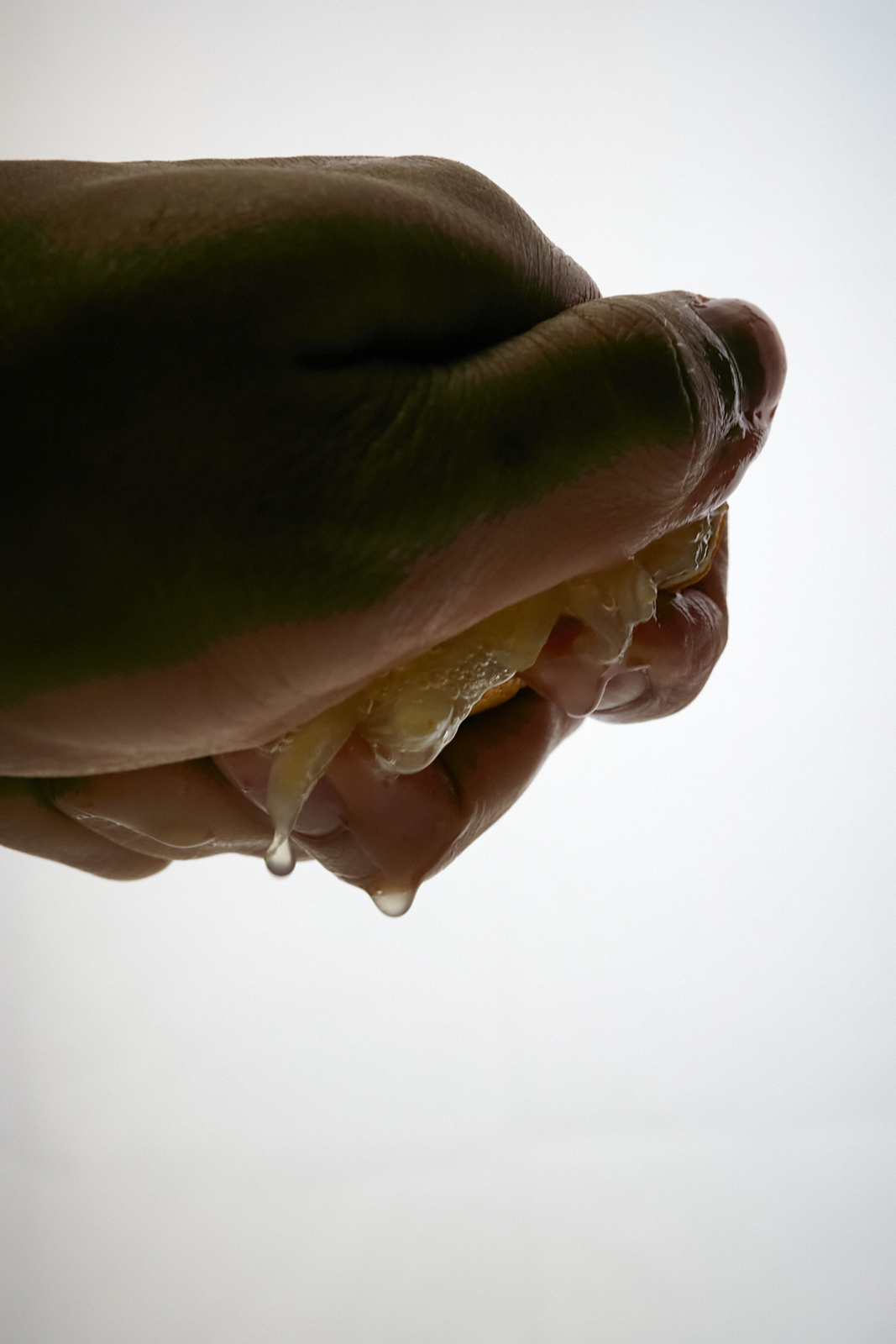
This is a dng original conversion taken with gr3x. What is this phenomenon?
After searching, I found a lot of problems, so please take action quickly.
And when I tried using LR, the problem doesn't occur.
As a C1 user, it's frustrating.
3 -

Having the exact same issue with my Ricoh GRIIIx DNGs, muddy files, shadows/blacks looking like a pastel painting. Capture One is completely unusable to the point where I either sell the camera or switch to a rival image processor and let's just say I do not see myself parting with the Ricoh.
3
Post is closed for comments.
Comments
19 comments