Re-installation of C1

Once when I bought C1 version 20 I installed it on my workstation and on my notebook. As I recently needed to reinstall the operating system (Windows 10) of the notbook I lost the installation of C1. On my workstation Capture One is still running.
Today I reinstalled the original installation package - which I kept for the purpose of reinstallation - on my notebook. My question is: How can I transfer the licence key from the workstation to the notebook? (When I open the "help>Capture One Licence" dialog, only the first 3 code blocks appear.) Or is there another way to get my licence key back?
-
Log in to your account on the Capture One website and you can see your licence key there and manage your activations.
Ian
0 -

> Ian Wilson: Log in to your account...
Surprisingly, a forum user downrated your correct answer.
0 -
How strange! You could do me a favour and vote it up again.
Ian
0 -

I am logged in now, but i can not see any licence key...
0 -
if you log in, you should see this screen.
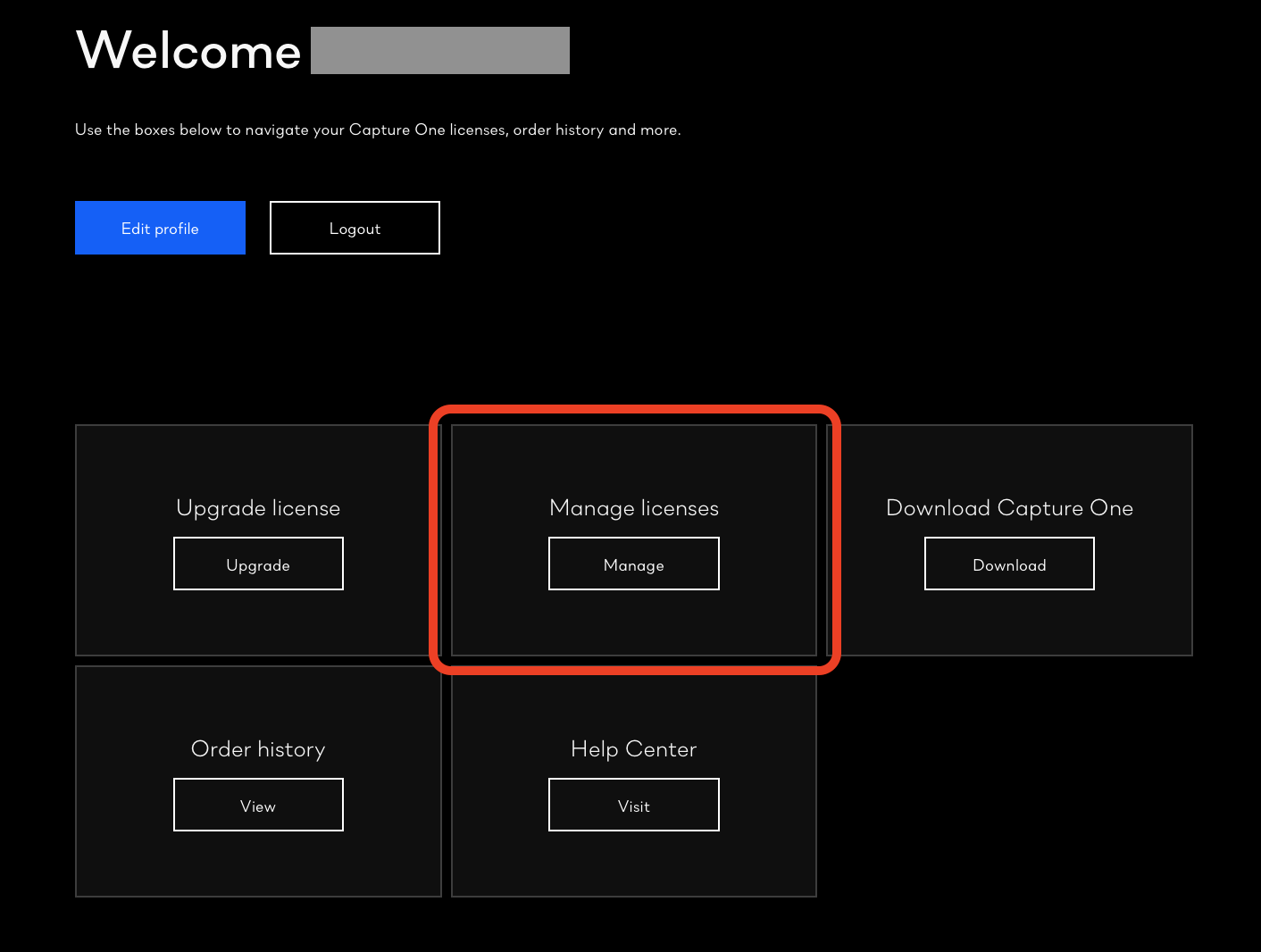
Click on Manage licences, which I have highlighted.
You then should get a screen like this.
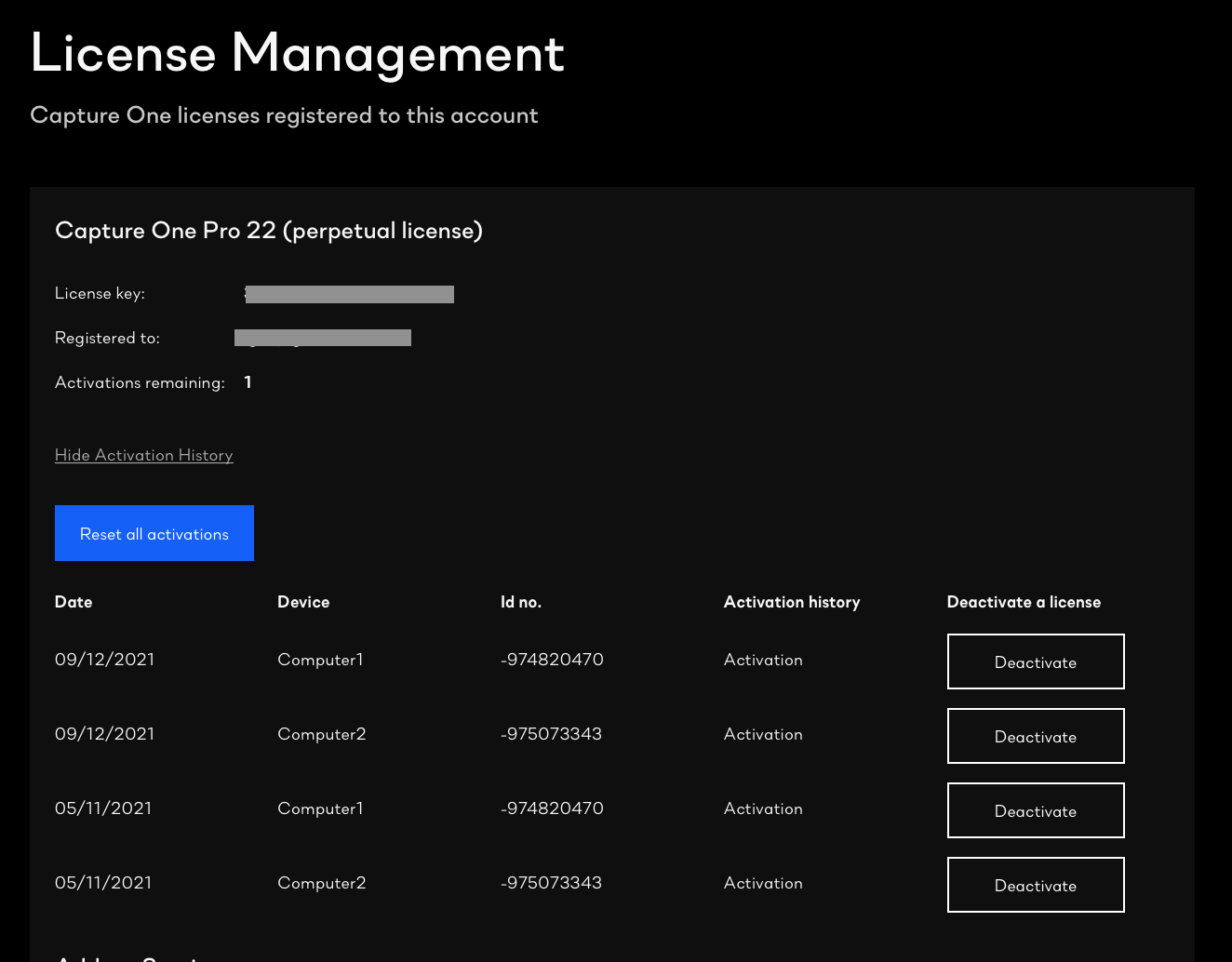 ...showing your licence code - obviously I have blanked mine out in the screenshot.
Ian
0 -
Thanks, i found it. I was using the wrong link/CO page.
0

Post is closed for comments.
Comments
6 comments