Color Editor corrections and layers

Just watched Mr Grover's excellent video on colour grading and he made it look so simple I couldn't wait to try it out. Gah. Not so easy.
I am sure this is a stupid UE, but here goes.
Does the color editor tool work with layers?
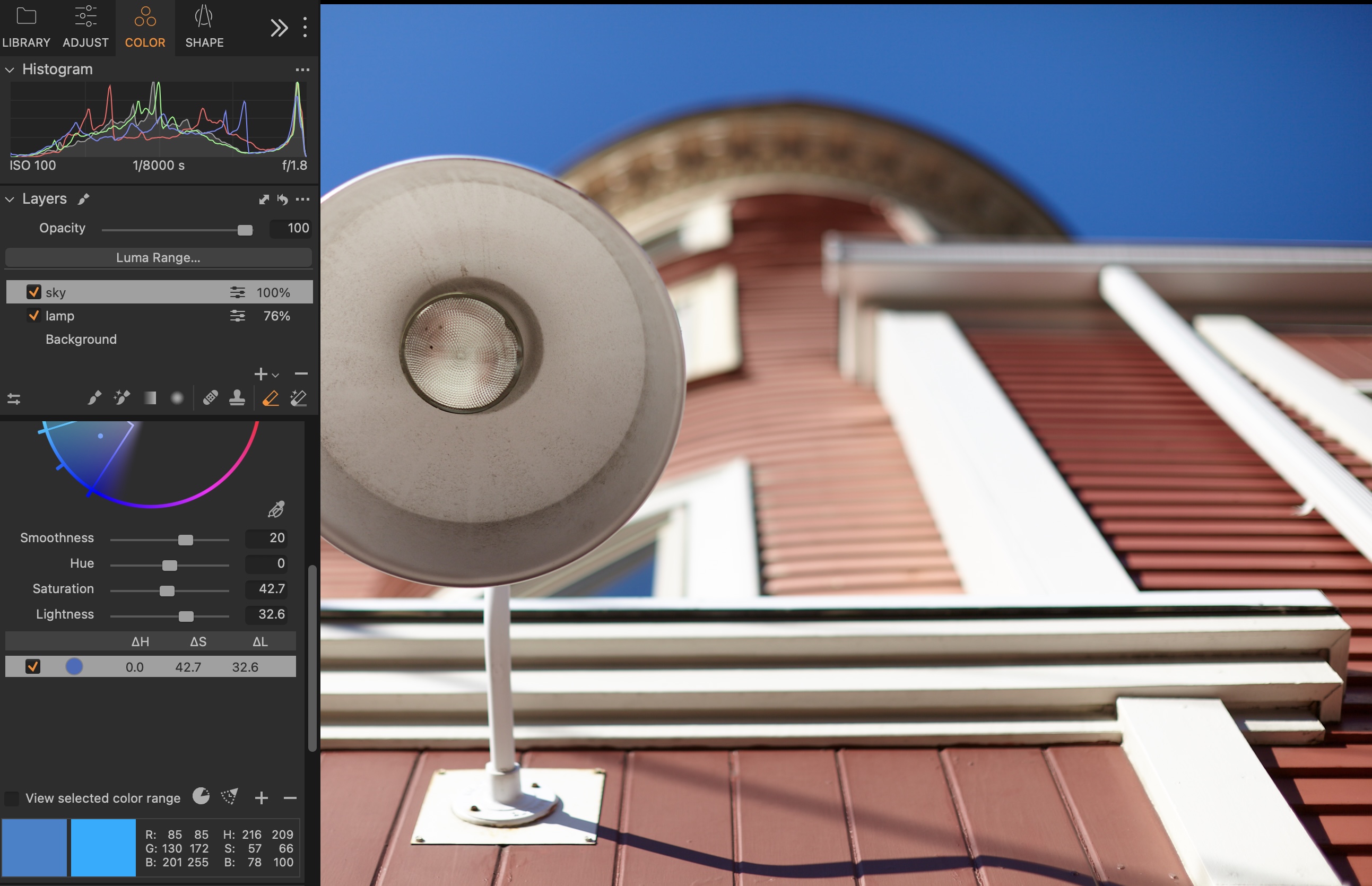
I want to be able to erase a part of the adjustment, but the color editor tools only seem to work when 'Background' is selected. I can't seem to figure out how to create an adjustment layer and get color editor to work on it. I see the changes when I toggle on the 'View selected color range' but it does not apply the change to the image.
Madenning!
-

John
Does the color editor tool work with layers?
It does for me.
Has your layer a mask of some description?
0 -

Fill the layer.
0 -
Hi Shane,
thanks for getting back.
No. There is no mask. Is the color correction layer the one (in my image above) with the check mark next to the little circle with the colour I am editing, under the big wheel?
I have been assuming the layer would be in the Layers tab (duh!). But as my mother used to say, never assume anything.
So, If this is the layer, how do I delete part of the adjustment? I thought the erase tool worked with these adjustments, or did I miss a step. My idea is to match the sky a little better as it gets lighter toward the sun side and while not wanting to fully correct this (unnantural) I'd like to pul in a little more saturation and darken that are gradually, so I'd need a large soft edged eraser with low opacity to work off the darker side of the sky.
0 -

A default layer is empty. This means nothing you do in this layer will be applied until you draw/fill parts of it with a mask. If you want to do this the other way round, click the little arrow next to the plus and use "new filled adjustment layer". This way any edit in the layer is applied to the whole photo, until you erase parts of the mask. Check your current mask by toggling "M" which displays the mask in transparent red.
0 -
@Propheticus! You star, this is what I needed!
0 -
Shane and IM alluded to the same thing. Glad my slightly longer explanation helped :)
0
Post is closed for comments.
Comments
6 comments