Missing file IS not missing i catalog mapstructur.

I have a bunch of missing files xxx.ARW.
When I open the package they are att the right folder (Originals/2022/.../xxx2022 - 4018.ARW).
No problem to hit "Find file" and browse to the right folder. But just one file at the time.
Can't find any batch mode.
Is it possible to determine the search path to the file.
I did some manuall coping from a backup because a problem with a cloud storage didn't got copied.
-

> Jonas Bengtsson: Missing file is not missing...
I am confused and I think you need to be more precise and clarify a few things.
Clarify "missing". Is the Capture One software reporting an image file missing? If missing means you are unable to locate it, let us know how you go about it using what software.
Clarify "package". Is it an EIP file, a ZIP file or what, and what software do you use to open it.
Clarify "Find file". If you refer to Capture One's "Show in Finder","Show in Library" function or to "Advanced search" function, say so in clear text.
Clarify the manual copy. Did you copy using Capture One or some other software like the Mac's Finder?
0 -
MacOS 12.5.1
Capture One 15.3.2.11Sorry working in Swedish CO so that's why some translations may be different.
(Open Package) Expand the Cocatalog "file"As you can see in these two Screenshots Orange marked picture is missing i CO but exist in the the cocatalog.
Green marked file is successfully reconnected with the "Hitta..." (Find file).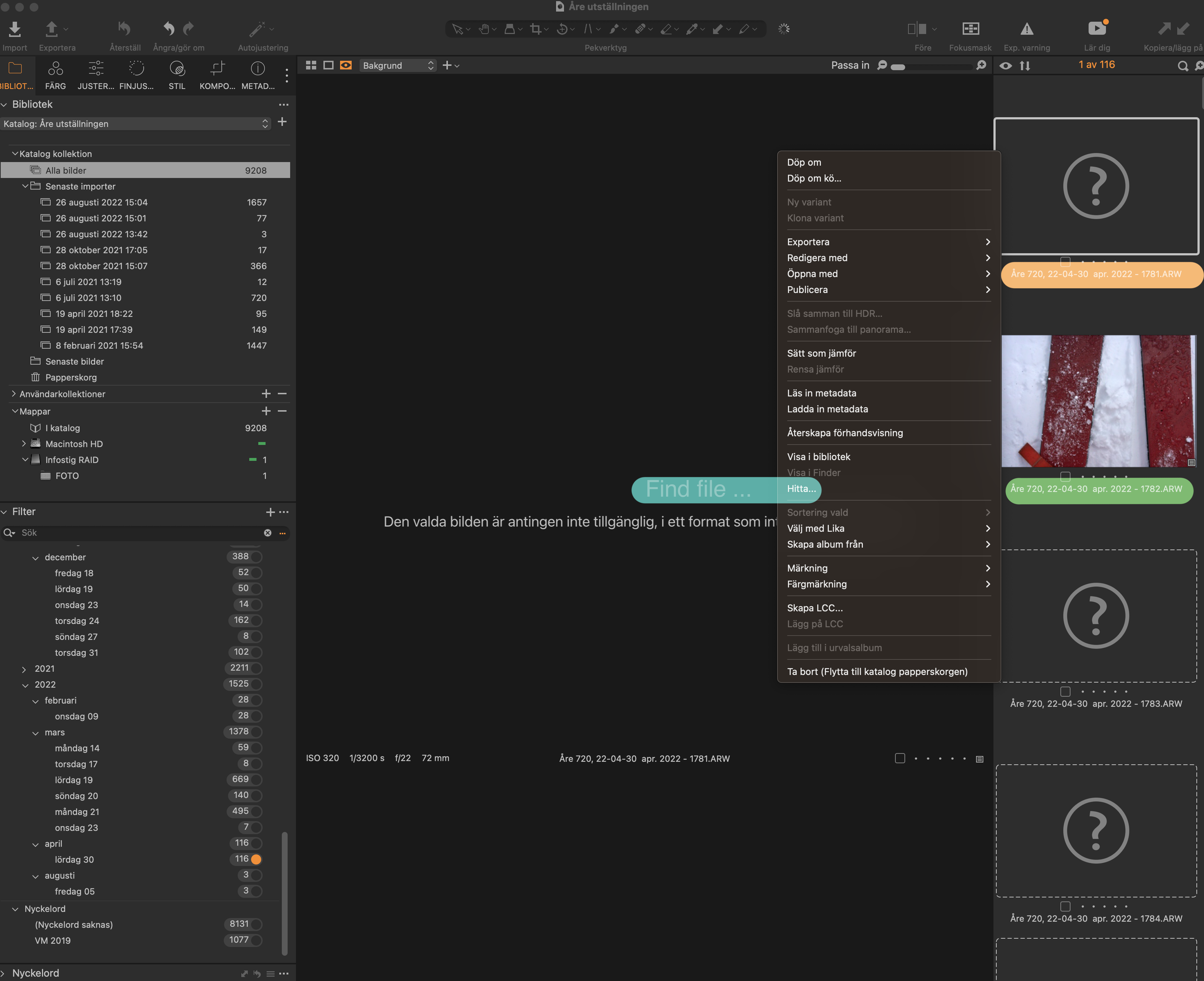
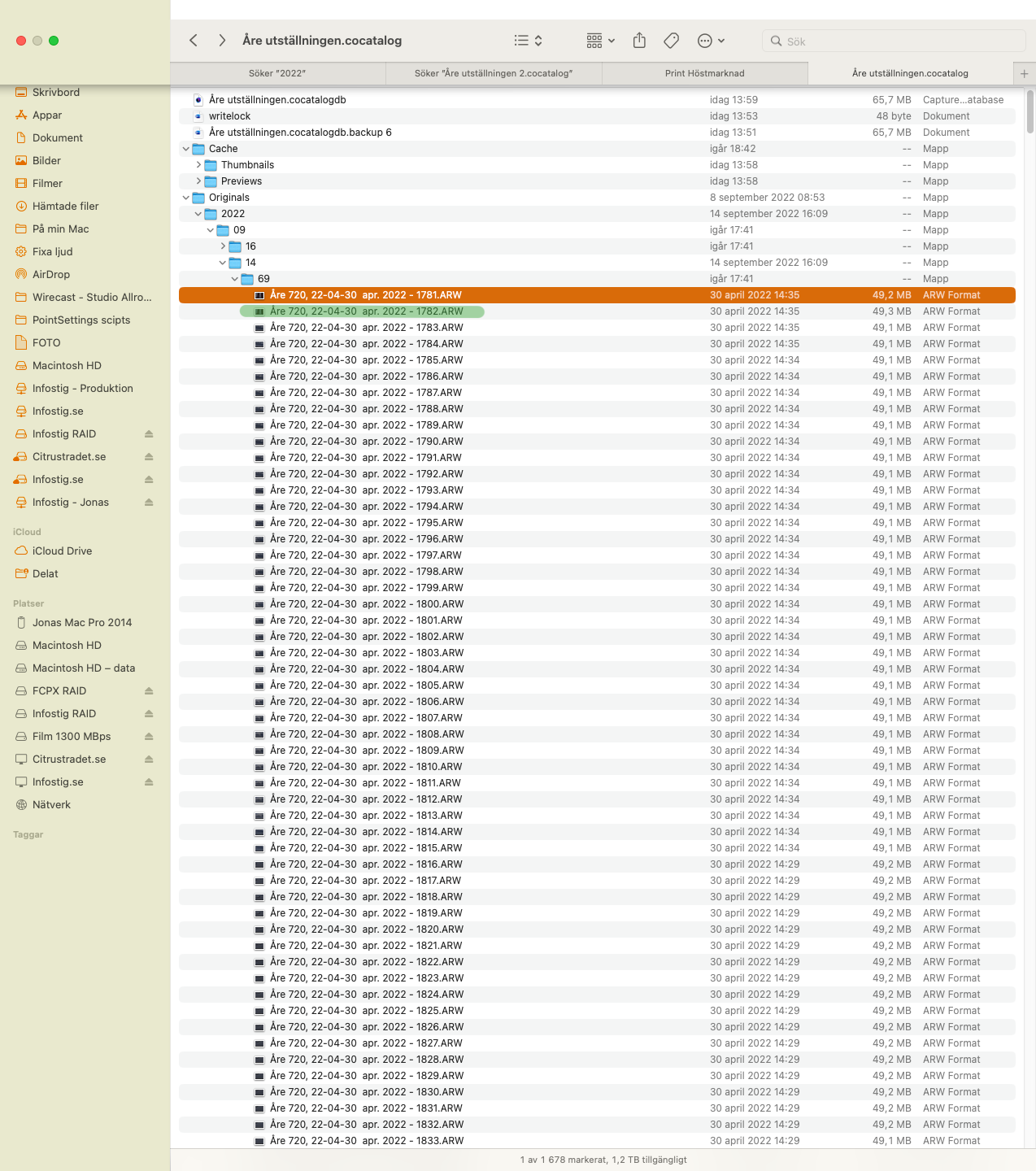
Manualy copy.
I copied by drag and drop xxx.ARW files from my backup drive "Åre utställning.cocatalog" (not the "xxx.cocatalogdb.backup 6") to the same folder in my working catalog "Åre utställning.cocatalog" where the files was missing.
USING Hitta ... (Find file) works but just on file at the time.
Hope that this helped to clairfy my problem.0 -
> Jonas Bengtsson: ...working in Swedish CO...
Ah, I stick to English in applications and in the operating system (I use Windows).
The screenshots indicate to me that you copied files to a folder other than the one where Capture One expects them to be.
Right click on one of the thumbnails that displays a question mark in Capture One and then select "Visa i Finder" in the pop up menu. With some luck the Finder will open the folder where Capture One expects to find the file (but doesn't). Make sure the Finder leads you to the folder where your image files are located (Originals->2022->09->14->69).
You may find some information at this link: https://learn.captureone.com/blog-posts/relocating-offline-files-catalogs/
0
Post is closed for comments.
Comments
3 comments