Non impose crop tool

In the previous update of Capture One, I use to assign my crop tool to «non impose cropping» so I can decide how to crop my picture on my own. It will stay in this «non impose status» during my entire session has I was working on different images. NOW, with the latest update, I have to set it every time I move from one picture to an other, making my editing a lot longer!
Here is my situation : I scan a lot of old pictures for my clients. I eliminate everything that doesn't add a plus to the picture. The «non impose crop tool» was great for my use.
Am I doing something wrong? Can I clic somewhere to have my croping tool set to what ever I decide and it stays put?
Please help!
-
Bonjour Stéphane,
Il faut aller dans les préférences de Capture One, onglet "crop", puis sélectionner "Use global aspect ratio".
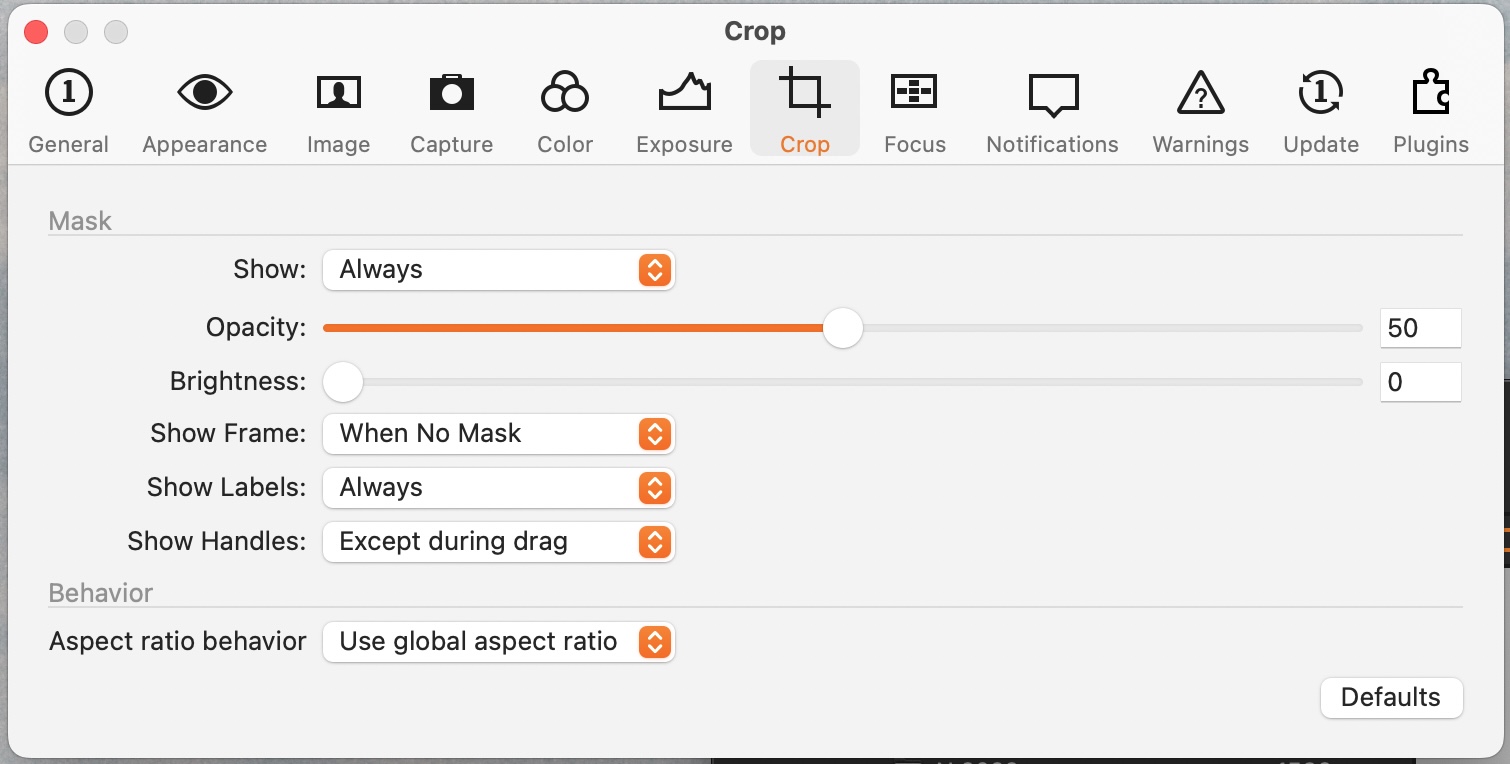 0
0
Post is closed for comments.
Comments
1 comment