Unable to uninstall CaptureOne22 Trial

Why can't I uninstall this? Please can someone fix this eventually? No matter what I try or where I try, it still won't uninstall. Help! Please! I payed lot's of money for CaptureOne, Nikon version including expansion pack, plug in's. I tried this software on a few jobs then stopped using it after few years passed. I thought I'd give it another try, just recently it gave me multiple crashes without warning. It wouldn't allow me to save my explanations to upload and send bug report and soon after, software wouldn't start at all. I thought I'd uninstall older version to see if newer software was any better, just to see if things would work thought I could maybe just enter my product key. Nope! It wasn't until after I decided to delete everything off my computer that I realized it was permanently stuck, without a way to uninstall. I have Windows 10 Professional, can this eventually be fixed and if so, when?
-
Official comment

Hi there,
Can you please take a look at this article How do I uninstall Capture One? – Capture One
It should help you move with the procedure. Also there was a bug related with the uninstaller that it should be fixed by now. So feel free to download the latest update and let us know if everything works -

Could you run the setup file with administrative permission? If not do it first. Disable the antivirus. If the issue remains as it is, follow the methods mentioned here. Best of luck.
0 -

I run Windows 11 and also cannot uninstall Capture One 22. I tried with Apps > Installed apps in Settings and also through Control Panel's Uninstall or change program. In both cases it asks if I wanted to proceed, but nothing really happens.
0 -
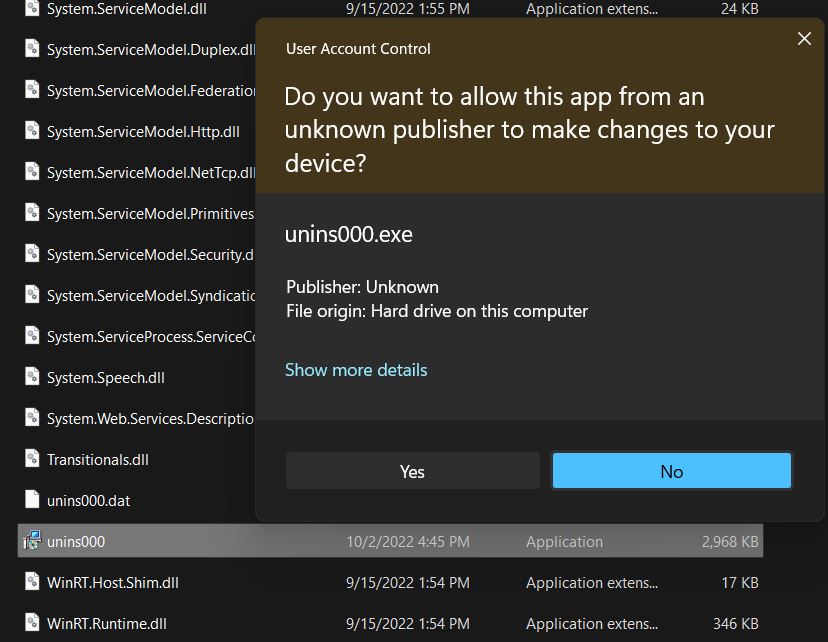
After I click on Yes as if CMD or something like that pops up in a small windows, blinks few times to say hi and runs away. I don't really see what happens, that window comes and goes few time very quickly. Eventually, nothing happens and Capture One remains installed.
I am running Windows 11, version 22H2.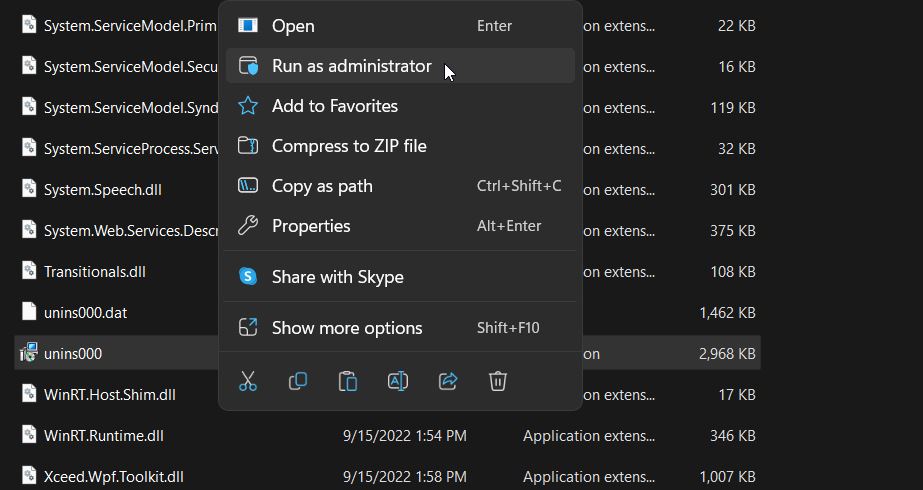
 0
0 -
Thank you, Thodoris
I was able to upgrade to the latest release and then successfully uninstall Capture One from Windows 11.0 -

This is still not working. Installed 23 build 16 today, 11/10/22. I cannot uninstall 22. Same issue..
0 -

I met exactly the same problem. Luckily I kept the previous version exe file so I reinstalled the previous version of Capture One 22 (Capture One 22.Win.15.3.3.15.exe) and then I can finally unistall Capture One 22 completely.
0
Post is closed for comments.
Comments
7 comments