Panaroma black areas

Instead of cropping the panaroma to get rid of the black areas, is there an "AI fill" function in Capture One? (For example, if the black area is the next to the sky it will be easy to fill in)
0
-
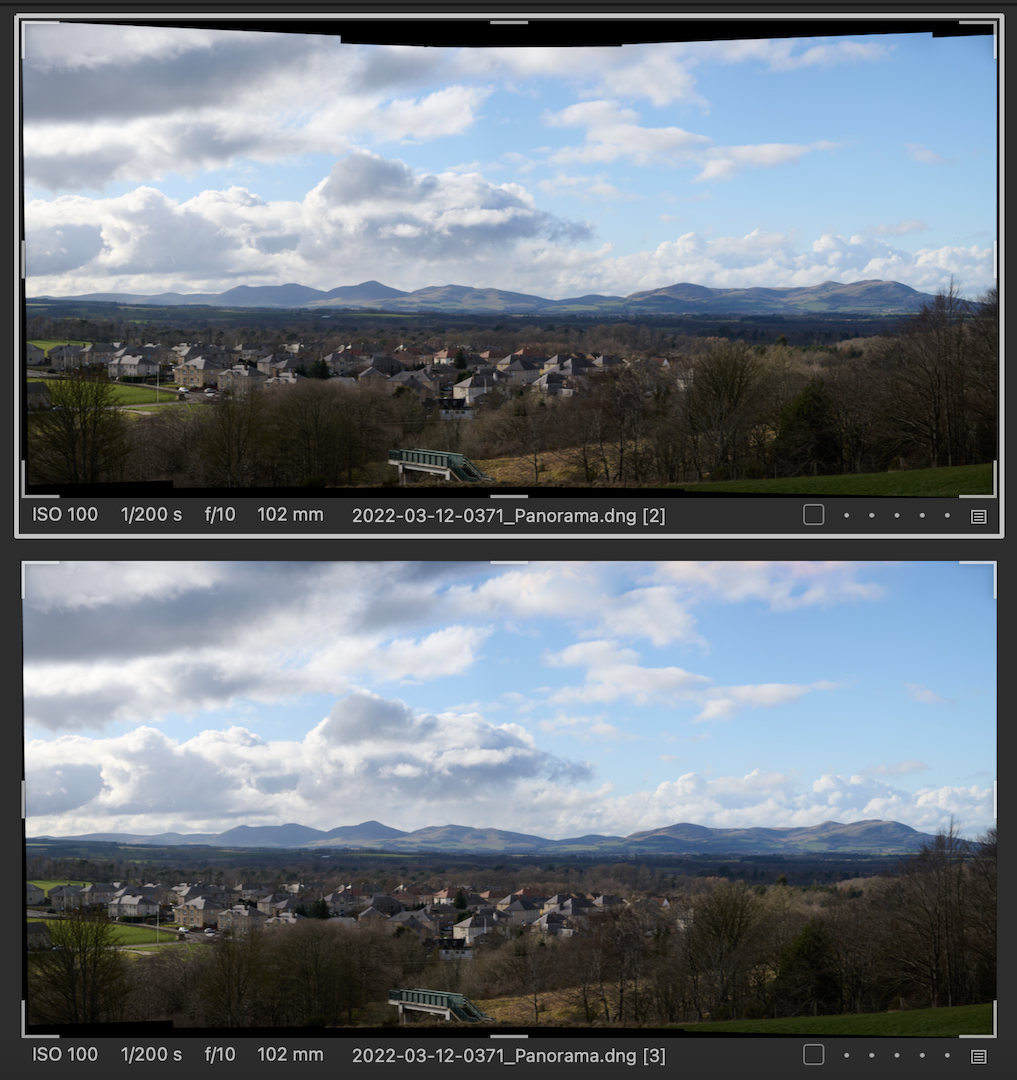
Not AI, no.You can use the clone and heal tools to fill in black areas - which may or may not work for some images. Beyond that you'd need to use something like Photoshop or Affinity Photo. Here is an example - I've fairly successfully filled in the top edges using a heal layer in Capture One - clouds are easy! I don't think it would be quite so easy at the bottom of the frame though.
Top variant is unfilled, bottom one is filled at the top side.
 1
1 -
Thanks! I'll try using clone and heal
0

Post is closed for comments.
Comments
2 comments