Photoshop disappeared from the Edit with list

Hello, I am using capture one 21 version 14.4.1. All of a sudden Photoshop disappeared from the "Edit with" list. Nothing was updated or reinstalled. yesterday everything was working fine. Greetings, Andreas Jopp
-
Are you sure you haven't updated Photoshop to the new version 24.0 (known as Photoshop 2023, confusingly)?
Ian
0 -
Hello Ian Thank you for your prompt reply. I checked it. It's correct. Photoshop updated itself three days ago. How do I get it back on the list?
0 -
I'm on a Mac, not Windows, so I am not quite sure how it works for you. On my Mac, it just added itself but I think that the Edit with list is more awkward with Windows. If you go to Preferences in Capture One, then along to plugins, can you add Photoshop 2023 to the Edit With list? Otherwise you might need to make sure that Windows treats the new version of PS as the app to use to open PSD files.
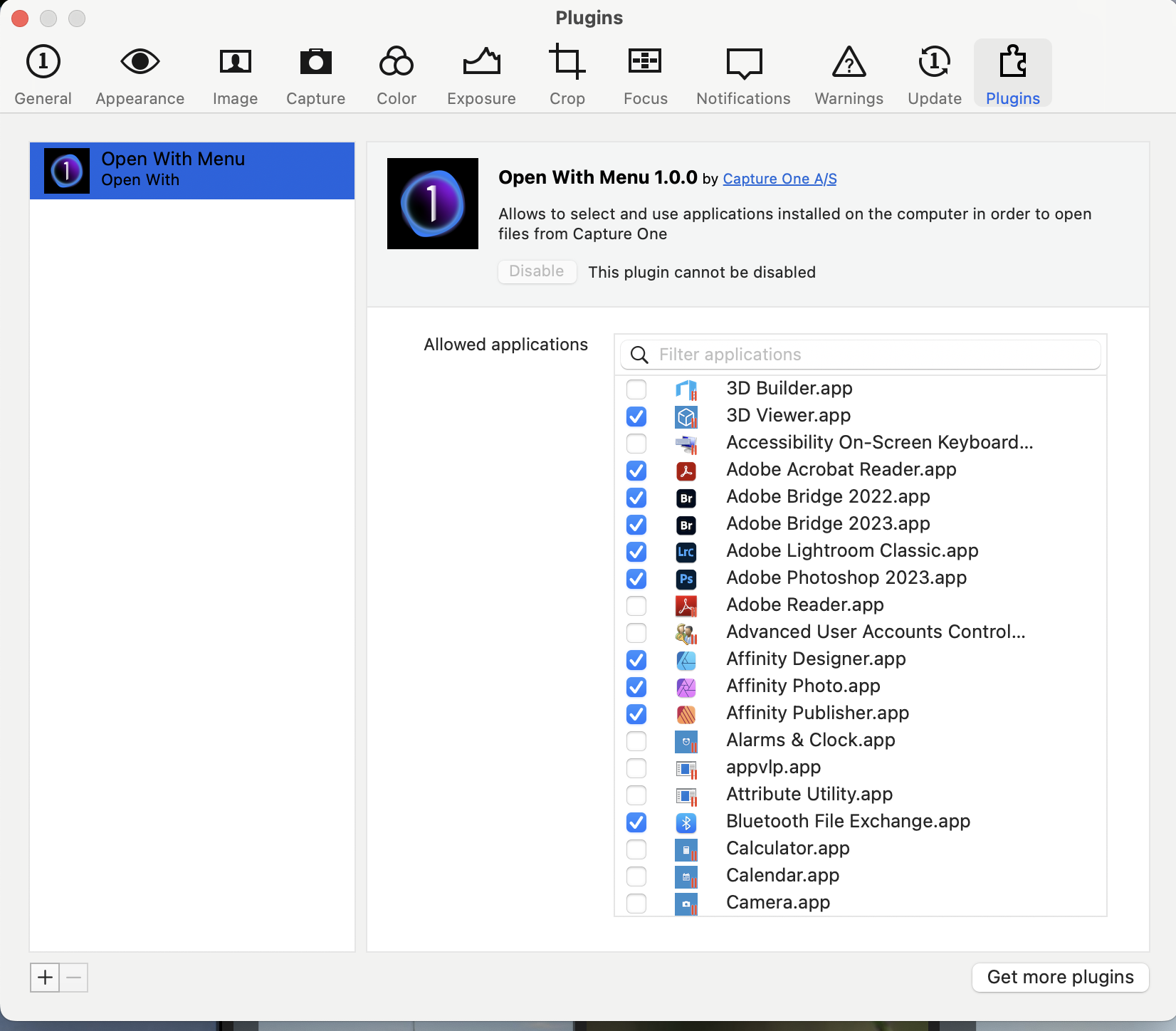 0
0 -
I work on Windows 10. It is precisely from this list that Photoshop has disappeared. Before, I could just do a rake in Photoshop and it would work. It is no longer listed. I now have to click through to Photoshop via browse. It works, but is cumbersome.
0 -
As I said, I am not a Windows user, so someone who is may be able to help better. But you could
- Search the forum for posts where this issue has been discussed before - there have been some, but as a Mac user I can't remember the details....
- ...but I THINK that you what you need to do is make sure that files that PS may need to open are associated in Windows File Explorer with the new version of PS. So maybe find such a file (TIFF, PSD, etc) in File Explorer, right click and choose Open with, then choose PS 2023 and check the option to always use that.
Ian
0 -
This is a moment where you want to switch to Mac. The topic was already discussed with older Capture One versions, with which I never had any problems. Windows is a mystery sometimes. I'll try your tips. Thank you for taking the time. Greetings Andreas
0

Post is closed for comments.
Comments
6 comments