Capture One 23

Hello;
I installed Capture One 23 and I am only seeing 2 image folders in my external drive when I click on the Library button. I was able to see all 60 folders in Capture One 22 for Fuji. The folders are there when I use Finder, but not visible in the Capture One program. Please advise. I would like to access all of my external drive images in Capture One 23.
-
Are you using a catalog or a session, and which were you using under version 22?
Ian
0 -
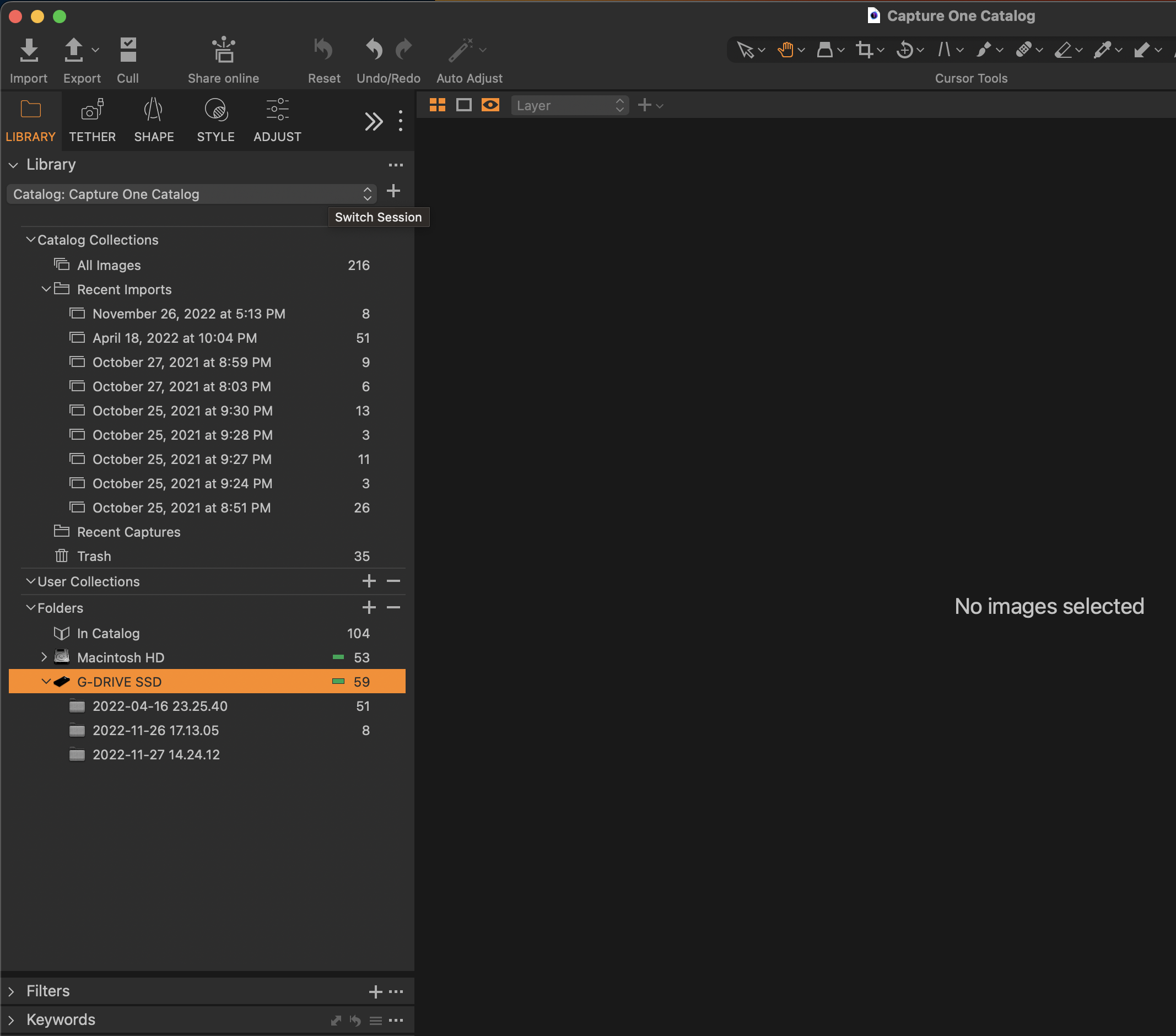
My SSD external drive is under "Folders" with only a couple of other folders. I have several thousand images in many folders, but they do not show in the SSD drive. Please see screenshot. Thank you.
 0
0 -
OK - I see that you are using a catalog. With catalogs, you only see folders that you have added to the catalog. Just click the + on the Folders tool to add any folders you want. Once you have added a folder you can use the Synchronise command on it (available by right-clicking the folder) to get Capture One to scan it and add the images to its database.
Ian
0 -
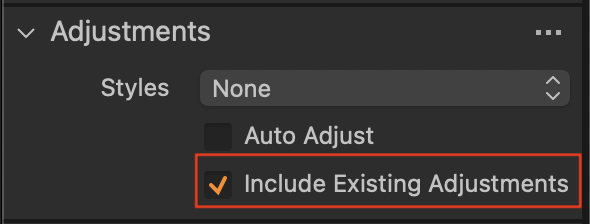
Thanks Ian! That helped a lot. One thing though, the folders that I add and then sync do not have the processed images, only the originals. Any way to retrieve the processed images?
Thanks;
Jeff
0 -
@...
When you sync a folder, there is a checkbox to show importer.
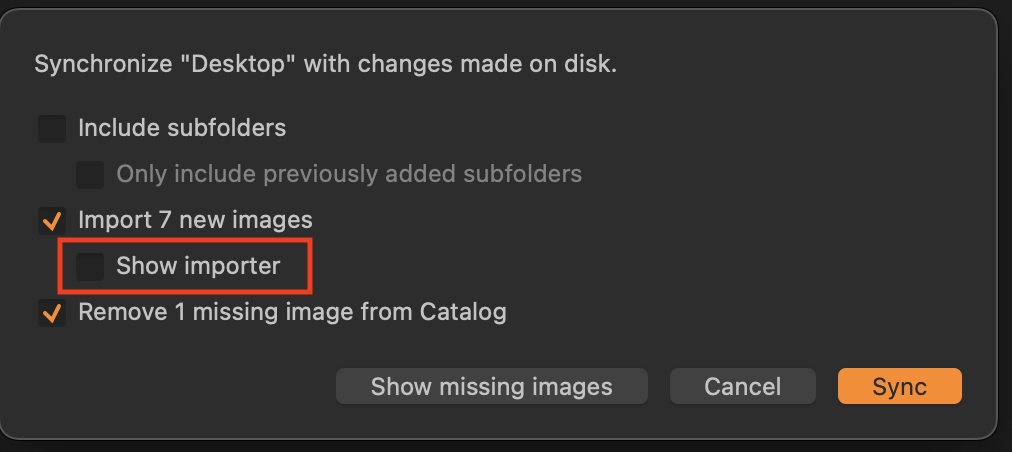
If that is selected, the import dialog box will open when you synchronise, and you can check a box to include existing adjustments.
Ian
Ian
0 -

So I'm having this issue as well. If I import my entire external drive, will it automatically import any new images I add to that external drive or do I have to import them as well?
0 -
If you add any folder to a Capture One catalog, and then later put new images into that folder, Capture One will not automatically add them to the catalog. You would have to synchronise the folder.
(Things are different with sessions.)
Ian
0

Post is closed for comments.
Comments
7 comments