"Jump to" image using the search box: Broken functionality between 15.2 and 15.4?

EDIT: For the records, this has been fixed in 16.1 or so.
Original:
In All Images collection, I used to type a search string into the search box (e.g. an image name, keyword, city etc.) which then acts as a filter. I clicked one of the filtered images. I am interested in that image and all surrounding images.
Then I cleared the search box by clicking the small x, and then the browser showed all images again but the found image was visible, i.e. the browser view was scrolled to the position of that selected image. Basically a function to "jump to a specific image in the full list of images" in any given collection.
Now that I updated from 15.2 to 15.4, after clicking the x symbol to clear the filter/search box, the browser view jumps to the previous position, e.g. to the very first image.
Heck, how can I jump to that image so that I see e.g. ten images in front of and behind? Using "Show in library" is not a workaround if that folder in the library has hundreds of images. It is also only showing images in that specific folder, not the surrounding images from other folders according to the sort order (assuming I am in All Images collection).
Is that new behavior considered as a bug fix or an improvement? For me, it is taking away the only "jump to" function.
-
A simple step by step
- Goto All_Images collection (or any other not too small collection), scroll to the very top in the browser
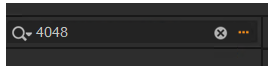
- Type in the search box a string which will filter for an image which is somewhere below (e.g. 4048 is part of my image file name), maybe in the middle of your collection
- Remove the string in the search box by clicking x
After you clicked the x, will you still see the image you have filtered for (...4048..) surrounded by all other images, and the scrollbar in the middle of all images, or will the browser jump back to the top of all images?
Please note your version including minor version number (e.g. 15.2) and your operating system.
Thanks a lot!
0 -
Here Capture One jumps back to the top of the browser.
Capture One 16.0.2.21; macOS 13.2.1 (MacBook Pro M1).
0 -
Thank you Thomas. Do you remember, has this always been this way for you, 15.2 or earlier?
0 -
I'm afraid I don't remember if this was the case earlier.
0

Post is closed for comments.
Comments
4 comments