how to read or extract thumbnail with .cop file ( RAW LOST )

-
If your image is offline in a catalog (I renamed the raw image file in Windows Explorer) you still see the thumbnail and the preview. You can export the preview as a jpg file using the Quickproof recipe
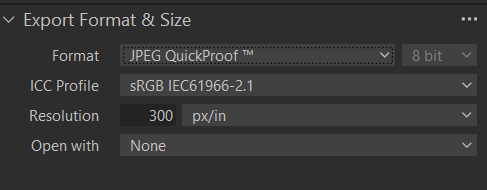
If your image is offline in a session I neither see the thumbnail nor the message that I should use a quickproof format:
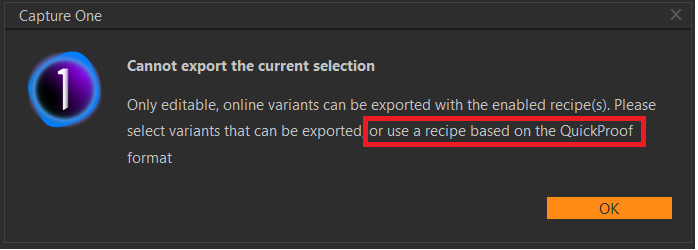
Decide for yourself if that's a bug or a buggy error message.
Maybe it is different on Mac. And maybe you can import the session (if you use sessions) into a catalog and then export the preview, I did not test this.
0 -
I think that you would not be able to use the method of exporting using the QuickProof in a session.
Are you unable to restore the raw file from a backup, such as one done with Time Machine?
Ian
0


Post is closed for comments.
Comments
2 comments