cosessiondb is not associated to the correct images

I was browsing images in my file structure (outside of C1). Found the folder I was looking for. I could see previews in finder to confirm the images I was looking for. I clicked on the cosessiondb file to open in C1...the images displayed are from a completely different session. I have no idea how this happened or how to get it corrected. I tried the verify session command...it came back and said everything was ok....which it is not.
What can I do?
-
In the session library tool, which session folder, album or system folder or favorite did you select? I session is kind of a image file folder browser, that's the beauty of it.
The cosessiondb file contains only a few definitions of collections e.g. the Favorites. The images in those favorites and the session folders are what's listed in the "All images" album. Does this explain what you see?
0 -
It may be that in the session in question, the standard session collections are set to the wrong folder.
In the Library tool, look at the session folder.
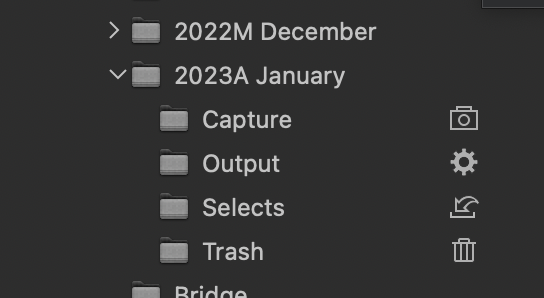
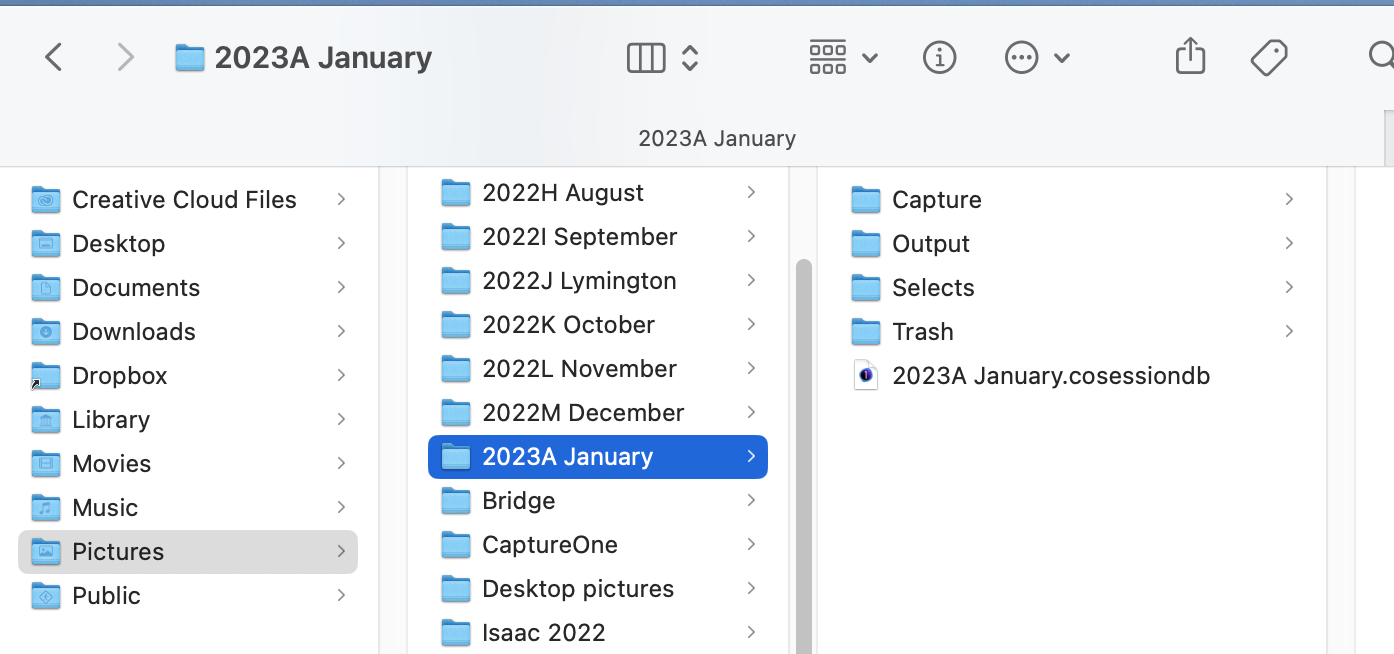
That is what I see when I open the 2023AJanuary session located here.
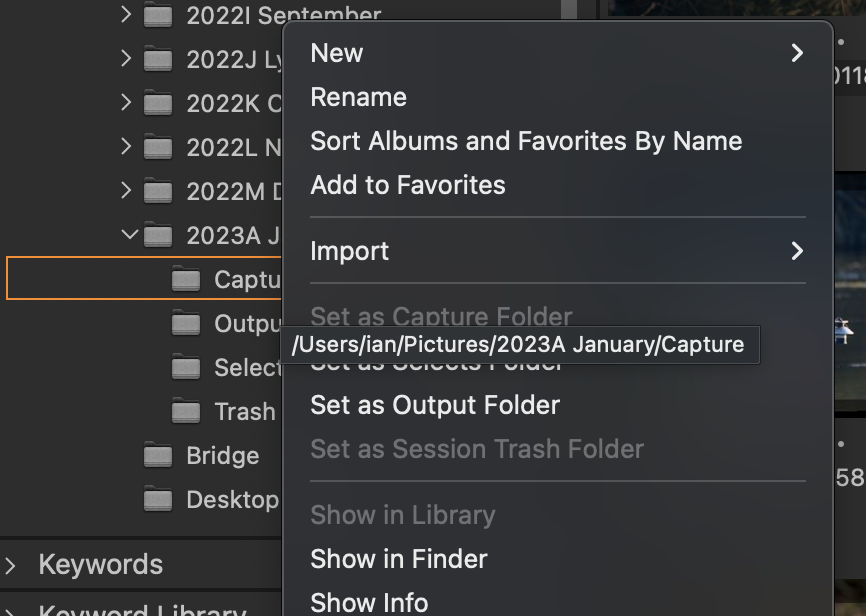
Notice the icons beside the subfolders in the Library tool. If you don't see them against those subfolders, they must be set somewhere else. You could rectify it by right clicking on each of them in the Library tool and choosing Set As Capture (or whatever) folder. (It's greyed out in my screenshot because the folder is already set as the Capture folder.)
 0
0


Post is closed for comments.
Comments
2 comments