CaptureOne plus Radiant Photo - somebody has experience with this new software?

It seems that there is a relatively new software (Radiant Photo) released in autumn last year by Radiant Imaging Labs, developed or designed by photographers for photographers, also using AI elements.
It seems to take raw, tiff, png or jpg, then recognizes the scene by AI, handles tone and color in a (quick) first step automatically, which you can fine tune, and has an optional second step for "color grading". It also has and allows to define presets (for the first step) and looks (for the second).
Being a two step process it follows good (video editing) practice to firstly normalize images to achieve a rather neutral state so that the second color grading step can work on a normalized basis and hence the final outcome is rather consistent between images. I always found this to be an interesting approach.
Anyway, does anybody have experince with Capture One plus Radiant Photo (or with Radiant Photo standalone or with another raw converter) which he wants to share?
-
 Permanently deleted user
I have replied, BeO - but I'm caught up in the forum's PITA, pointless, random "Pending Approval" quagmire.
And here's why it's pointless:
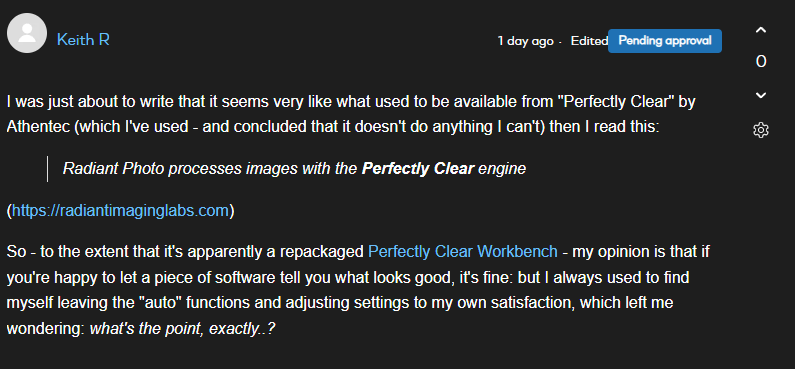 0
0 -
Thanks Keith.
A few thoughts (without conclusion):
- I prefer to adjust my raw files to my own satisfaction and vision too. Some images even in different raw converters, obviously C1, and then I use one of these DXO, Nikon Studio, darktable. I don't use pixel editors that much. With every application though the final output is different, probably due to the raw conversion, curve applied and how the app's tools work.
- Even with selecting C1 base characteristic profile and curve (on an image by image basis, or as a general decision for your camera) you select between different auto functions
- I've seen a few photographers/youtubers who found that Radiant Photo even improved their own finally edited images with Radiant's autoadjust (maybe after dialing down the effect a little bit). A one click improvement over their own editing visions/capabilities as the last stage in the workflow?
- Contrary to the photographers/youtubers I've seen the company itself (e.g. CEO Elia Locardi) rather looks at the auto-adjust function as a (better) starting point for further editing
https://elialocardi.com/after-years-of-manually-editing-raw-files-its-time-to-rethink-the-develop-panel-with-radiant-photo/
0 -

Hi
I helped design the product.
While we use the Perfectly Clear engine.. it is not a repackage. There's a lot of unique stuff in there and we're building way more.
I suggest since you love Capture One... try the external editor workflow
Works great
https://manual.radiantimaginglabs.com/1/en/topic/using-radiant-photo-with-capture-one
If you're already edited in C1... then use the Radiant Subtle presets to avoid over processing.
We have a ton of articles and tips in our community.
We don't see Radiant as a replacement for any photo editor... meaning if you're happy with your current DAM, use that. Same with raw processor.
But we put a lot of work into making something that can truly unlock extra detail and life even in your edited photos.
Just give the trial a shot.
We've already started the process of getting officially approved as a C1 plugin and that's on the near term roadmap.0 -
Thanks Richard. How exactly is your workflow?
0 -
Permanently deleted user
While we use the Perfectly Clear engine.. it is not a repackage. There's a lot of unique stuff in there and we're building way more.
Well, I've got Perfectly Clear Workbench on my machine, and in functional, UI/UX, and results terms it's very hard to tell the difference between it and Radiant - in my direct experience.
I'm not knocking Radiant, but what it does isn't significantly different, in any meaningful way that I can see, from PC Workbench (except that it's currently available, of course) - then again, as I suggest above, I'm not interested in letting software make my decisions for me, so I'm probably not the target audience: but as far as editing images is concerned, they're twins separated at birth.
Critically to my point, in both programmes, I always - always - have to fix the AI's "best guess"...
0
Post is closed for comments.
Comments
5 comments