Duplicate filenames on ipad and originals not transferring tp desktop

Hello.
I did a commercial shoot using C1 for iPad which was very successful, well the onsite part anyway. HOWEVER, after cloud upload and then download to desktop, I have (on the PC) a large number of missing images, and other files with suffix _1, _2 and so on. If I sort by date, the first half of the shoot is missing from the desktop machine. There are 231 files on the iPad, and also 231 files on the desktop, with duplicates on the desktop replacing original images still on the iPad - read on.
When I go back to the iPad, I have discovered that there are up to three images with EXACTLY the same filename in the album, and not sequential photos, but series' of images where the software started off again with an earlier file number. (How can this be??)
I stopped and restarted a number of times over the day, so I can only assume that something has gone wrong as a result of that.
The duplicate images can all be exported OK from iPad in any format including eip
Looks like I'm going to have to go through them and export individual images as eips to dropbox. (or come up with some similar plan). I cant risk losing the originals as the files cant be saved on camera when shooting (which is also imo rather risky)
Half a day down the pan if so.
This is madness - Even if its my fault, how could the software allow such an error?
Also not helpful is the downloaded files all have a new date/time then the original captures:
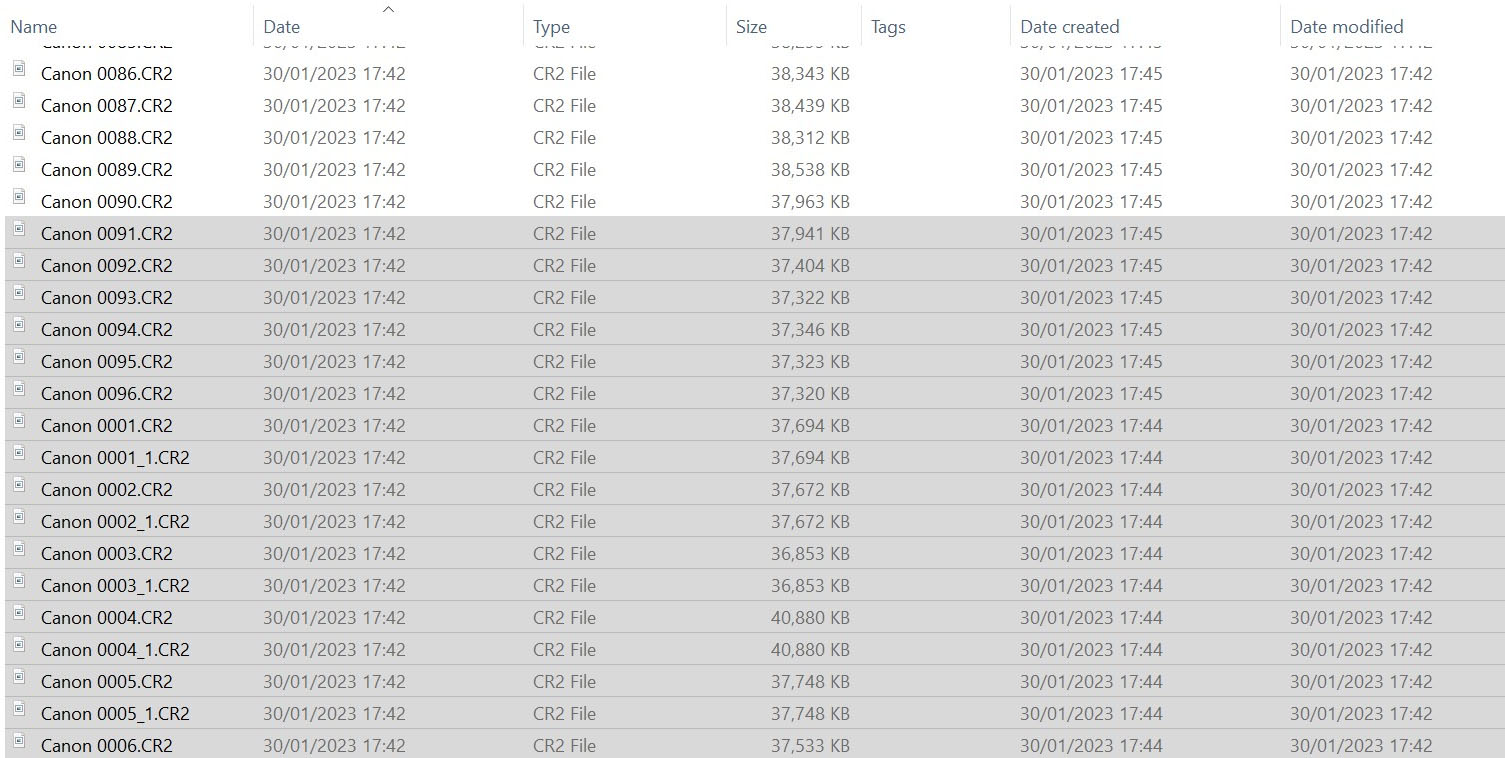
Help/comments welcome.
-
P.S. was shooting tethered (with a cable)
0 -

I had the same issue and I could not download the images. It also renamed the files for some reason which why? I shot on Canon 5D Mark IV and another friend had the same problem with his nikon
0 -

Rename the duplicate files on the iPad and transfer them to the desktop using a file transfer app or cloud storage service. If the original files are not transferring, check the file format compatibility and try again. If the issue persists, restart both devices and try the transfer again. Try to follow this steps and figure it out. official site
-2 -
Thanks Robert. That is what I did and it worked. I had to order by time/date (to keep shoot in sequence) then rename everything, and then export as eip. It's all far too brittle for pro use however. You will understand that the idea of renaming/messing around with the ONLY copy of images from a shoot, sitting on an ipad is somewhat terrifying. This is data recovery territory, in my book.
I was on site in a hi-tech manufacturing facility this week and the client was utterly horrified that his shoot was dependent solely on an iPad, i.e. no backup to camera when photographing. I agree. In fact, I previewed a few images and then shot untethered for the rest.
The app is really good, but this is a dealbreaker for guys like me who are working in professional environment.
0
Post is closed for comments.
Comments
4 comments