Distorted output

I just pulled up my first file; a Fuji .raf file. I made a few basic adjustments and sent it to output. The image is distorted. A previous poster had the problem and it was suggested that hardware acceleration should be turned off in preferences. I did that and it had no effect. 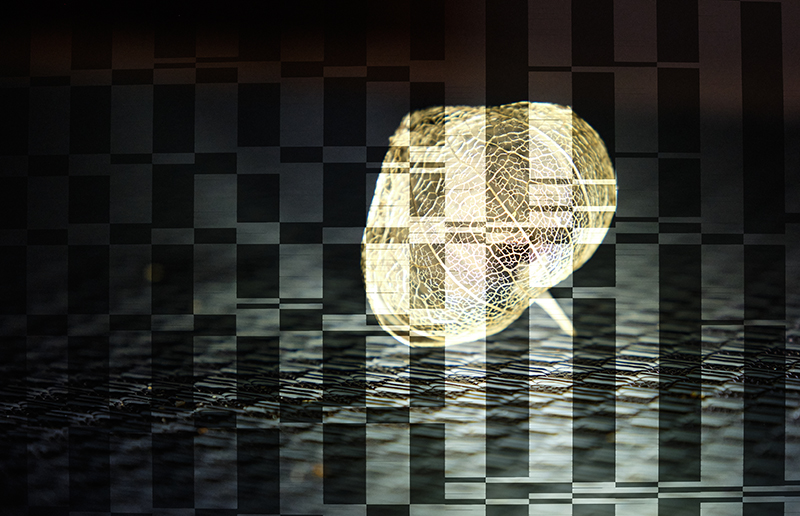
-
 Permanently deleted user
Did you restart Capture One/your PC before trying again?
0 -
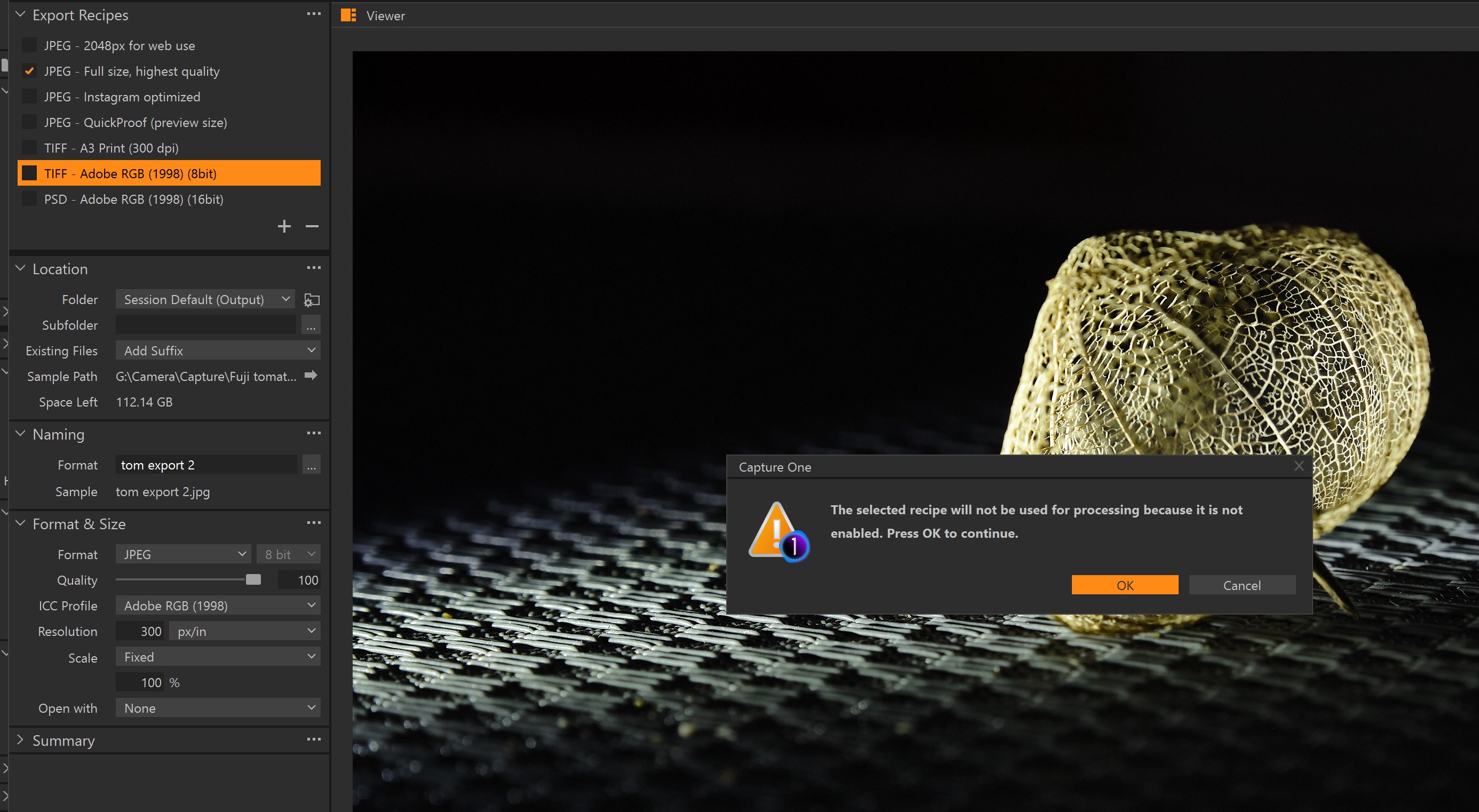
Yes. I pulled up another .raf file and exported it, or tried. I got a message saying the recipe I selected was not activated or enable or something like that. I selected .jpg, high quality. I COULD save it as a .tif and it looked normal when opened with another app.
This seems like a simple work flow; raw file edited and exported as a .jpg. I'm not understanding all these barriers.
0 -
Permanently deleted user
I got a message saying the recipe I selected was not activated or enable or something like that.
Well describing a problem as "something like that" isn't helpful: fault-finding Lesson One - be specific about the messages you get.
But in this case, you haven't activated the recipe in question by ticking the box.
I'm not understanding all these barriers.
AKA you haven't read the manual?
https://support.captureone.com/hc/en-us/articles/360021057158-Export-Recipes-
-1 -
OK, “enabled” not “activated”. The JPG box was checked, the file format was changed to .jpg. Is there some other issue I’m not seeing? As I said before, when I changed everything to .tiff I got output. Why does the TIFF choice remain highlighted when I have selected something else?
 0
0
La publicación no admite más comentarios.
Comentarios
4 comentarios