Image size

Is there a feature on the Nikon Express that will tell you the image size in pixels or bbs?
-
That should read MBs instead of bbs
0 -

In the Process Recipe Tool, there is a "Basic" tab that says something.
There is an "info" button in the Tool tab as well.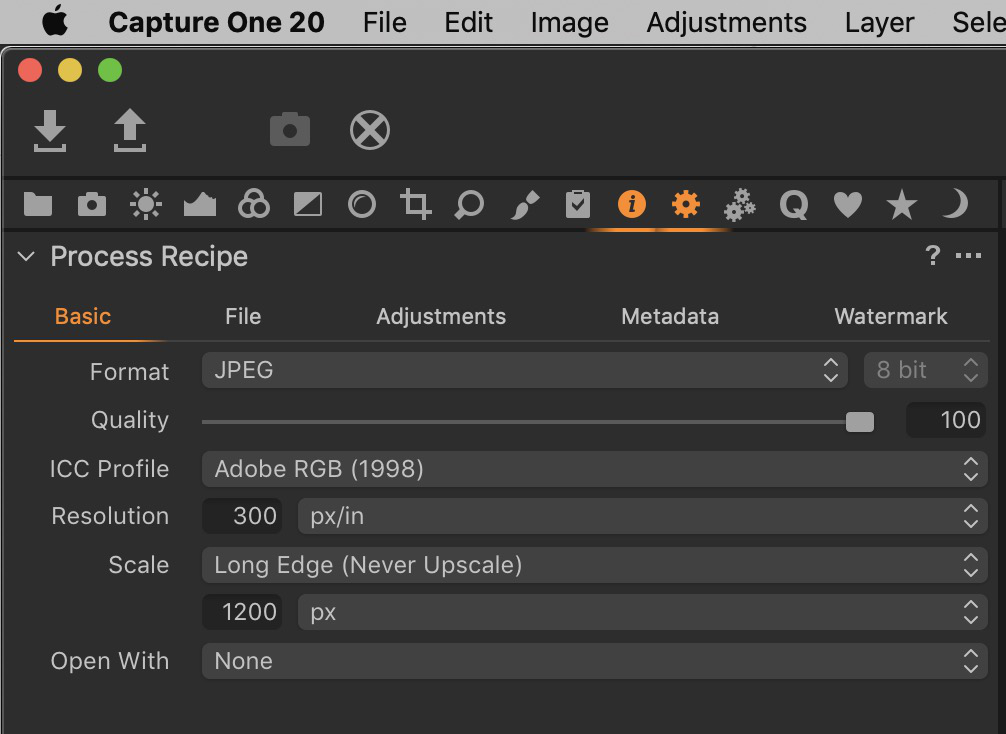 0
0 -
The process recipe is for outputting /converting your original image to another, like exporting.
If you are loooking for the original file size in bytes etc. then Finder should be best, original size in pixels you should find in the metadata tool, which is located in the tool tab with the i icon as Nikon said.
0 -
— "The process recipe is for outputting /converting your original image to another, like exporting."
It was not clear to me what size the OP was referring to so
I gave the two places to look for.0 -
Thanks for replying everyone..I have attached a screen shot from NX-2 showing what I am looking for in Capture 1.
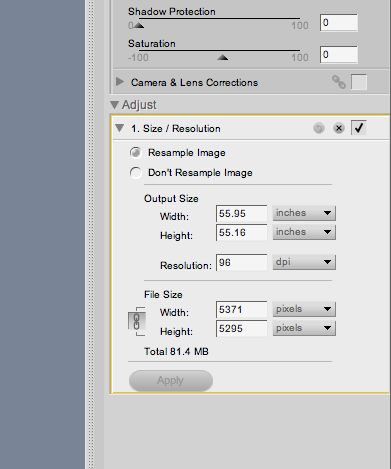 0
0 -
So, for image output?
Change any settings in the process recipe tool and see the figures in the process summary tool:
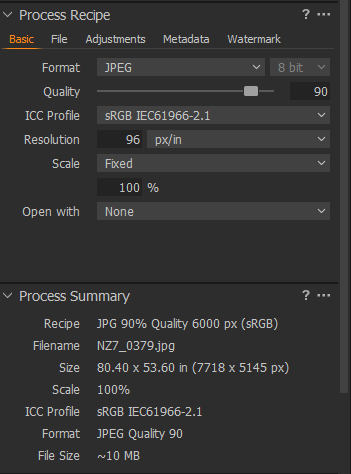
Ignore the Recipe "JPG 90%..." in the summary, this name can be set by yourself
0 -
I thought so, another way is outside CO's scope: a converter.
It will publish in many formats and output conditions you choose.0 -

It would be nice to have a print size (image size) indicator (as there is in Photoshop) that will link to the paper size you are printing to, so that you can have precise measurements of the print (in inches or centimeters).
Right now there is a print size at a certain percentage, not tied to a paper size.
0 -
1, crop to the paper ratio: 2:3, 4:5, 16:9 for ex.2, in the basic tab of the process recipe, enter the pixel density needed
300ppi for print or 92 for web — making sure to never upscale.
3, When you're happy with a given set-up, you should save that recipe.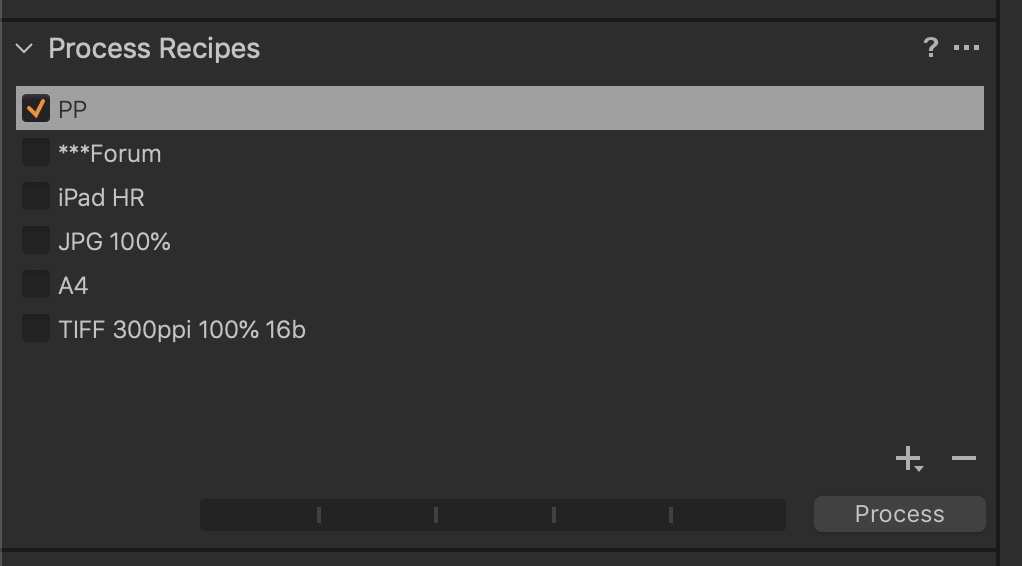 0
0 -
To BeO that is what I am looking for but where is the Process Recipes page? I am using the free Nikon download,,will that make a difference?
Thanks for replying.
0 -
Good point, I didn't hink about that.
Yes, it seems the Processing tool tab is not available in the Express edition:
And the "Export images" dialog doesn't have the summary.
0

投稿コメントは受け付けていません。
コメント
11件のコメント