CP 20 Clone and Heal Brushes have disappeared

I can't find my Clone or Heal Brushes !
If you check out my screen grabs, on my computer the tools are not there but on a screen grab from YouTube shows them.
where'd they go ??
This is how it should be ...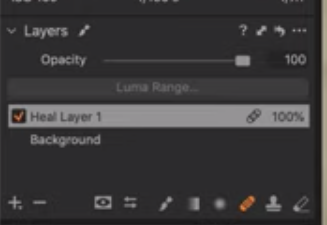
But this is what I have...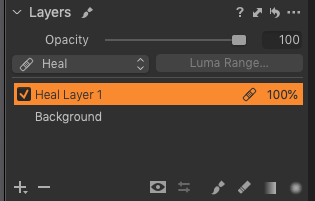
-

Which version of C1 are you running for the second screen grab?
0 -
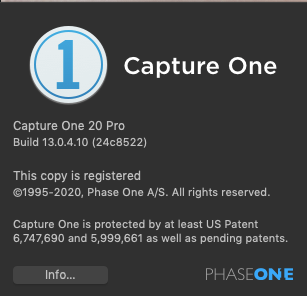
I believe this is the latest version of 20 as when I go to "Updates" I am only offered C1 version 21, which as you are aware is a paid upgrade.
0 -
No, there were several releases of V20/Build level 13 after that
Release Notes:
https://support.captureone.com/hc/en-us/categories/360000430178-Release-Notes
The 13.1 release is likely significant in relation to your question. There are some feature changes related to Heal and Clone activities.
https://support.captureone.com/hc/en-us/articles/360008695238-Capture-One-20-13-1-0-release-notes
You can access the latest V20 release and update for free.
0 -
Oh really ! That's a surprise - why was I not offered those updates automatically ?
I will get onto it right away and see if that's the problem - thanks a lot0 -
Well that seems to have done the trick - thanks again !
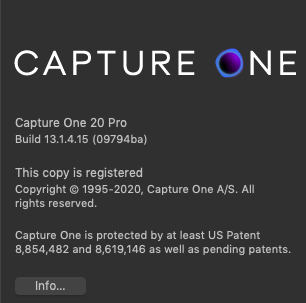
Now upgraded to 13.1.4.15
Is that the latest version available before C1 21 ?
 0
0 -
Hi David,
That seems right for the last V20 release.
There are usually reminders for updates within a version and, of course, for new versions.
One is typically induced when you start Capture One. A popup window will advise that the is something new available compare to your current active installation. That may be an in-version release or the release of a new version.
You have some control over when that check is made - and it is possible to disable it. Look in the Preferences tool and select the Update tab.
There are often email communications as well, but I think one can disable that form of communication too. Perhaps inadvertently.
I also find that anti-spam activities, whether via something installed on one's PC or the efforts of an email provider, can mis-identify certain types of communication sometimes and maybe pass them off to a spam folder or some equivalent decision made on our behalf without any notice of having done so. That is not a comment specific to Capture One. It can happen quite broadly and not always consistently.
Edit to add: To see the changes at each point take a look at the Release notes.
https://support.captureone.com/hc/en-us/sections/360001141917-Capture-One-20-Release-Notes
0
投稿コメントは受け付けていません。
コメント
6件のコメント