Constant crashing on iMac after latest update.

I have never previously had problems with Capture One. For me, the latest update is a nightmare. Not only does export simply not work, the program is easily crashing on making even simple changes to images.
The problem I am having now is that even if i go back to the earlier version, Capture One has updated the catalog for the new one.
-
I think that if you want your fellow users here to be able to help with this, you will need to tell us more - what vintage of iMac? What version of MacOS? Have you tried just installing the update again?
Ian
1 -
Hi there. Many thanks for your reply. I am on a iMac (Retina 5K, 27-inch, 2017) using Big Sur 11.5.
I have 40 GB 2133 MHz DDR4 memory. I have tried turning hardware acceleration off, but it did not solve the problem.
I did find the previous update crashed from time to time, which had almost never happened to me before, but the new one seems much worse. And when I use the new export function I can manage to export one image at a time but the export process crashes Capture One completely.
I did try going back to 14.2 but it did not help. However, I may have found a solution but it will take a while to know if it works permanently. That solution could be to create a new catalog and import my old catalog into it. I tried this with a small catalog and it seemed to have worked - I could export things without crashing. I'm now trying the same with my largest catalog but it will be an hour or more before it's all imported. If this is the case, it would suggest - as someone else has mentioned - that the problem might be catalogs getting corrupted in the upgrade process. If it works, I'll be back to let people know as it seems to be a problem shared by others.0 -

Imac (Retina 5K, 27-inch, 2019)
Os Big Sur v11.5
I uninstalled the previous version C1 and installed the last one.1 -
Gary Pollard is exactly like that with me Basically the same: /
1 -
You two are not alone. Since Friday 12 crashes and counting. That's embarassing. iMac 2020, 32 GB DDR4 RAM, 3.6 GHz 8 core i9. OS X 10.15.7.
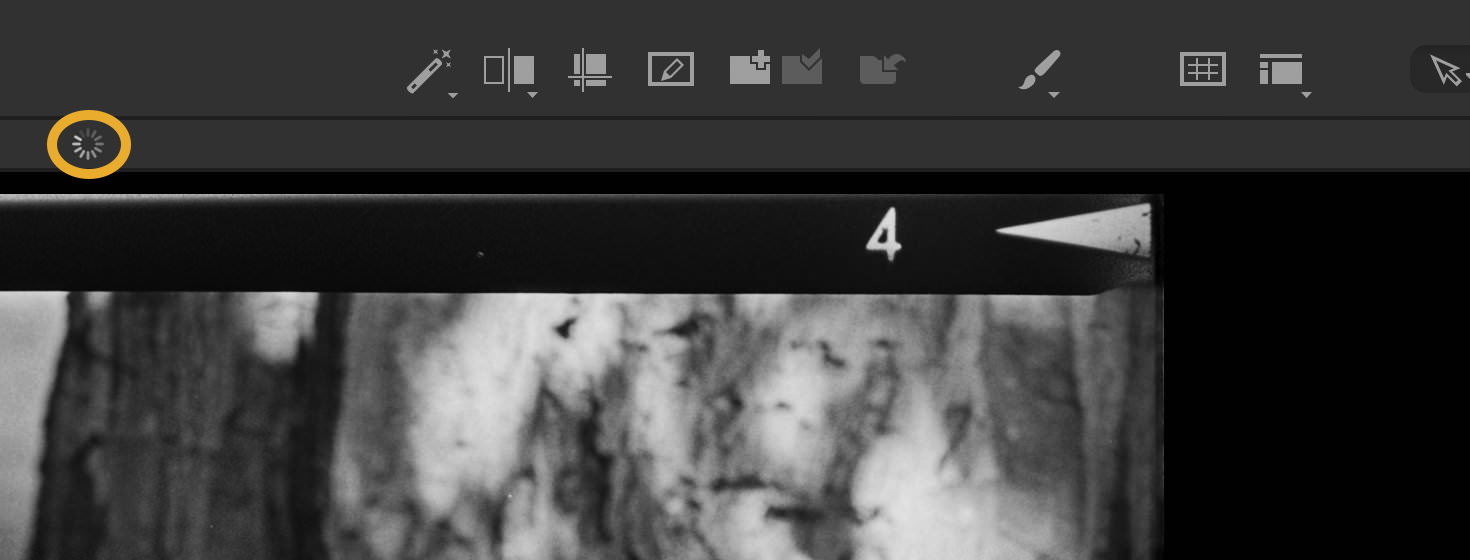
Always showing background processes, but this wheel turns and turns and never stops. I think, the background processes are weak. After each crash a lot of already made edits are gone and I have to repeat them. Very often the crash happens when adjusting the crop. And it's simply untrue that cropping doesn't belong to the set of features which can be copied from one RAW to the other. If there's a crop involved in the source picture, it will be applied to the target pictures.
Activity Monitor shows 7 GB RAM for C1, after crash and no other closed app suddenly 16 GB are free again. This app is highly unstable and very poorly performing.
Same edits with the same RAWs in DxO: No problem at all. It doesn't appear to be as fast as C1, but regarding all these crashes and double edits because the background processes loose most edits, the speed of C1 is just a fake!
0 -
@Capture One Help. What are we to do with this situation. The program crashes with almost every export. It is impossible to work, it has practically become unusable !!!!!
1 -
What seems to be working for me at the moment is to create an entirely new catalog and then import my old catalog (which is quite a large one) into the new catalog. So far (touch wood) when I export from that one it does not crash the program. Currently I am leaving it to create new previews over night.
It does seem to me the issue is to do with updating the catalog.0 -
Out of interest: Did you try "check catalogue or session" before? Not that it ever discovered any issues, it's one of those dummy clicks to make the menu look bigger, I guess..
0 -

Hi, I have the problem too, I am in France on iMac 24 Big Sur 16GO and the wheel turns constantly, the software crashes since yesterday the last update. It uses a lot of memory between 8.5GB and 11.5GB. Horror is unusable ! On my Intel 8GO Macbook no problem with the old version ... What to do ?
0 -
I did verify the catalogs. It saw no problem. However, when I imported them into the new catalogs the program did tell me some images it expected to find were missing and asked me whether to ignore them. I did. I suggest, as an experiment, creating a new catalog, working with some of your images in it, and seeing if the crashes occur. If they don't, importing your old catalogs might work, although it may take quite a while. Perhaps, if Capture One refines the catalog update, this may not be necessary. It may be that just some of us have certain anomalies in our existing catalogs.
0 -
This "verify catalogs" never sees a problem, not matter how buggy the catalogs react. I don't consider it as helpful as Aperture's or iTunes' or iPhoto's verification/repair options ever were. However, C1's definition of professional software is a bit different than mine.
@Christopher LEBAS: "don't update" might not be the advice you'd like to read? Desolée, but I have no other idea. Except maybe, "give DxO a chance..." it's not THAT bad, compared to a continuously crashing Capture One. I started with it because C1 lacked supporting LUMIX S models at the time. As a DAM it's worse, but as a converter it has some nice features.
0 -
I tried with another catalog but it's worse ! I failed to load the photos into the software before it crashed !
0 -
While I have not had a hard crash, I am finding the attack on resources to be beyond acceptable. Even when sitting idle in the background with a small catalog open and no active processing, my iMac performance is simple terrible. All basic operations are impacted and forget trying to fun any other application that take a bit of resources. Simple mouse movements and typing is impacted with stuttering movement and delayed keystrokes.
Really hoping for a fix sooner than later.
0 -
Joachim Jundt, at the moment I am constantly getting that spinning wheel too, but it seems to be because the program is rebuilding all my image previews. Still have an hour left to go. Will see what happens after that.
0 -
There are two spinning wheels, Gary, one over the viewer window (that's the one constantly turning here) and one over the browser window. I took your idea and imported the crashing catalog into a new one as I'm currently doing a project I never did before with C1 and there's a chance a smart guy pops up saying "that's not the intended use for this app" - might be but so far C1 and DxO are doing more (DxO) or less (C1) well with it. Reproduction of old b/w negatives which is quicker than scanning a couple of hundred 120 film rolls. I want to get an overview of my negative archive, better than contact sheets.
What I don't get: After re-importing the catalog, C1 took roughly one hour to produce the previews, but when scrolling down the 1800 or so pictures, most of them took a little while to show up - so thumbnails are not previews? Later this day I will import the next 200-300 RAWs and see if anything got improved by this "import into new catalog" process.
And the reason why I'm not doing the whole project in DxO is simply to organize the RAWs I need the rudimentary DAM functions of C1, like albums, projects and groups which DxO doesn't have.
0 -
Well, I have to say that the good news for me seems to be that importing my old catalogs into a new catalog created in Capture One 21 14.3 seems to work.
I had two reasonably large catalogs (for an enthusiast rather than a professional) of 65gb and 30gb and I imported them both into new catalogs. Now the program has stopped crashing regularly (at least so far) and the export function works without crashing the program. It DID take a long time for the program to generate new previews (about 16 hours for the largest catalog),. I DID get the spinning wheel and heavy use of system resources until that was done.
I closed the program and then accidentally opened it with my OLD catalog, and all the old problems were back. Once again a simple export crashed the program with the old catalog. That rather confirms for me that the problem is that some old catalogs may have issues that stop them from being upgraded properly.
That isn't to say other problems may not arise OR that some people's issues may be nothing to do with this. It is possible that Phase One will finesse the catalog upgrade.
So far, my work around seems to work for me, so I can only offer it to others to try. If you have an absolutely HUGE catalog to deal with i can only offer sympathies.0 -
I confirm it seems that creating a new catalog and importing photos from the old one works ! The manipulation seems to use less resources and to work normally, to be confirmed once the catalog has been imported !
1 -
On this side things also got better after re-importing the (neither old nor big) catalog into a new one. Better, but not reliable. Given the instability of the background process, I see it as a progress, when after importing 420 new RAWs and editing the negative reproduction into positives, C1 "only" crashed 2 times. Before it was three times worse
However, crash is very annoying: loosing edits and ratings of 8 - 10 pictures and have to redo them. And so far, most of the last actions before a crash occurred was nearly always adjusting the crop frame.
Now, this was a tiny 13 GB catalog. I wonder what will happen when going back to the main catalog of 145 GB? Re-importing needs a lot of time, roughly the same amount of disk space and generating 5K previews is also an exhausting process.
0 -
after creating a new catalog i have a slight improvement, it used 8.5GB, now around 5.5GB but it is still very slow and I often get the message "not responding" in the activity monitor and the wheel spinning over and over again ... I also have other problem with the display, do you have that ? I only have the problem on C1 and not on all the photos ... But what is C1 doing ???
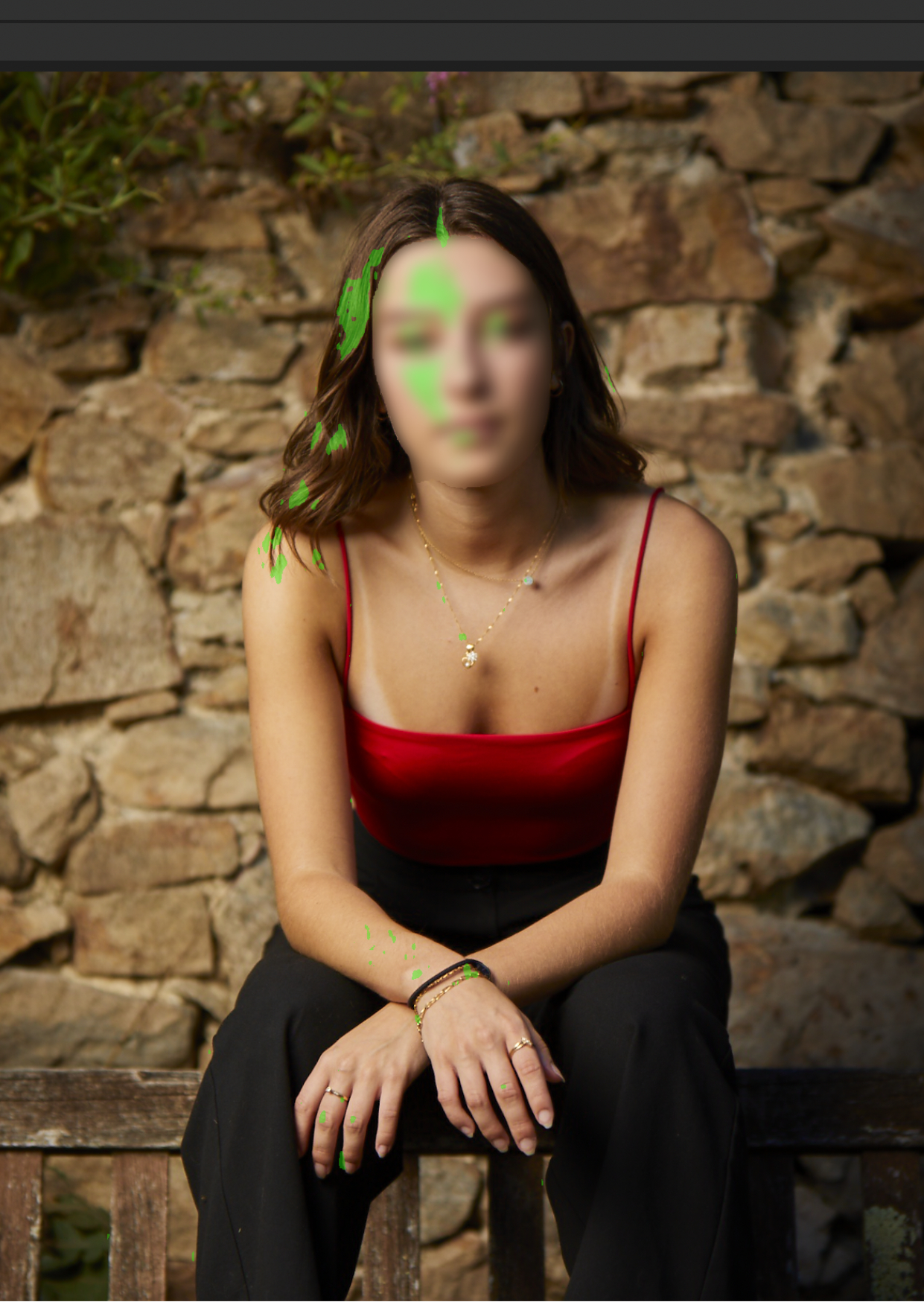 0
0 -
You have the focus mask turned on. The green patches indicate where Capture One thinks the image is in sharpest focus.
You can turn the feature on and off with a toolbar button, or from View > Focus Mask.
Ian
0 -
thank you I did not know this feature, it's always good to ask even a stupid question ;-)
0 -
Yes, never be afraid to ask!
Ian
1 -
I'm sorry I'm coming back again I hadn't tried exporting but just found out that I can't ... just can't work !!! I hope that C1 will quickly rectify the problem !
0 -
Can I ask what's happening when you try?
0 -
Yes of course, I have the rainbow wheel, a C1 message no longer responds in the activity monitor and nothing happens, I have to force to quit !
 when I open again I necessarily get an error message, it's really annoying
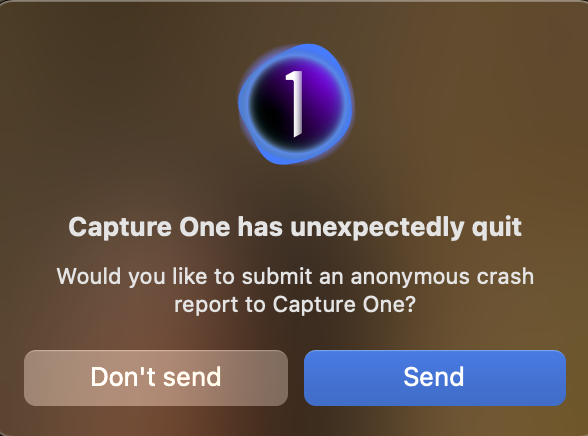 0
0 -
I'm sorry for the delay but I'm in France, I think with the message you understood ;-)
0 -
Perhaps you can try turning off the hardware acceleration
https://support.captureone.com/hc/en-us/articles/360004517998-Capture-One-is-crashing-on-exportThe importing of the old catalog into a newly created catalog is working well for me so far, so I cannot replicate your issue.
0 -
YESsssss ! Thank you it's really better, on ten photos it is still problematic but on 3 or 4 it works ! We can improve things I think but it is usable, but why this update put everything wrong, it's crazy...
0 -
For information, i tried capture one 14.3 on my Macbook and on my Imac result
On Macbook

On Imac

No worries on Macbook...0

投稿コメントは受け付けていません。
コメント
29件のコメント