strange behavior in panorama stitching in capture 22

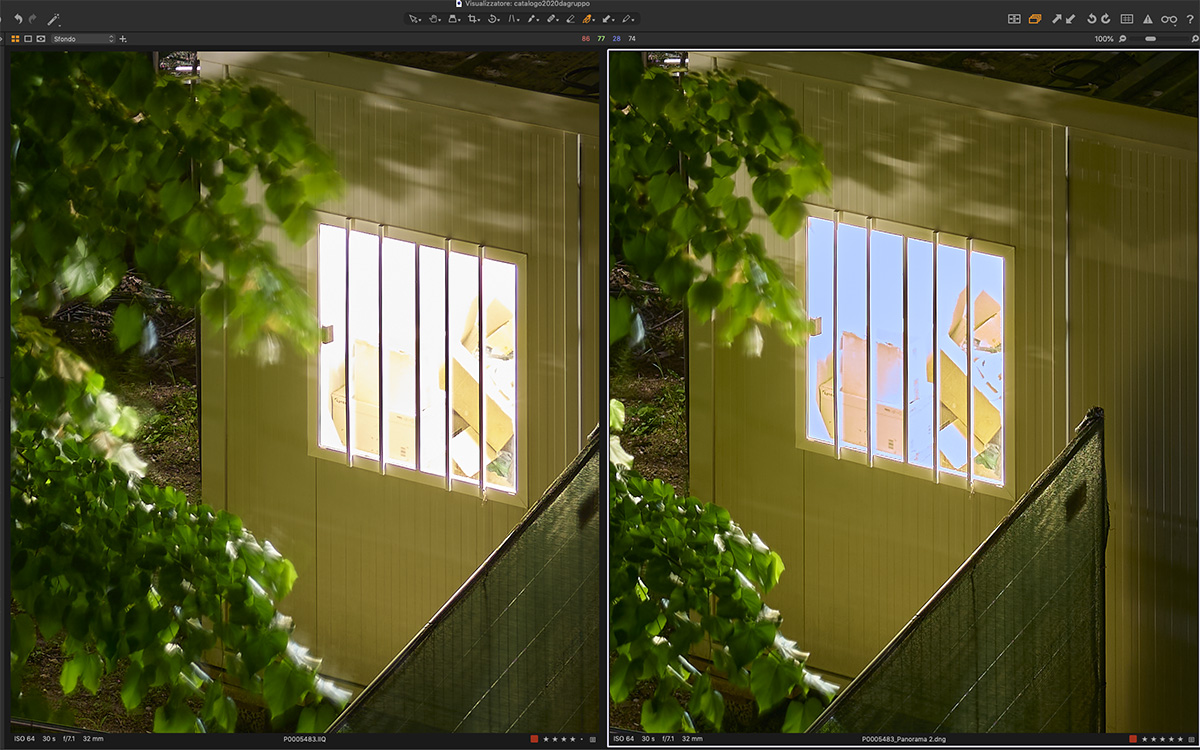
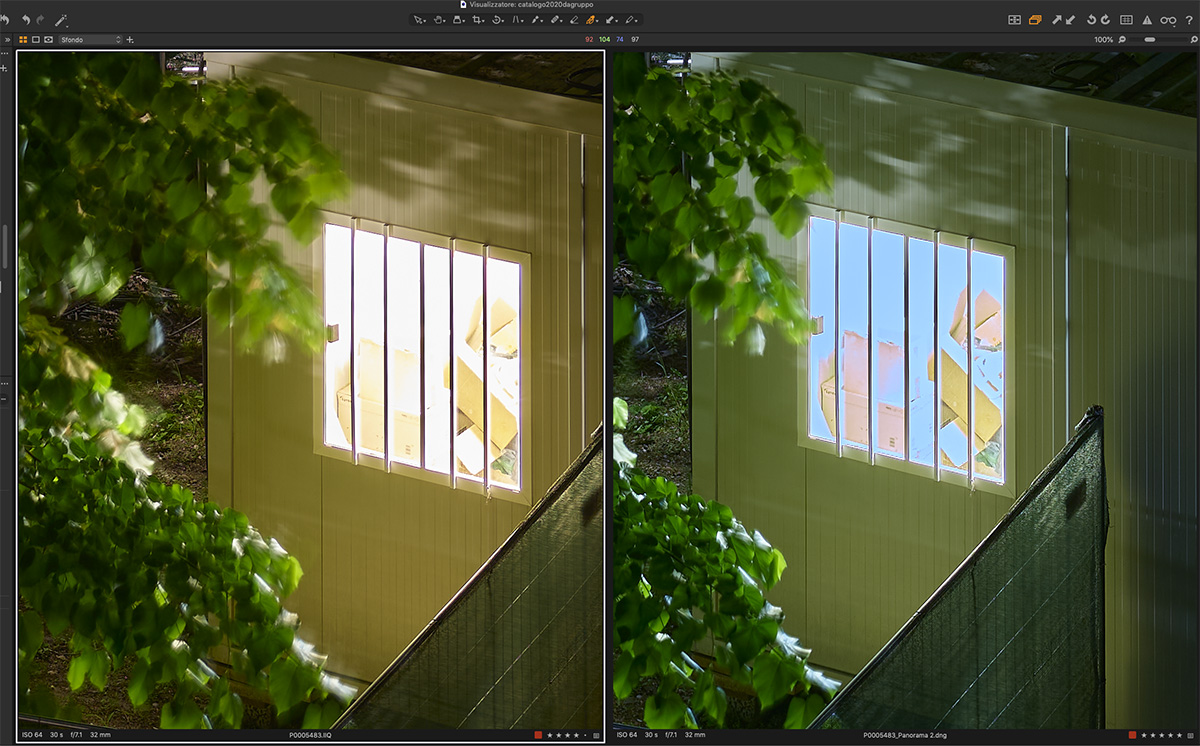 I have 2 pictures taken with my XT and the 32 on a tripod, one shifted to left and one shifted to the right.
The 2 pictures are already edited and also with the proper LCC profile applied but it happens even with out it.
The strange thing is that the ending panorama shows different colors even if the setting applied have all the same values of the 2 original pictures.
The white balance values are the same but the resulting panorama is a lot more greenish and bluish.
In extreem higlight what was nearly pure white becomes bluish and darker with no detail and even after a WB correction to get the same general WB those high lights remain bluish and darker then original 2 pictures.
I am not using the color editor.
In the second picture you can see on the left one of the 2 original pictures, on the right the same region of the image from the resulting panorama with out any further correction (numerical values are all same)
In the first picture on the left the same as the second picture while on the right, on the panorama) I tried to get a similar visual color aspect by changing the WB values.
As you can see in both cases the aspect of the extreme high light is radically different and in the panorama.
Lorenzo
-

Lorenzo,
To my understanding the process, since it is creating a DNG RAW ready for further editing, only includes the base characteristics settings and lens corrections for its "RAW" data combination work plus certain Background layer edit settings taken from the "first image" in the set.
https://support.captureone.com/hc/en-us/articles/4410022364433-Panorama-Stitching-overview
I have no idea what it would try to do with an LCC profile (effectively a "merge" for each of the images being stitched). Probably nothing. The Help pages do not mention LCC file use.
It may be that a different approach is required or your requirement simply falls outside the currently intended functionality.
You may wish to use the "Submit a request" feature to create a Support Case and seek an official response related to what you are hoping to achieve.
0 -
As I said the problem happens even if I don't apply any LCC profile.
The screen shots in my original post are WITH OUT any LCC profile applied.
In any case applying an LCC profile to the stitched panorama it's impossible as you theoretically need to use 2 on the same picture.
0 -

I have the same issue on build 15.0.1.8, resulting panoramas are shifted about 750K and 3 points in tint. You have to set them that much higher to match the originals. If you choose "As shot" for white balance, you can see that it sets the panorama at a different setting.
0 -
Any problem with highlights as in my case?
0 -
No but that type of highlight clipping can be very specific to the white balance setting as it has to with the reproduction curve in the profile. What camera profile are you using?
0
投稿コメントは受け付けていません。
コメント
5件のコメント