Wrong Dates on Imported RAW Files (a7 IV)

Hi, using Capture One 16.2.0 and 16.2.2, I have issues with import dates from my a7 IV RAW files. I thought this might have been due to a conflict with a previous version of Capture One, but that's not the case, as the issue is happening to me even with only Capture One 23 installed on my machine. The problem started happening recently, but not immediately, after installing Capture One 23.
I didn't make any firmware updates to the camera, so I doubt that the problem is camera-side, especially as the clock on my camera is properly set.
For some bizarre reason, August 20, 2022 is a date that recurs often in the misdated photos.
-

Denis,
I'm running 16.2.2 (and have run a number of older versions in the past too) and I'm not seeing that behavior with RAW files from my old a77, a7iii, or a7. What date does your OS show for the files (created, modified, accessed)? Can you post an example RAW file someplace and share a link here for others to look at? Are you seeing that date when you display the metadata in CaptureOne for the files?
0 -
Hi,
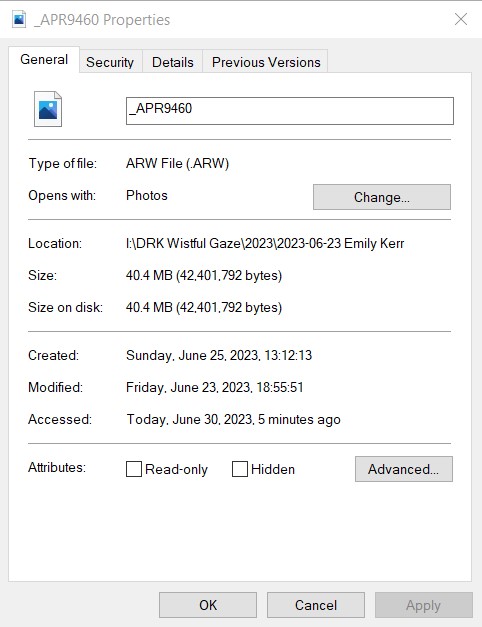
The dates in my OS are "correct", in the sense that the date I shot the photo at is "Modified" and the others make sense for date of importation and last time I accessed them.
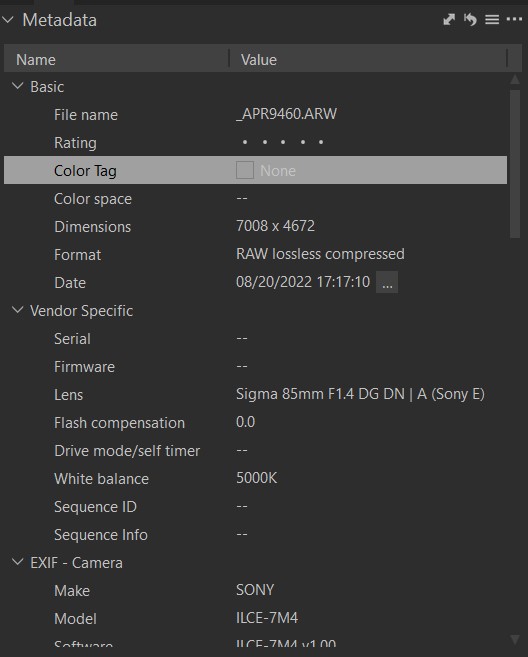
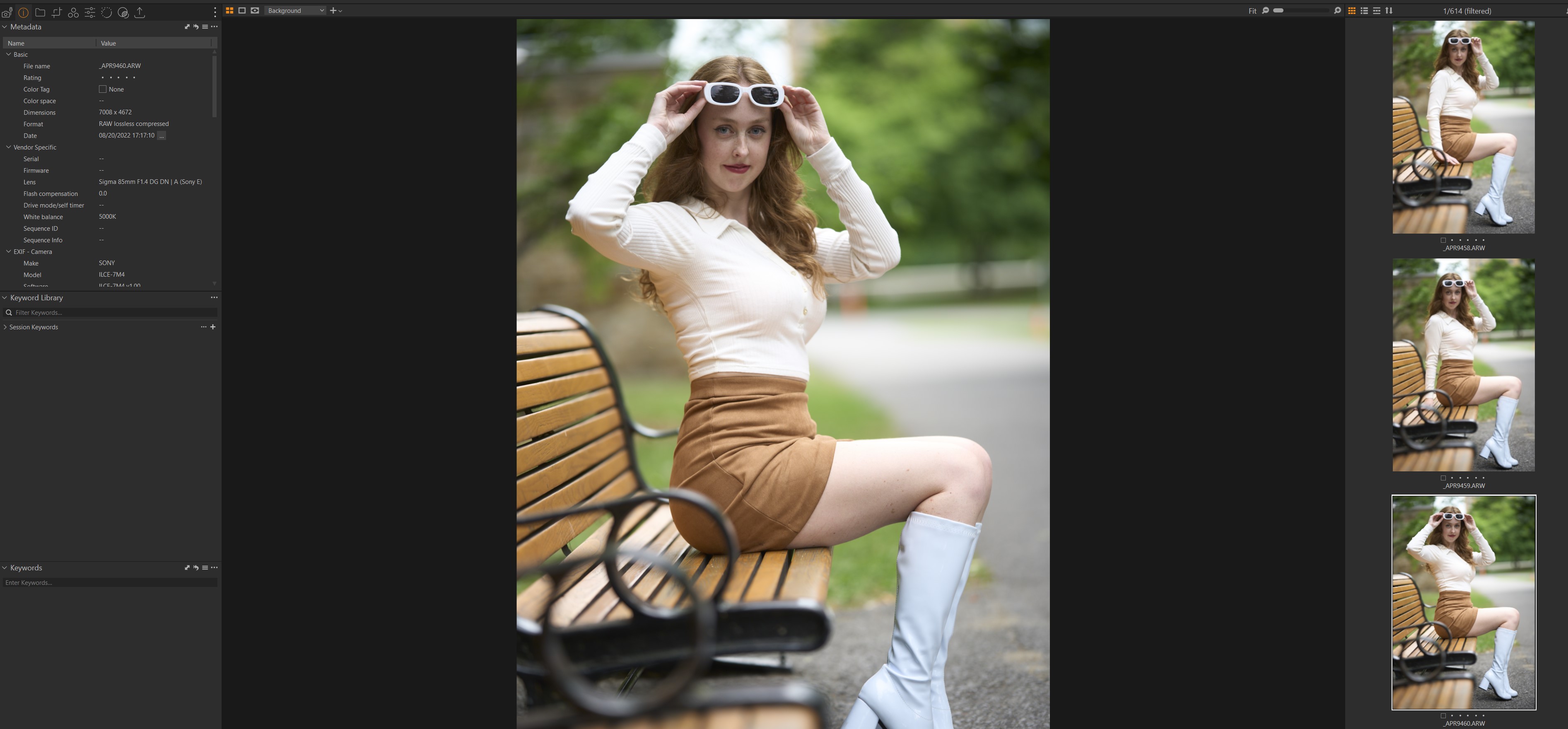
The date I'm seeing in CaptureOne metadata is definitely wrong - see screenshot - it shows August 20, 2022 as the date, and 17:17:10 as the time, both of which are wrong.
I did previously shoot photos for these dates last year, possibly at those very times (I don't keep all of my RAWs so I can't be sure).
It's a bit weird, 'cause it's not the first time I would have gone around the clock in terms of RAW numbers/filenames, and I format my SD cards all the time (including the before the most recent shoot), and the problem seems to be affecting random files, although the very clear majority of them (all but 8 photos of two consecutive shoots where I took a total of nearly 700 exposures).
 0
0 -
I've tried re-installing Capture One 22 (the latest version available for Windows) and the problem I had went away, at least in that version.
0 -
FWIW Denis, are you aware that the latest firmware for your camera is v2.00? May or may not be a factor but Sony's release notes indicate: "Improves operational stability of the camera".
I tested a lossless compressed RAW file from my a1 with the original firmware from the factory taken years ago in my CaptureOne 23 v16.2.2 and I don't see a wrong date but I have only one test case. I would be interested in looking at one of your samples to satisfy my curiosity if you are willing to share one publicly.
0 -
Also Denis, have you seen this behavior with the other RAW formats?
0 -
Hi Jeff, I might try with the updated firmware and post about my findings over the weekend, however to your other question, I've not seen this with my X-T30 or a brief time using an X-T5. I rather doubt that a firmware update would do something as the problem is only occurring in Capture One 23 and not 22 with the exact same camera which, in all other ways, is not giving any indications of malfunctioning, and with the problem not occurring with two other cameras. The logic of isolation would say that the Capture One 23 variable is the one that's causing the issue.
At some point I thought the issue was due to a faulty SD card (I had a few corrupt files in a previous shoot), but my newest shoot (from which I've posted photos above) was shot with another SD card that was formatted just before, so I don't think that's the issue.
0 -
Hi Denis,
When I asked about other RAW formats I meant from the 7M4, such as the original compressed (lossy) RAW.
0 -
Lol ok. I don't know, I only shoot lossless compressed. I can try other types this weekend.
0
Post is closed for comments.
Comments
8 comments