Capture One Compatibility with MS Surface Pro 11 Arm Processor

I have to replace my Surface Pro 8 tablet, which uses an Intel i7 processor. The replacement Microsoft tablet - the Surface Pro 11 - uses the Snapdragon X Plus processor produced by Qualcomm, which uses ARM technology (that's the extent of my knowledge of ARM).
Has anyone used Capture One on a Surface Pro 11? Were there any compatiblity or performance issues with it?
Thanks!
Ian
-

Hi Ian, I have not done extensive testing yet, but so far everything seems to work fine. I've had Capture One randomly crash on me once, but no other issues up until now. I tried some light editing and tethered shooting, but I have yet to migrate my big Catalog over to the Surface and see how it fares with the amount of files.
I've read about some issues people have had on ARM with the AI brush, but I'm happy to report I've not encountered any issues myself with it.
Performance also seems fine, considering its emulated x86. Definitely slower than my desktop PC but that's to be expected.
0 -
Thanks - after the original post my Surface arrived and I have a similar experience with Capture One. Would be nice if it ran faster but....
The other thing I have discovered is that Epson hasn't put out drivers that work with the ARM processor which is disappointing as my P700 printer won't print when using Capture (or that other program, for that matter).
Ian
0 -

I have a new Surface Pro and I get an error message when I try to install Capture One 23. I have contacted technical support tried their suggestion and it didn't work.
0 -
I'm running Build 16.3.8.2038 (abff354) and it installs and runs OK.
What build did you install?
0 -
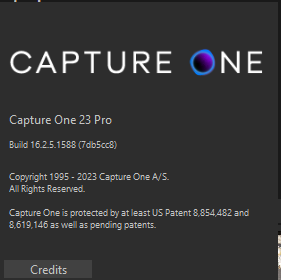
My build is:
 0
0
Post is closed for comments.
Comments
5 comments