Lost Adjustments on Catalog import

Good morning all
I use catalogs in Capture One. Stupidly, I imported a set of images into the wrong catalog and edited them all before I realised. I now want to move them into the correct catalog. So, I exported the collection as a catolog but when I import that catalog into the correct catalog, I lose all the adjustments I made.
Can anyone explain what I'm doing wrong?
Many thanks
Simon
Capture One version 16.3.8
-
I would expect that to work. When you import into the "correct catalog" are you using File>Import Catalog>Capture One Catalog?
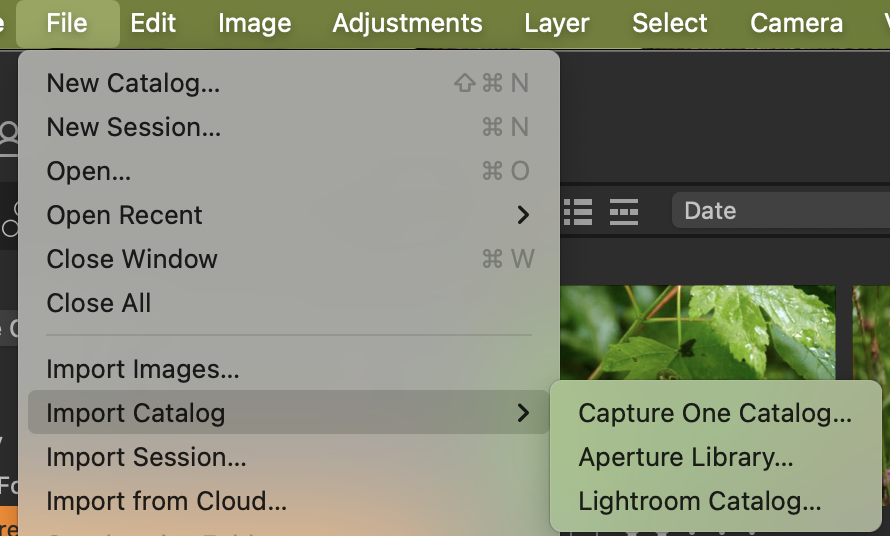
Ian
0 -
Hi Ian
Apologies for the delayed reply. It's been a busy few weeks. Thank you for your reply. Yes, I am importing the Capture One catalog.
What I have since noticed, though, is that when I import the catalog, the images (with all the original adjustments) are imported into a folder called "in catalog". Is this correct? I would have expected them to be imported them to the folder they were originally exported from. Does this mean I now have to drag all the images from one place to another? If I do this, it also duplicates the file.
I'm sure this can't be right and I must be doing it wrong.
Thanks again
0 -
@...
if you look at the help topic here
https://support.captureone.com/hc/en-us/articles/360002518258-Importing-a-Capture-One-Catalog
it says (third paragraph)
Imported Capture One Catalogs are duplicated and merged with the current open main or master Catalog. When there are source images located within the imported Catalog as managed files, they remain as managed images in the master Catalog. If the imported Catalog has referenced images, those will remain referenced also in the master Catalog.
so I think it is the case that if the images are "In Catalog" in the file you are importing, they will become "In Catalog" in the file you are importing to.
Ian
0

Post is closed for comments.
Comments
3 comments