unable to open Topaz plugin with edit with command

I use many Topaz plugins
I try to access them in C1 using edit with Topaz is one of the listed options but clicking on it yields no response Can you assist?
Thanx
Roger Lieberman
-

In the same menu, try using Browse and going directly to the exe file.
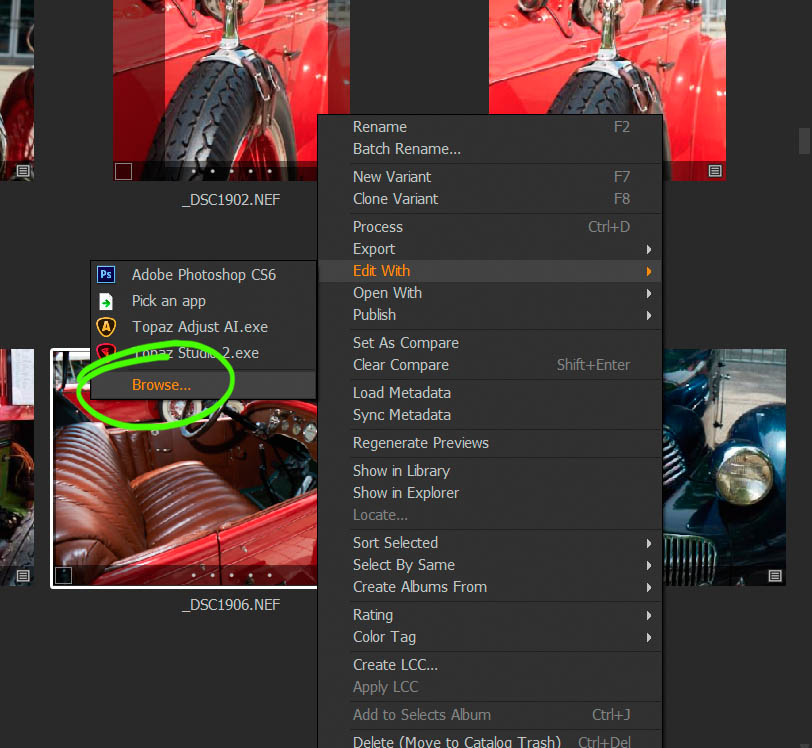
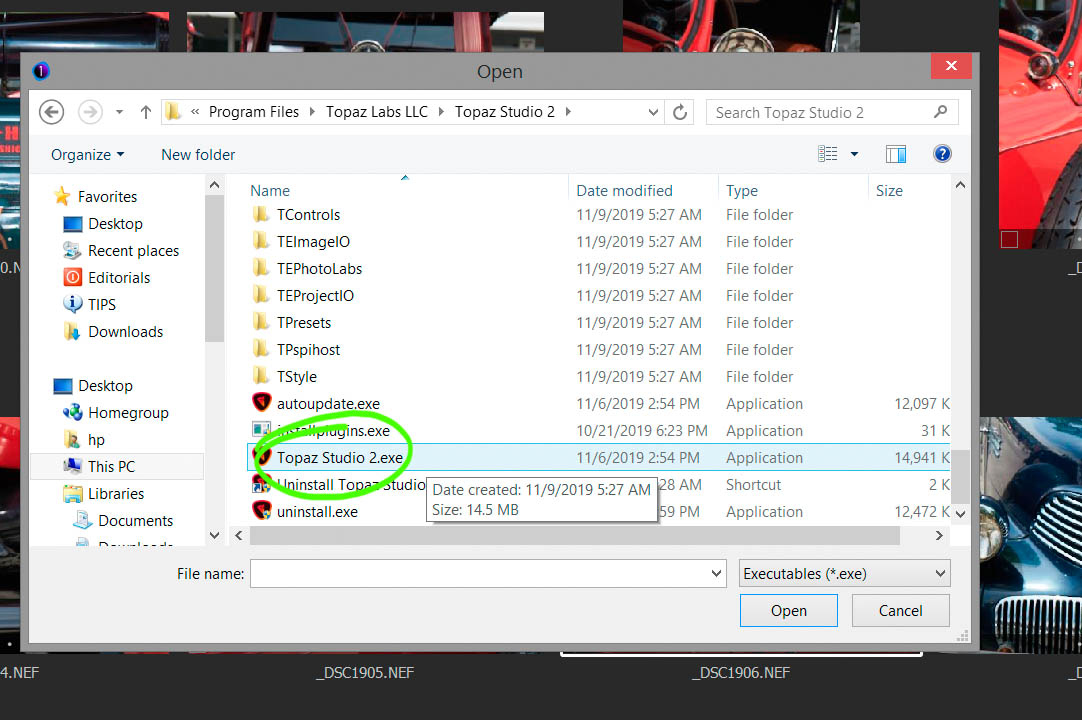 0
0 -
Thanx for the help I tried both in the viewer and browser no access to topaz with edit with
0 -

Is your Topaz product both a Photoshop style Plug in and a stand alone application?
If it's a PS/Lightroom plugin then I think you would need to run it using a PS plugin supporting application.
If it's a Windows EXE file it would need to be installed and registered in windows for the file type you wish to open OR, as already suggested, you would need to browse to the program and select it.
0 -

Hi,
I have similar problem. It looks like kind of bug when C1 reading BuiltInOpenWithPluginSettings.xms config file.
In the file I have listed some of apps without path and when I try to edit with these apps from C1 nothing happens. Like Aurora or Luminar, but no problem to edit with Affinity photo or Topaz Denoise AI.
I also tried to delete some entries like Word, Firefox, but later when I open C1 these programs still exist as options to edit with.
best
Aleks
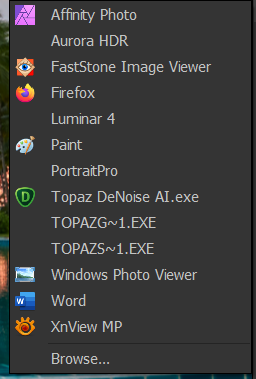 .0
.0
Post is closed for comments.
Comments
4 comments