Capture One 20 watermark export not possible

I've been switching from Lightroom to Capture One for some time.
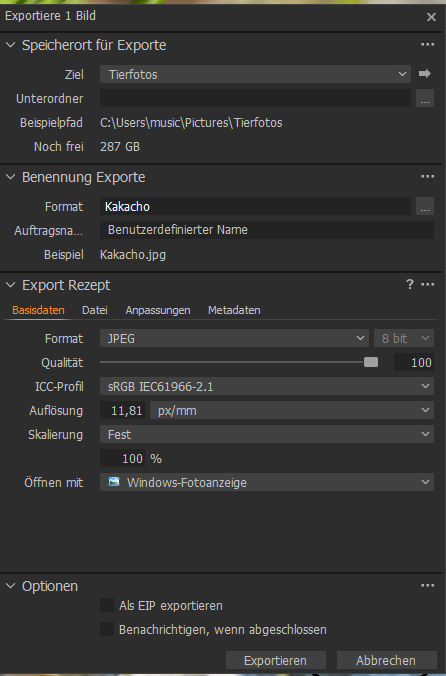
Everything works fine, except for watermark export. I create a new recipe, "JPEG with watermark", also create the watermark and place it on the picture. Then I go to Ctrl + D (Process) and then I export the variant. Everything is exported, layers, processing layers etc. except for the watermark ... in the end I get a photo without a watermark.
What am I not doing right? It is not described anywhere else ...
Many thanks, greetings
-

Use the Process function on the Process Recipes tab.
Edit: Sorry, I didn't read your question properly. Do you have just your new recipe process checked and highlighted? Does the watermark show up when you preview the image?
0 -
Hi,
thanks for the feedback. Yes, watermark is clearly visible in the preview. I don't understand the highlighting ...
Kind regards
0 -
This is what I meant by highlighting the new recipe process.
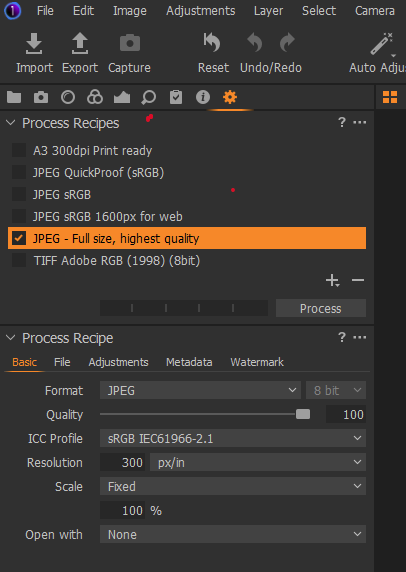
But what I tested it, it didn't really matter. How are you creating the watermark? Is it of the kind Text like this
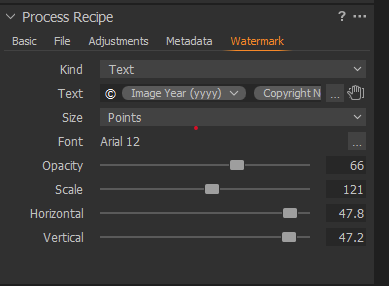
Or of kind Image
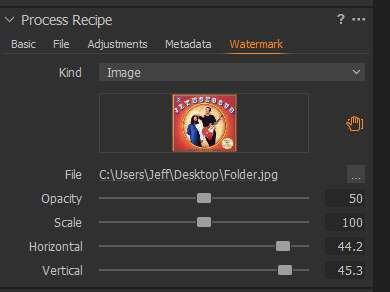
Is the Opacity and Scale set high enough?
0 -
Hello,
yes, I do it exactly as you described. My watermark is plain text. Then I print on Process and then I export a variant.
I set the opacity to 100% to test it.
Are you from Phase One Support, or private person? Maybe can we start Teamviewer meeting?
Regards, Zakaria
here i am: www.sasaphoto.de
0 -
I'm just an end-user like yourself.
Don't take this the wrong way, but are you sure that you are looking at the right JPG file? The recipe process may not be writing it to the location that you think it is. Delete the JPG file that you are looking at and then see if it is recreated after processing.
Also, are you using a Mac or Windows?
0 -
I use Windows...
0 -
Ok i try it again.
Thank you.
0 -
Here are my Screenshots:
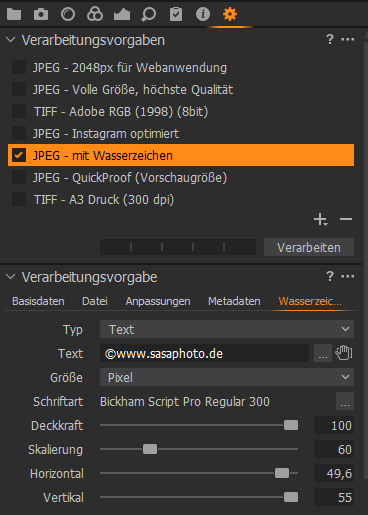

And finaly my JPEG
0 -
And then I get a picture without a watermark .....

I'm going crazy!!! I need it so badly.
0 -
I noticed something odd about the font size that you chose. On my system, I don't have a size 300 in any of the fonts. As a test, try changing the font to Ariel with a size of 12 and adjust the parameters as needed. Then see what happens when you process the image.
0 -
Another point, only use the Process function or the Export function and not both. The Export function does not output the watermark; only the Process function does.
0 -
Thinking about the names C1 uses (at least in English), I can see where someone could make that mistake. Depending on one's background, it is possible to think that the images would need to be processed before being exported. However, C1 sees Process as similar to Export. It seems the difference is that with Process multiple output formats can be generated (along with a watermark) at one time. Whereas with Export only one format can be generated.
0
Post is closed for comments.
Comments
13 comments