Keeping a folder or session visible in Library view

Working in a session...
Trying to scavenge pics from all over my library into one themed album. However, when I scroll down the folder list, the target album scrolls off the top. So I have to constantly scroll back and forth in the library pane to access the album/collection I am targeting to drag and drop it. Is there a way to 'split' the library sidebar, so that the place I am trying to drop items into never moves, but I can navigate at will in the second split pane?
Alternatively, can I designate an album as 'target' and make my selects elsewhere and use a command key to add the selects to the target?
I am sure there is a way, but for the life of me, I don't see it...
-
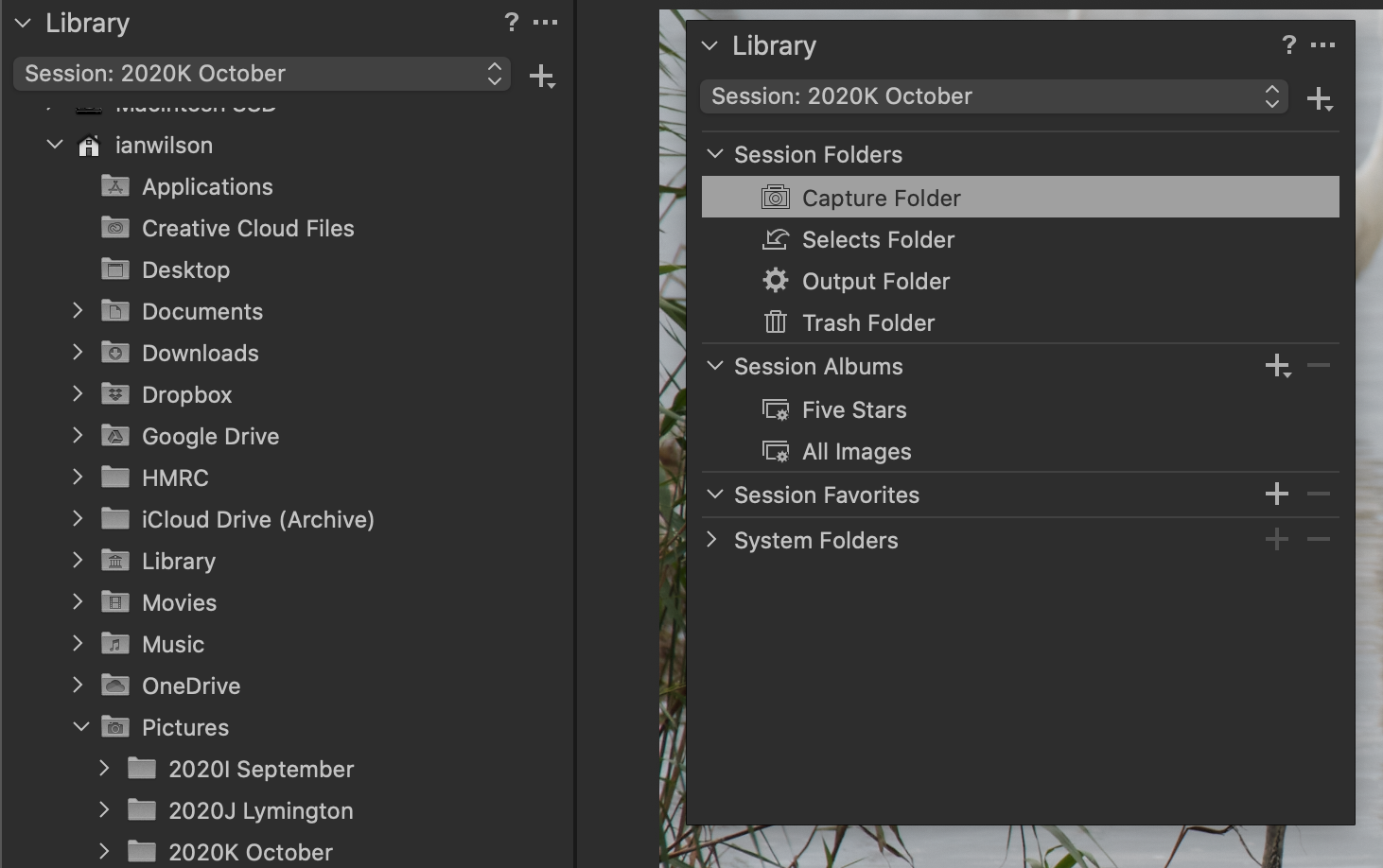
How about running the Library tool as an extra floating tool. You'd then have two instances of the Library tool - one in the tool tab and one floating. One could stay on the album and you could scroll with the other.
Ian
 0
0 -
Yup, that worked thanks. Exactly what I was looking for!
0

Post is closed for comments.
Comments
2 comments