Trash images are not excluded during import

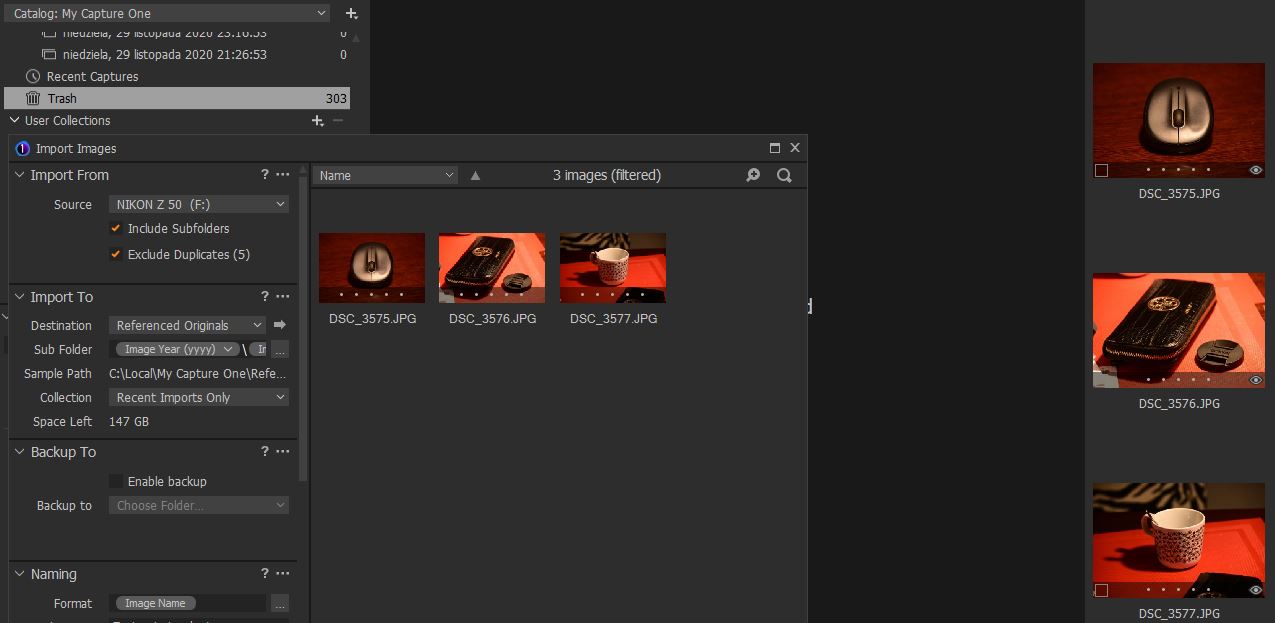
During my workflow, I want to use Exclude Duplicates while importing. I also learned that images which are in the trash are also taken into account - they should be taken into account during Import - and not re-imported - as described here: https://support.captureone.com/hc/en-us/articles/360003412917-Re-importing-previously-deleted-files
Below you can see that it does not work like described in my case.
Am I missing something?
-
I have no definite answer to this, but I suspect that "exclude duplicates" works by comparing the images to be imported with the "All Images" collection. And the All Images collection does NOT include images in the trash.
However, although I have not much used it, I understand that turning on "exclude duplicates" can make import very slow.
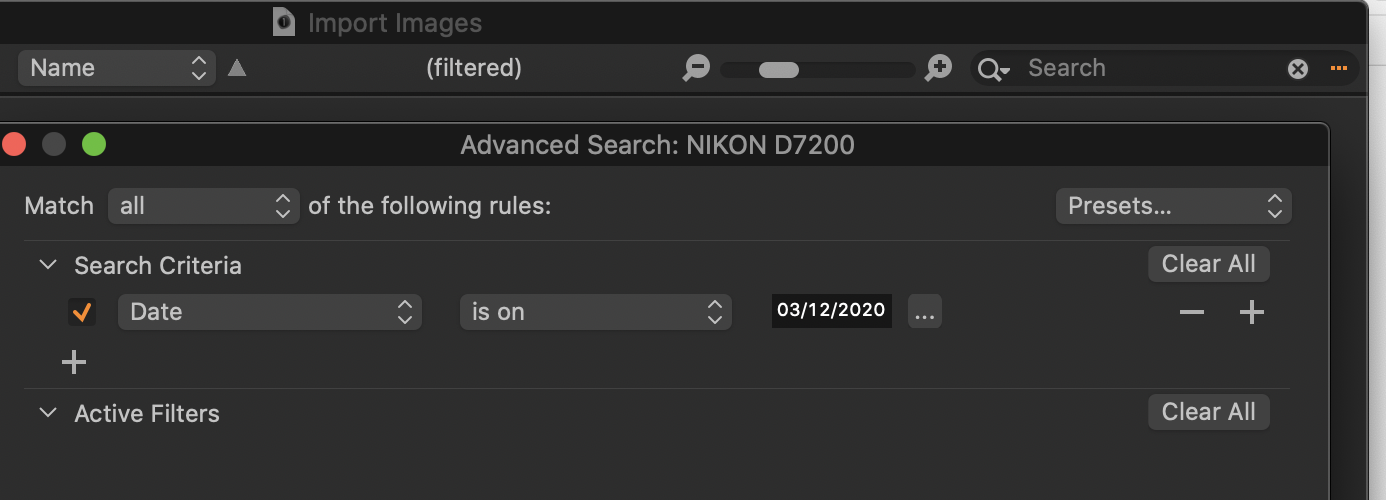
If I am importing from a memory card that includes some images that have been imported before, I filter the images in the import dialog box. Use the Search box top right in the import dialog. Clicking the ... brings up Advanced Search, and adding Date to the Search criteria defaults to "is on" and today's date, so it is very quick and easy. Obviously you can change the date if required. Import should be much faster because Capture One doesn't then have to compare every image with the existing collection.
Ian
 0
0 -
And I see that that is not quite what is described in the page you linked to, but I have never tried that for myself, I must admit, never having attempted to import previously deleted files.
Ian
0 -

I'm seeing the OP's problem also..
Anything in the trash folder is not being seen by the importer exclude duplicates filter.0

Post is closed for comments.
Comments
3 comments