Aperture Library import has wrong crops

Hi,
I imported my Aperture library with ~32k images.
Unfortunately, most crops are totally broken (seems to be related to rotated images)
Any chance this get corrected?
Original crops:
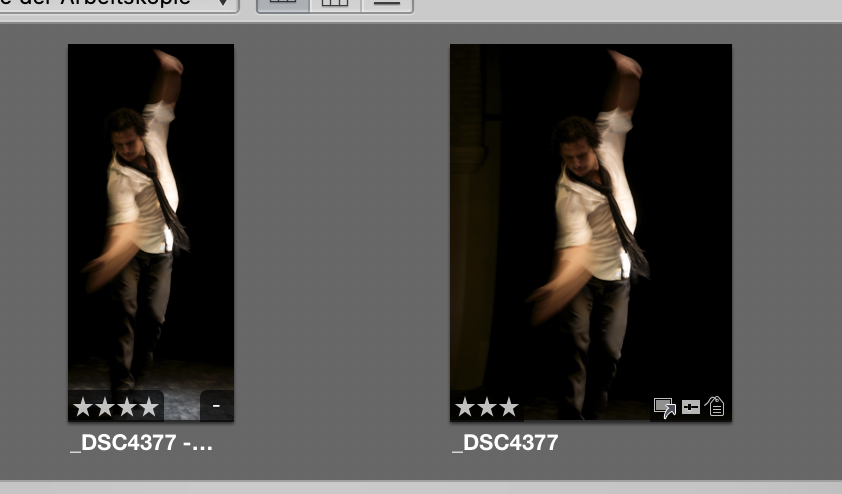
Results in:
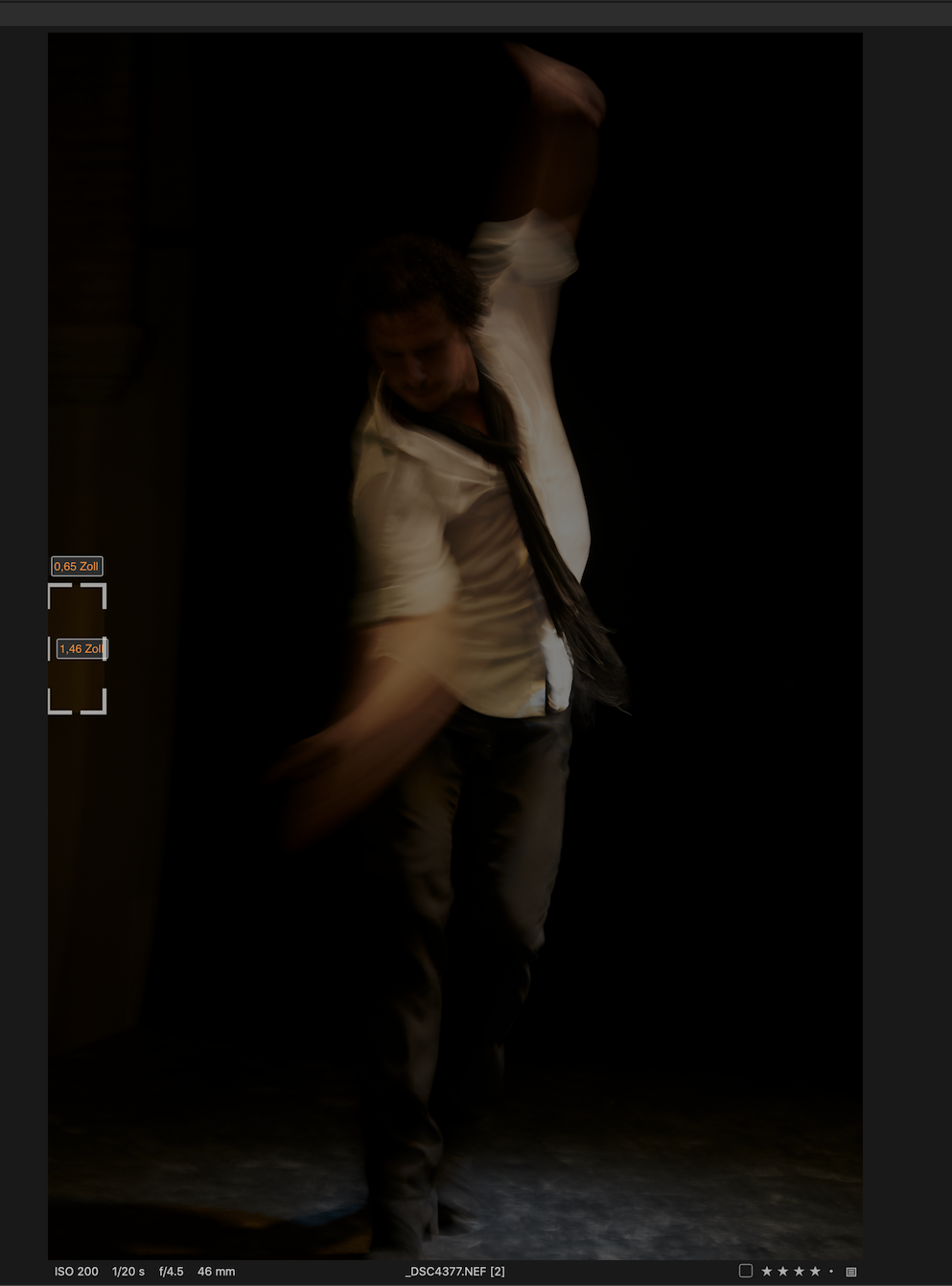
-
P.S.: I extracted the crop adjustment parameters for that image from the Aperture sqlite database.
Without knowing too much of the format, the rectangle [0,618, 4304, 1906] looks correct in pixels for a 90° rotated image.
<string>inputRectangle</string><dict><key>$class</key><dict><key>CF$UID</key><integer>5</integer></dict><key>CICount</key><integer>4</integer><key>CIVector</key><dict><key>CF$UID</key><integer>4</integer></dict></dict><string>{{0, 618}, {4304, 1906}}</string>0 -

https://support.captureone.com/hc/en-us/articles/360008801138-How-to-import-an-Aperture-Library
This article has a section about Adjustments that includes this information.
"here is the list of adjustments that will be imported to Capture One:
- Straightening
- Crop (if not Straightened)
- Flip
- Black & White
- Enhance/Definition -> Capture One Clarity
- Enhance/Saturation -> Capture One Saturation
- Exposure/Exposure -> Capture One Exposure
- Exposure/Brightness -> Capture One Brightness
- Highlights & Shadows (Mid Contrast ignored)
Everything else is ignored."
Does this offer any guidance in the case of your import?
0 -
Unfortunately not.
a.) The Crops imported incorrect are not straightened - as you see in the screenshots above, the image is just cropped
b.) The support document referenced explains - if I understand correctly - straightened crops are not imported at all. However, I see crops that are imported but are simply wrong.
0 -
You mentioned "rotation" .
I think it is the adjustments that are ignored, not the images.
Might there be a way to adjust things using apply script after import?
Beyond that I think you may need to ask the C1 Support team but given the number of years since the conversion code was made available I'm not sure what sort of reply might be realistically expected. Presumably most people who would be moving from Aperture to C1 will have done so already.
No harm in asking though. Submit a request.
0 -
Thanks. I reported a request and digged deeper into that bug.
- Cropped landscape images are usually imported right even though the cropped area might be a bit larger
- 98% of my portrait image crops are broken - in my library for ~1000 edits. I used cropping a lot for images of concerts and performances - where I need some extra room for unexpected movements or can't get close enough to the stage for a perfect picture without cropping
Technically the reason seems to be that the crop center y coordinate is converted incorrectly and then the crop area is clipped to a rectangle in the remaining image area.
0 -
I stumbled over this a couple of days ago: https://cyme.io/avalanche-photo-conversion/
It seems like the Capture One conversion is not released yet but it might be worth keeping an eye on that product, though. I have never personally used it as I completed my conversion a long time ago.
0 -
Well, the Phase one support "response" was abysmal.
For anyone also struggling with this and who has some developer skills, here is an algorithm / Swift playground that fixed 90% of the broken imported images by transfering "better calculated" crops from the internal Aperture database to the internal capture one database:
https://github.com/tengelmeier/fixAperture2CaptureOne
It is based on reverse engineering and only an approximation. C1 has a weird internal coordinate representation, and Aperture <-> Capture One use slightly different image sizes for raw images where I didn't bother to find out where the missing / additional pixels go to. Anyway, it worked 90% of my broken imports.
0
Post is closed for comments.
Comments
7 comments