Question Mark in Circle

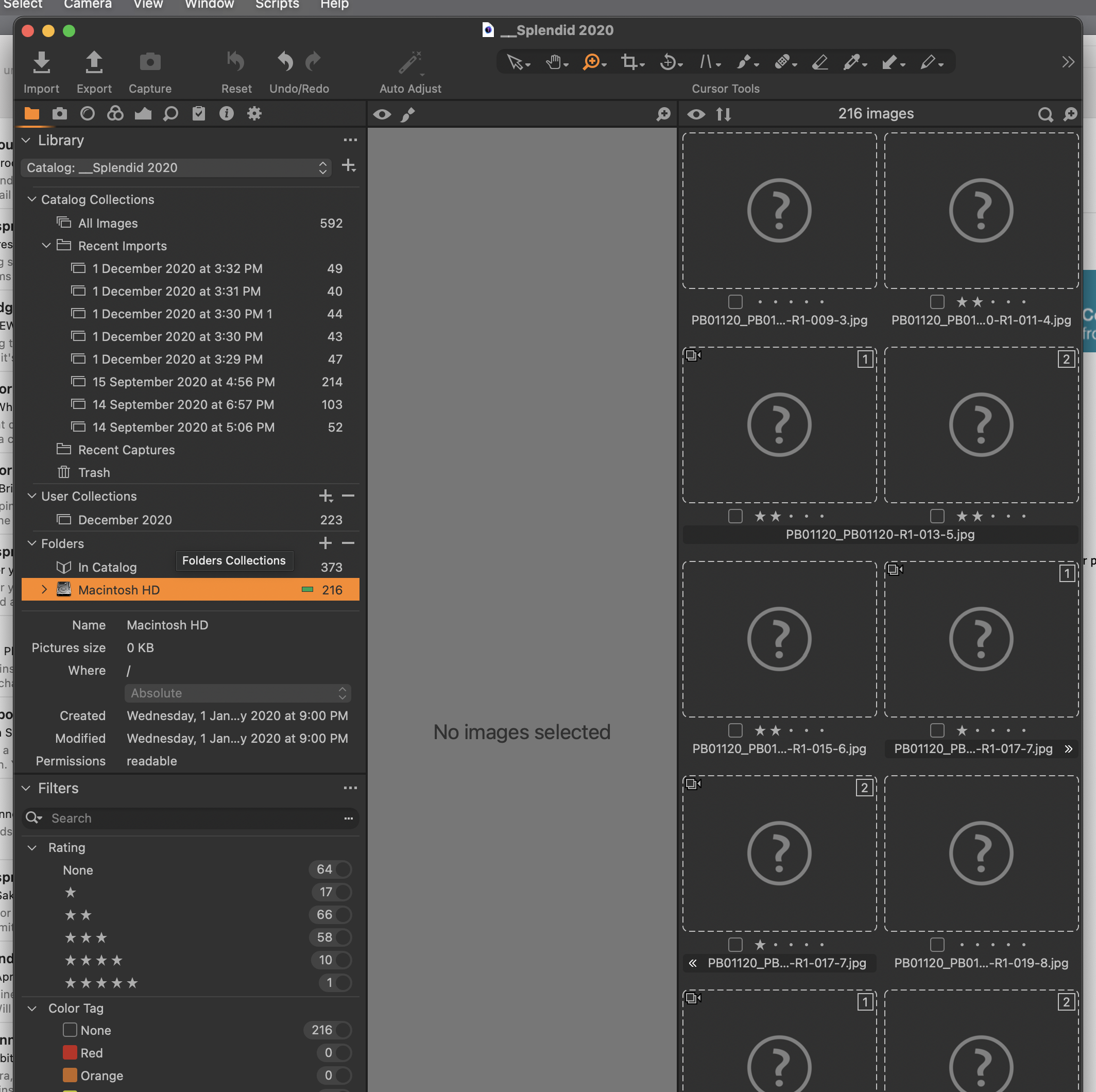
Hi Team - I have posted about this issue recently but I'm having trouble solving this issue with the info supplied (my problem I suspect). I have approx 592 images in the Catalog: __Splendid 2020. Under "Folders" I have 373 images "In Catalog," which I can access. Below this is "Macintosh HD" highlighted in orange, containing 216 images which I cannot access because browser shows blank images with the question mark. I have spent some time trying to get these images back but to no avail...........!
-
Have you looked in Finder at the location where these images are meant to be? Are they there?
Ian
0 -

If you have followed Ian's advice and had a look in Finder at the root directory (/) of the MacintoshHD which is where your screen shot indicates the pictures are located and they are indeed there then it could be that CO is having permission problems. You could try moving them to a folder in your user directory and locating them using the Capture One locate function. If this does not work due needing superuser permission to move files in the root directory and you are happy to use the Terminal then you could probably SUDO move the pictures to somewhere in your user directory and then again use capture ones locate function to find the pictures in their new location.
0 -
Thank you Ian and Dave. As mentioned, I'm technically challenged, so please bare with me and see if we can't fix this issue once and for all....
I will get back to you...
Peter
0 -
I will call in a friend who is, compared to myself, a computer expert. He has no affinity to photo software but there seems to be a logic across the board. To be honest Dave I sort of understand your instructions but there's the possibility of me going off the rails causing more harm than good.
Peter
0 -
Warren, my computer help, may continue this feed - either way I will get back to you both
0 -
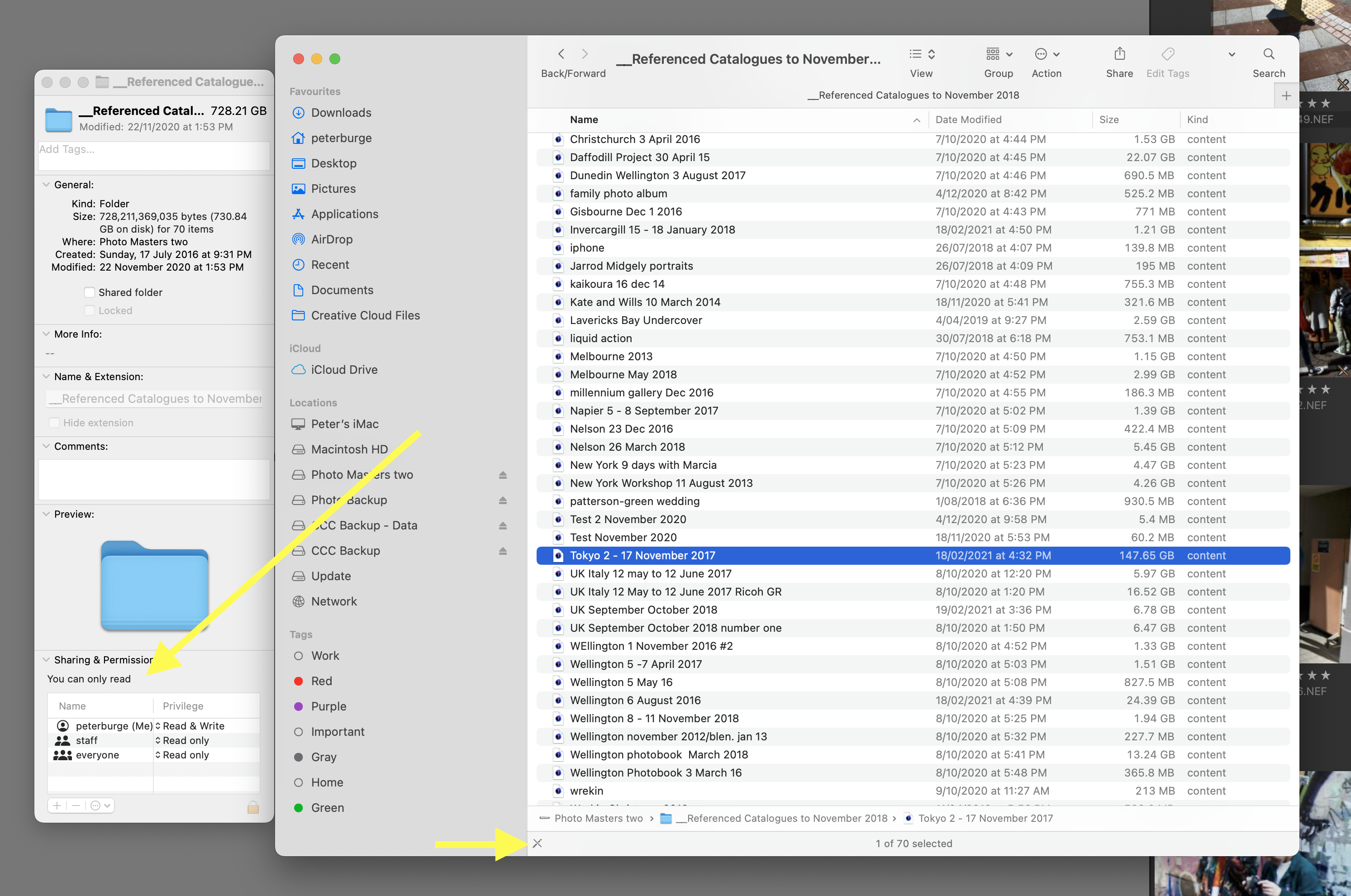
I now note that all my CO catalogs, kept on an external HD, are locked.
 0
0

Post is closed for comments.
Comments
6 comments