Version 14.10.220 Open With Menu Plugin - Mac

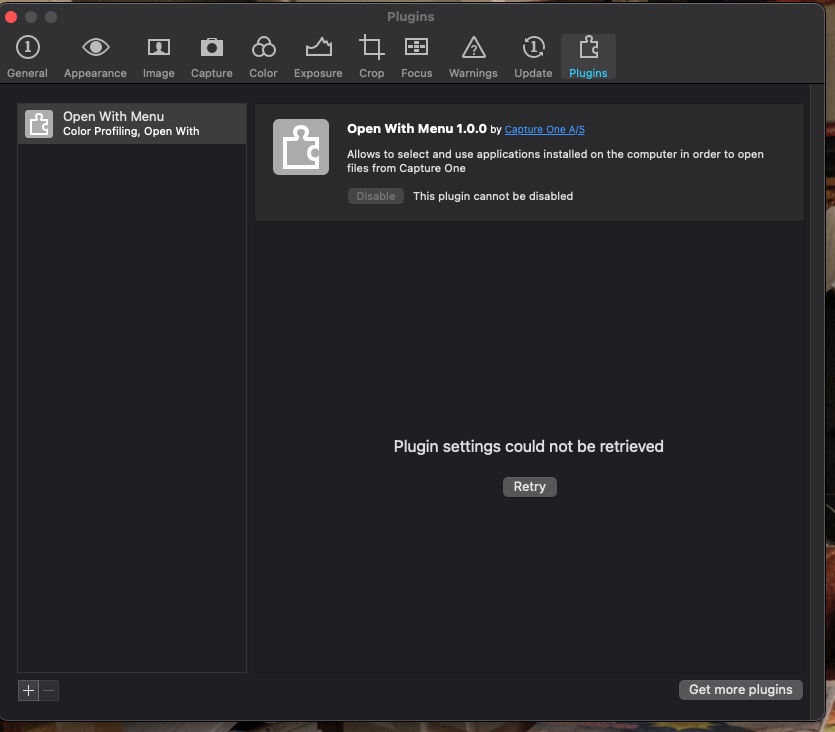
I just installed this new upgrade and attempted to use the "open in" feature. It didn't work. It worked in the prior version. I attempted to enable the plugin in the preferences panel. That failed. Indeed, I first got a message that it failed. Then I tried it again and the program beach balled. I had to force quit it. I MUST have this plugin for my workflow. I bet a LOT of us need it. Does anyone know of a fix for this. By the way, I trashed C1 and reinstalled it. Oh! I just got a new message saying that the "Plugin settings could not be retrieved." What's up?!!! Thanks in advance. I'm running a MacBook Pro with 32 gigs ram, the 5600M graphics card and the latest version of Big Sur
-
By the way again, I saw that this has been an issue with prior versions of C1. How the heck does this thing keep reoccurring?
0 -

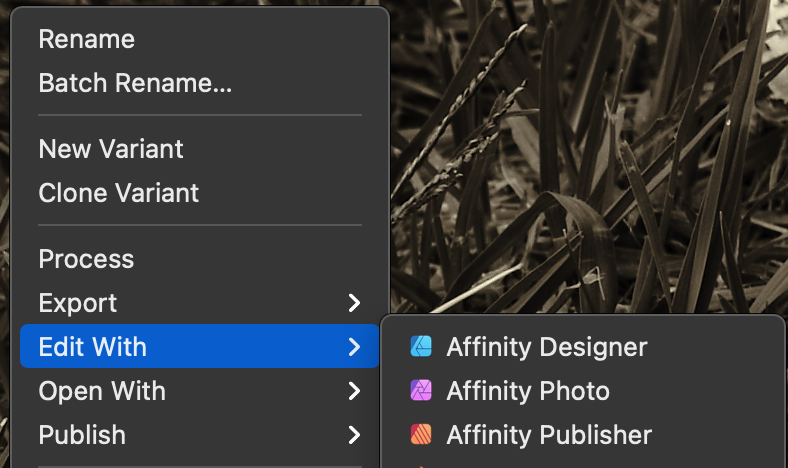
Ok. For starters, what sort of file are you wanting to edit, and did you select "Open with" or "Edit in"?
 0
0 -
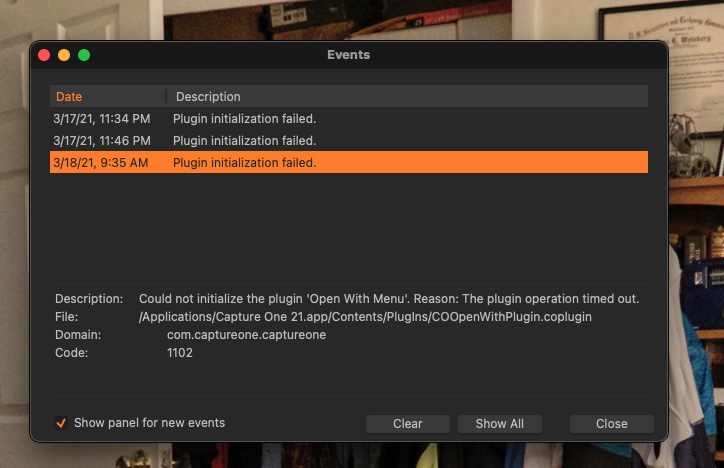
I couldn't get that far. The plugin simply doesn't load. Here's what I get.
 0
0 -

I do not know about Macs but the Open With Menu for Windows 10 V21.1 is reported to be 1.0.1.
I have no idea if this is relevant for your problem but it may be worth checking.
0 -
As you might know, the location of the plugin is inside the Capture One package. If you right click on the app and select Show Package Contents you'll be able to navigate to the Plugins folder and confirm if the plugin is there. I suspect it is and might be corrupt. I think that if you were to contact support they would recommend a fresh install. Given that you are completely stuck it might be worth a try.
0 -
No joy. I even downloaded the earlier version, copied out the old plug-in that worked, and it STILL doesn't work. The most recent version also no longer works. I don't get it. None of the plug-ins work at all. If I want to "open with," I have to select "other," find the application to open with and then it opens in that application. The application stays on the pop up list until I want to use another program. Then it is substituted by the other program. God, is this frustrating. I sent in a support request a couple of days ago and HAVE HEARD NOTHING BACK! I'm not a happy camper......
0 -
Just to confirm how you deleted CO, to completely remove CO I had to run the terminal app. This tech note was updated yesterday, maybe it will help...https://support.captureone.com/hc/en-us/articles/360002402377-How-to-uninstall-Capture-One-#h_01F12NXTS91TK8CTRGD0BZ9FVG
0
Post is closed for comments.
Comments
7 comments