Úpps what are is this EXPORT mess

Hi the Process button have been removed in the 21 version 14.3.0.260 !!! ?
and now I a extra work to process the photos why.?
It was so simple you just klick on the Process button and continue working on the next photo.
-
Until/unless a change is made you can work this way:
- Edit a photo.
- Hit cmd-D (export with previous settings).
- Continue working on the next photo.
That works once you've set up your export the way you like.
0 -
Actually, it's Opt-Cmd-P if you want to use your last settings and Shift-Cmd-D to access all Export options. Both of these are also available from the Export contextual menu and also from the Export arrow in the toolbar.
0 -
Actually, it's Opt-Cmd-P...
Are you using a custom layout? The default keyboard layout on my machine looks like this:
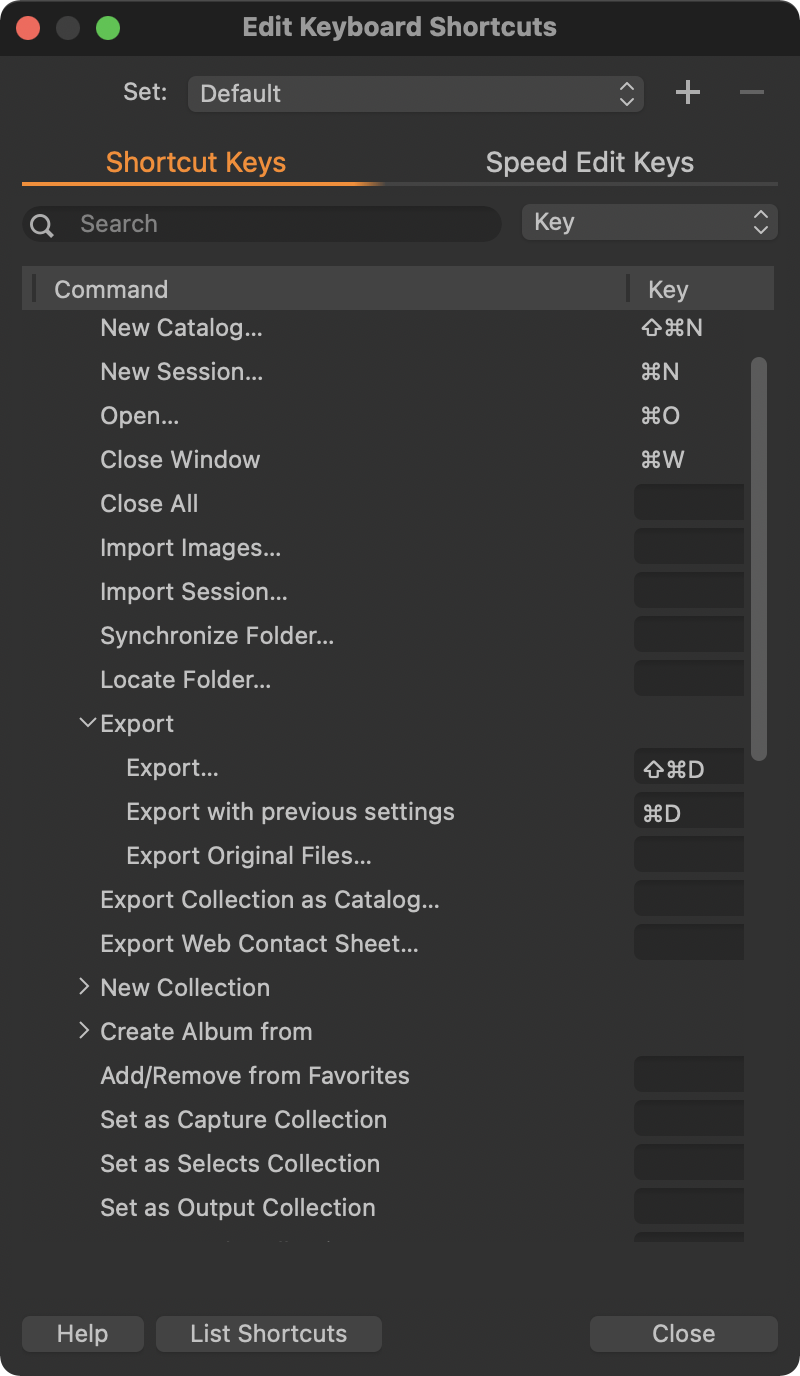 0
0 -
Ah yes; really apologize for that! Thanks for correcting me.
I use a custom keyboard shortcut set, btw, because I got tired of C1 changing default shortcuts. Those changes don't effect custom sets.
0 -
Thank you guys... you don't know how good it is to wake up and see this post from you,
0 -

I think you actually want to vote up that:
There is also a petition:
1
Post is closed for comments.
Comments
6 comments